

Images

Drag or upload image
Support jpg, jpeg, png, webp, up to 16MB

Free Living Room Design

Transform your space in seconds — upload your photo and see your living room styled in your favorite design instantly.

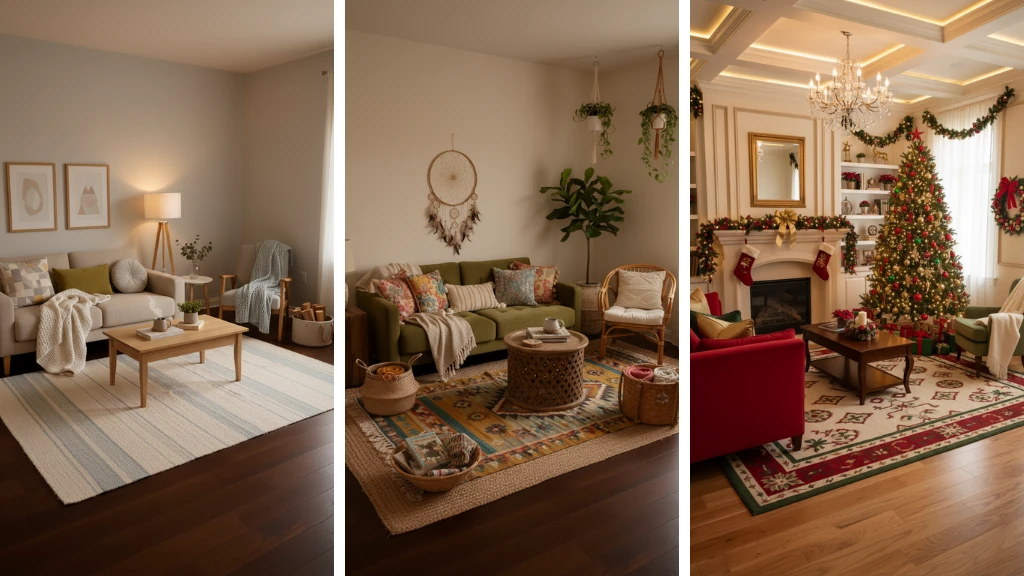
AI Living Room Design Sample

Free Living Room Design Generator - AI 3D Decor Online

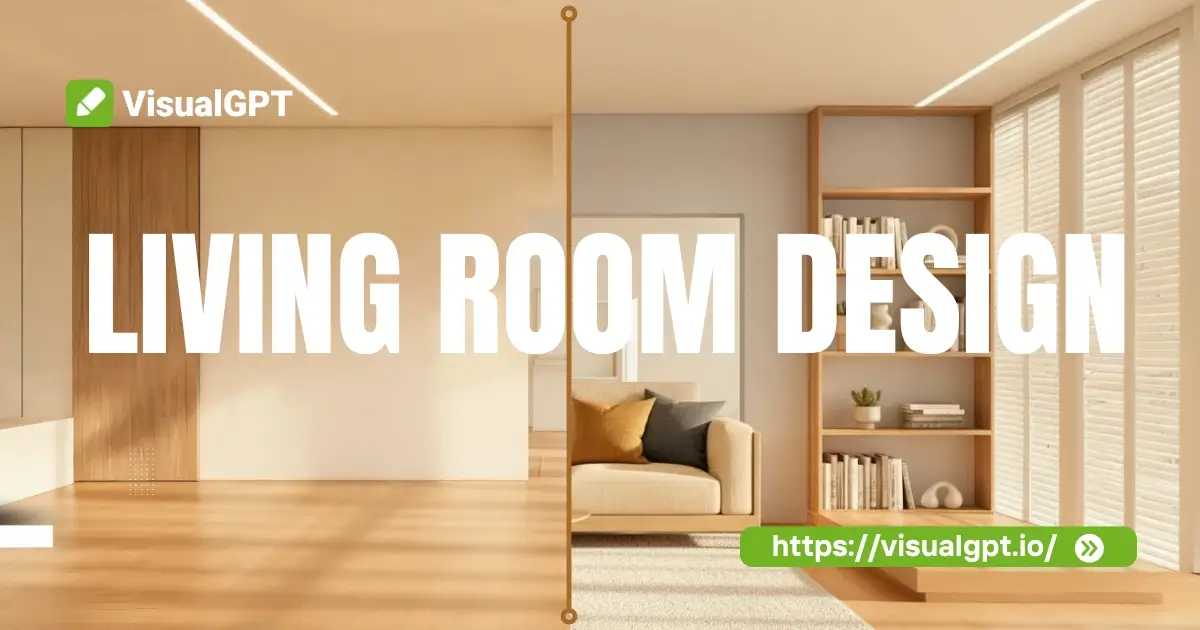
Create your Living Room Design fast with AI. Get realistic 3D renders that preserve your layout and lighting. Try it online free - simple, quick, and stunning.

Create Your Living Room Design
Free Living Room Design Generator – AI 3D Decor Online - VisualGPT

What is Living Room Design?

Living Room Design is about creating a stylish and functional space. With our free online tool, upload a photo, pick a style, and see realistic 3D renderings. It keeps your layout and lighting intact while exploring modern ideas and AI-powered decor.

AI Living Room Design - What is Living Room Design? - VisualGPT

Why Living Room Design is Recommended?

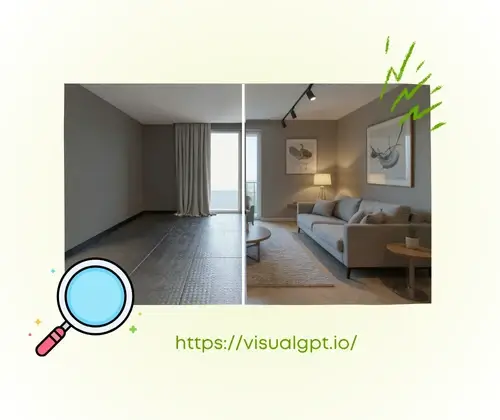
Living Room Design is perfect for quickly styling your living room. Upload a photo, choose your favorite style, and see realistic before-and-after 3D renderings. It preserves layouts and lighting, offers multiple style options, and lets you download in PNG or JPG—all free and online.

AI Living Room Design - Why Living Room Design is Recommended? - VisualGPT

Struggling to Style Your Living Room Easily?

Planning a living room can be tricky without design skills. Picking colors, arranging furniture, and imagining the final look takes time. This free online Living Room Design lets you upload a photo, explore styles, and see realistic 3D renderings while keeping your layout and lighting.

AI Living Room Design - Struggling to Style Your Living Room Easily? - VisualGPT

Why Our Living Room Design Stands Out

This free online Living Room Design makes styling easy. Upload a photo, try different styles, see realistic 3D renderings, compare before-and-after views, and download in PNG or JPG.

One-Click Style Generation

Upload your room photo and instantly transform it into your chosen style. It preserves your layout and lighting while producing realistic 3D renderings—no design skills needed.

Multiple Styles to Explore

Try modern, cozy, or custom designs on your photo. Quickly see which look fits your space best and make confident style choices before real-life changes.

Easy Download and Sharing

Save your redesigned room in PNG or JPG. Share your ideas, plan renovations, or keep them for reference—all free, online, and high-quality.

How to Use the Living Room Design

Style your living room in minutes. Upload a photo, pick a design, and generate realistic 3D renderings ready to download. Fast, free, and easy to follow.

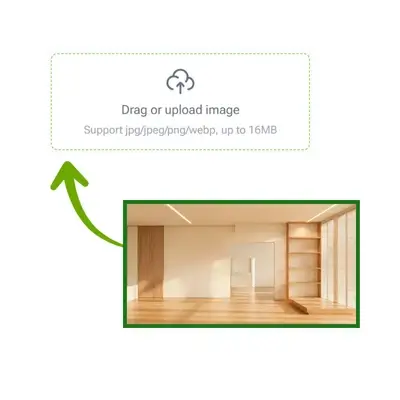
AI Living Room Design: Step 1: Upload Your Living Room Photo - VisualGPT

Step 1: Upload Your Living Room Photo

Choose the photo of your living room to start. The tool accepts PNG or JPG and prepares your image for editing while keeping your room’s layout and lighting intact.

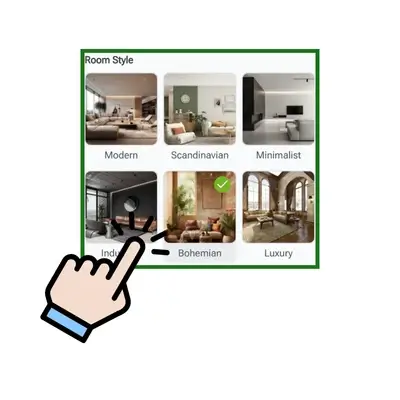
AI Living Room Design: Step 2: Choose Your Favorite Style - VisualGPT

Step 2: Choose Your Favorite Style

Select from a variety of styles, from modern to cozy. Apply your choice to see how it changes your room. You can test multiple looks before finalizing the design.

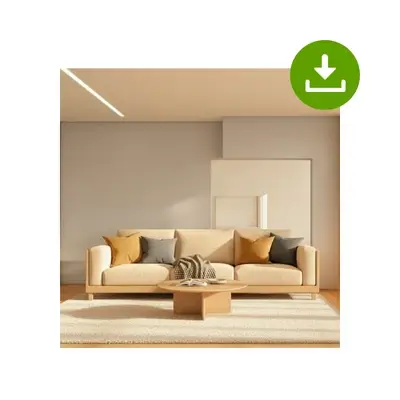
AI Living Room Design: Step 3: Generate and Download - VisualGPT

Step 3: Generate and Download

Click generate to create realistic 3D renderings of your room. Download the results in PNG or JPG to share, save, or plan your living room makeover.

Transform Your Living Room in Minutes

Ready to style your space effortlessly? Upload your photo, pick a design, and see realistic 3D renderings instantly. Get creative and plan your dream living room—all free and online.

Start Designing Now

What Our Users Say About Living Room Design

J.S. avatar

J.S.

Interior Designer

I never thought designing my living room could be so easy. With this Living Room Design, I uploaded my photo and instantly saw multiple styles applied. The realistic 3D renderings kept my layout and lighting intact, and I could experiment with modern and cozy looks before making any changes in real life. It’s fast, free, and surprisingly accurate for anyone without design experience.

M.T. avatar

M.T.

Homeowner

This free online Living Room Design completely changed how I plan my space. I was able to test different styles, from minimalist to classic, and the tool preserved my room’s proportions perfectly. The before-and-after comparison feature helped me make confident decisions, and downloading the results in PNG format made sharing my ideas with friends effortless. Highly recommend it to anyone looking for a quick and realistic room makeover.
K.L. avatar

K.L.

Student

I love how this Living Room Design lets me experiment without moving a single piece of furniture. The AI-powered 3D renderings look very realistic, and I could try multiple styles on my uploaded photo. The tool is simple to use, free online, and helped me plan my living room update faster than I ever imagined. It’s perfect for anyone who wants to visualize new decor ideas quickly.
A.R. avatar

A.R.

Freelancer

Using this Living Room Design made redecorating stress-free. I uploaded a photo of my living room, explored various styles, and instantly saw how modern or cozy options would look. The tool preserved my room’s layout and lighting perfectly. I especially loved the side-by-side comparison of before-and-after images—it made deciding on a style much easier.
S.P. avatar

S.P.

Teacher

As someone with no prior design experience, I found this Living Room Design extremely helpful. The realistic 3D renderings showed exactly how different styles would appear in my space. I could quickly test multiple looks and download the results to share with my family. It’s a free, online solution that makes planning your dream living room both simple and fun.
R.C. avatar

R.C.

Architect

I was amazed at how accurate and fast this Living Room Design is. Uploading a photo, choosing a style, and seeing realistic 3D results took only a few seconds. The tool maintained my room’s original layout and lighting while giving me plenty of style options to explore. It’s an excellent online resource for anyone wanting to plan a living room makeover easily.

FAQs About Living Room Design

Living Room Design can be simple even for beginners. You start by uploading a photo of your space, then select styles to see realistic 3D renderings. Layouts and lighting are preserved so you can experiment with modern, cozy, or custom designs. This makes it easy to plan a stylish living space quickly, all online and free.
Yes, Living Room Design allows you to experiment with multiple styles on the same room photo. You can switch between modern, classic, or cozy looks and immediately see the effects in realistic 3D renderings. The accurate preservation of layout and lighting makes it simple to compare options and select the style you truly like.
Absolutely. Living Room Design is fully accessible online at no cost. You can upload photos, explore a variety of styles, and generate realistic 3D renderings without any payment. The process is simple, fast, and requires no complex software or design experience. You can also download high-quality images to save or share for planning your room update.
Yes. Living Room Design keeps your space’s layout and natural lighting intact when applying new styles. This ensures that any changes, from furniture arrangement to color schemes, appear realistic. Accurate rendering helps you visualize your room transformation clearly, making it easier to make confident decisions without guesswork or costly trial and error.
Yes, Living Room Design allows you to download high-quality images in PNG or JPG. This helps you share ideas with family or friends, save for reference, or plan future renovations. The downloaded renderings maintain realistic lighting and layout, making it simple to keep track of your favorite designs and use them to guide your real-life updates.
No installation is required. Living Room Design works fully online. Simply use a web browser to upload your photo, pick a style, and generate realistic 3D renderings. This makes it accessible on any device, saving time and avoiding complex setup. You can start designing immediately without worrying about software compatibility or technical issues.
The 3D renderings in Living Room Design are highly realistic. The tool keeps your room’s layout and lighting while showing how new styles, colors, and furniture arrangements will look. This allows you to make design decisions confidently, experiment with multiple looks, and visualize your dream living room before making any real-life changes.
Yes, Living Room Design supports multiple attempts on the same photo. Family members or roommates can try different styles and compare results. Each change generates realistic 3D renderings while keeping the room’s proportions and lighting accurate. This collaborative approach ensures everyone can contribute to planning the ideal living room.
Absolutely. Living Room Design respects user privacy. Uploaded photos are only used to generate realistic 3D renderings and are not shared publicly. You can safely download or delete images after use. This ensures you can explore different designs freely without worrying about personal data or the security of your room photos.
Yes, Living Room Design works for any space. Whether you have a compact apartment or a spacious living area, the tool adapts your uploaded photo to generate realistic 3D renderings. It accurately preserves proportions, layouts, and lighting, allowing you to visualize design changes clearly no matter the room size or shape.
Yes, it accepts common formats like PNG and JPG. This flexibility allows you to upload photos taken from different devices without worry. Once uploaded, the tool applies your chosen style, produces realistic 3D renderings, and keeps layout and lighting accurate, making the design process smooth and accessible for anyone.
Results appear almost instantly. After uploading your photo and choosing a style, Living Room Design generates realistic 3D renderings quickly. This allows you to experiment with multiple designs in a short time, visualize your space immediately, and make confident decisions without delays or the need for complex design software.