

Image

Drag or upload image
Support jpg, jpeg, png, webp, up to 16MB

Select Area

Select Color

Free AI Paint Color Visualizer

Automatically detect and preview colors with precision—no manual selection needed, try shades instantly.

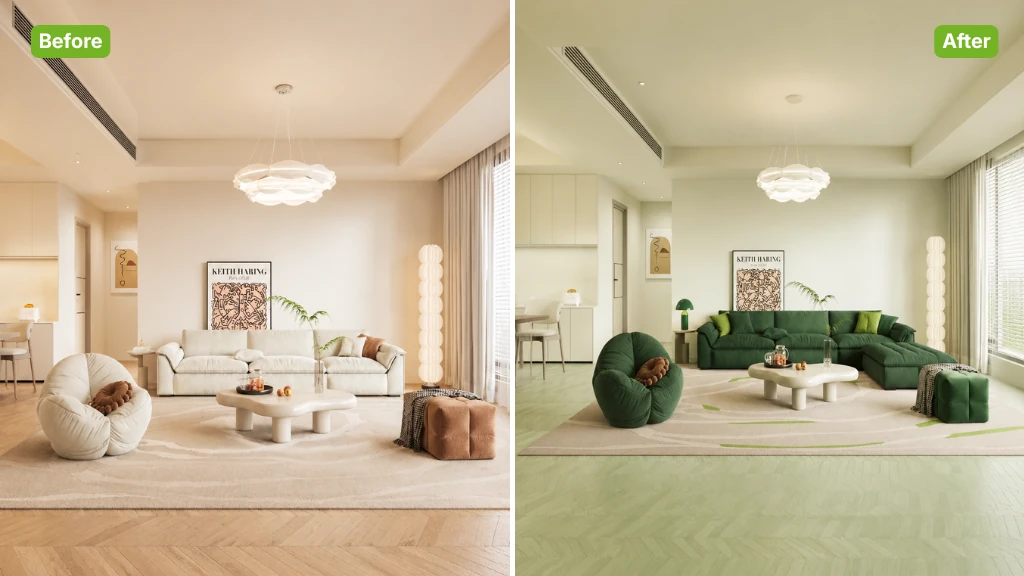
Paint Color Visualizer Sample Image

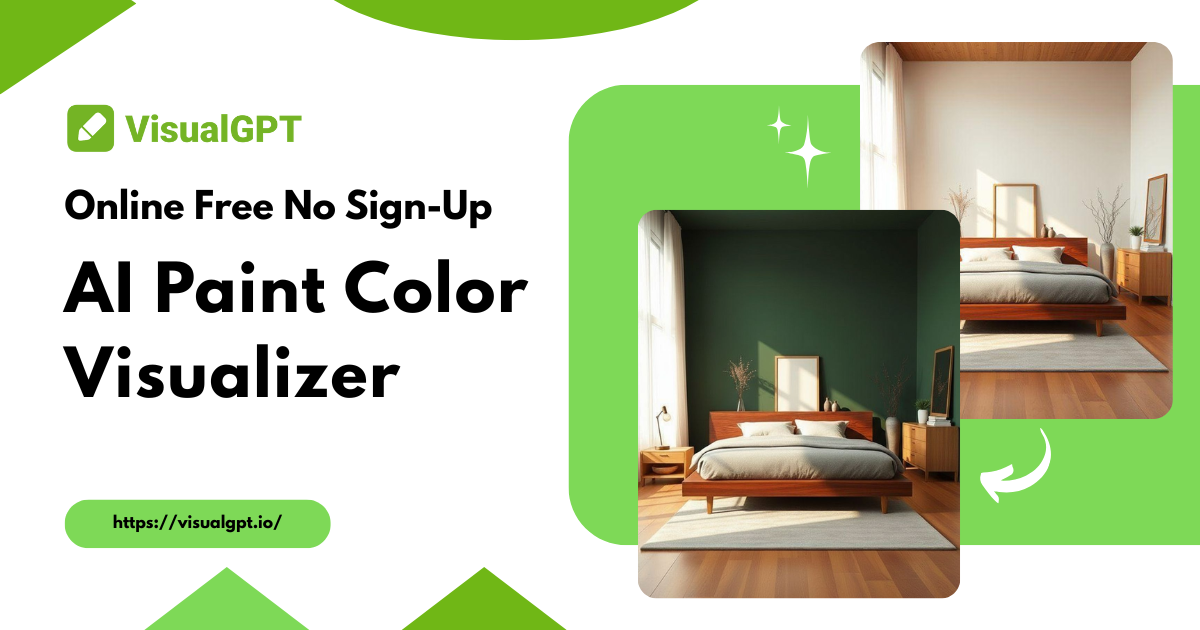
Paint Color Visualizer with AI - Online Free, No Sign-Up

Preview wall, floor, or full room colors with free AI Paint Color Visualizer. Upload your photo, get instant automatic detection, and test paint shades online.

Try Your Color Now
Paint Color Visualizer with AI - Online Free, No Sign-Up

What is Paint Color Visualizer?

Paint Color Visualizer is a free online tool designed for easy home makeover planning. Instead of guessing from paint samples, you can use your own room photo and instantly view realistic color changes on any spaces. It’s a quick way to explore ideas and choose the right palette with confidence.

Paint Color Visualizer – What is Paint Color Visualizer?

Why Use Paint Color Visualizer?

Paint Color Visualizer uses advanced AI to accurately detect room structures and layouts, then replace colors naturally. It creates realistic images with smooth color blending on walls, floors, and furniture. Quickly explore multiple palettes and see true-to-life results before any painting project.

Paint Color Visualizer – Why Use Paint Color Visualizer?

The Challenge of Creating Unique Action Figures Without Design Skills

Traditional paint tools require users to manually select areas, often exceeding boundaries or missing parts. Complex scenes with objects or reflections make accurate color filling nearly impossible, leading to unrealistic previews and frustrating planning for home color changes.

Paint Color Visualizer – The Challenge of Creating Unique Action Figures Without Design Skills

What Makes Paint Color Visualizer Stand Out?

Want a tool that uses AI to recognize every surface, offers stylish color palettes, and simulates realistic results for your home design?

Full AI Precision Detection

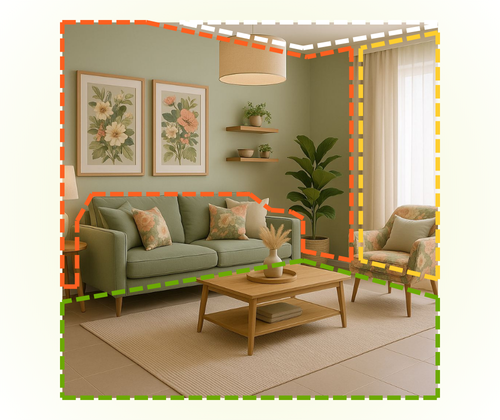
Paint Color Visualizer automatically identifies walls, floors, furniture, and even small objects like vases. You can instantly change colors without manually selecting areas, ensuring seamless and accurate results in any room.

20 Stylish Home Design Palettes

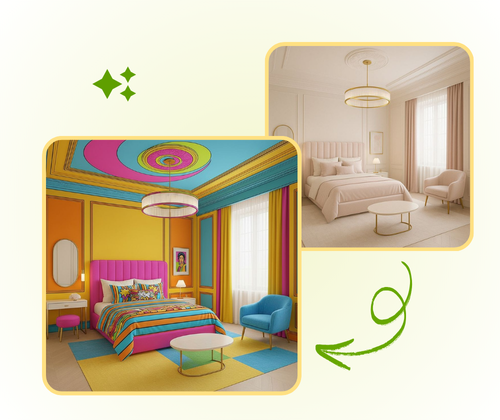
Choose from 20 curated interior styles with full-spectrum color options. One-click selection lets you explore the latest trends and create harmonious, fashionable room combinations effortlessly.

Advanced AI Realistic Simulation

Simulate true-to-life lighting and materials. Colors are accurately rendered with no noticeable differences, helping you preview paint, furniture, curtains, and other decor items with confidence.

How to Use Paint Color Visualizer

Using Paint Color Visualizer is simple and fast. With just a few steps, you can transform your room colors, experiment with palettes.

Paint Color Visualizer: Step 1: Upload Your Photo

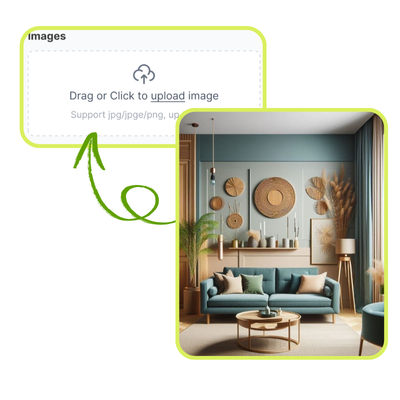
Step 1: Upload Your Photo

Upload a photo of the room you want to redesign. Make sure the image clearly shows walls, floors, and other surfaces for the AI to detect and apply colors accurately.

Paint Color Visualizer: Step 2: Choose Color Options

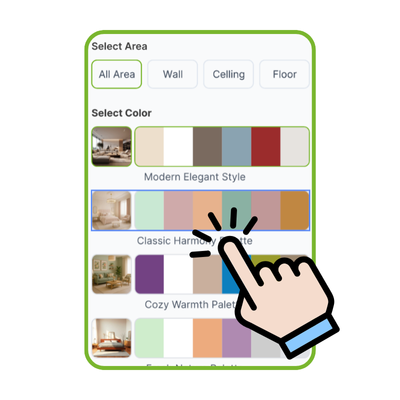
Step 2: Choose Color Options

Decide whether to change the entire room with a coordinated palette or target specific areas like walls, ceiling, or floors. The tool supports precise color replacement for any surface.

Paint Color Visualizer: Step 3: Preview, Download, and Share

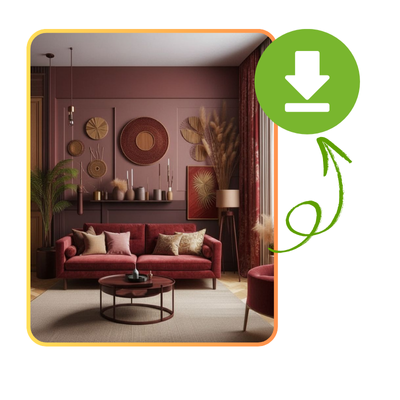
Step 3: Preview, Download, and Share

Wait for the AI to process your selections. Once completed, you can download high-quality images or share them with friends and family to discuss and finalize your design ideas.

Start Transforming Your Room Color Today

Discover how easy it is to experiment with colors and design your perfect space. Upload a photo, try different palettes, and see realistic results instantly with our AI Paint Color Visualizer.

Change Home Color

What Users Say About Paint Color Visualizer

S.L. avatar

S.L.

Interior Designer

Paint Color Visualizer completely changed how I plan my room makeovers. I used to struggle guessing colors from tiny swatches, but now I can upload a photo of my living room and instantly see realistic wall and floor colors. The AI accurately detects all surfaces, even furniture and decorations, making color planning simple and precise. I love how easy it is to test different palettes and visualize a full room before buying any paint.

M.K. avatar

M.K.

Homeowner

I tried Paint Color Visualizer for my bedroom renovation, and it saved me so much time. The AI instantly recognized walls, floors, and other areas, letting me try multiple colors without manually selecting regions. It feels like having a professional design tool at my fingertips. I could experiment with trending palettes and find the perfect shades with confidence. The realistic preview helped me avoid mistakes and made the whole process fun.
R.T. avatar

R.T.

Blogger

As a content creator, I often need visual examples for posts about home design. Paint Color Visualizer allows me to upload room photos and see color combinations instantly. The AI handles complex scenes with reflections and objects effortlessly. It’s extremely precise, and the final images look natural and realistic. Sharing these previews with my audience has made my content more engaging and informative.
J.W. avatar

J.W.

DIY Hobbyist

Paint Color Visualizer is a game-changer for DIY enthusiasts like me. I no longer have to guess how paint will look in my space. The AI detects walls, floors, and even small objects, then applies colors seamlessly. I tested several palettes in minutes and found the one that perfectly matched my style. The tool makes planning home projects faster, easier, and far less stressful.
A.B. avatar

A.B.

Office Manager

Using Paint Color Visualizer for my office redesign was amazing. The AI accurately identified walls, floors, and furniture, allowing me to test professional color schemes in seconds. I could see how different shades would affect the room atmosphere without any risk. It made choosing paint simple and enjoyable, and the results were exactly what I hoped for.
L.H. avatar

L.H.

Homeowner

I highly recommend Paint Color Visualizer for anyone redecorating their home. The tool’s AI precision ensures that walls, floors, and objects are accurately detected, making color testing realistic and reliable. I could try full room palettes, compare tones, and visualize my ideas clearly before purchasing any paint. It’s simple, efficient, and makes home design stress-free.

Frequently Asked Questions About Paint Color Visualizer

Paint Color Visualizer uses advanced AI algorithms to analyze your room photo and accurately detect walls, floors, ceilings, and objects like furniture or decor. The AI can distinguish between overlapping surfaces, shadows, and reflections to apply colors precisely. This automation eliminates the need for manual selection, saves time, and ensures realistic previews for your home design projects.
Yes, Paint Color Visualizer allows you to upload your own room photos for personalized color testing. Once uploaded, the AI automatically detects walls, floors, and other surfaces and applies your chosen colors. This feature provides a realistic preview, helps you experiment with different palettes, and gives a clear view of how your room will look before making any painting or renovation decisions.
Paint Color Visualizer supports both full room and partial area coloring. You can choose to change the entire room using a coordinated palette, or select specific areas like walls, ceilings, or floors. The AI accurately applies colors even around furniture or complex objects, ensuring realistic results. This flexibility allows users to explore different design options efficiently.
Paint Color Visualizer aims to simulate true-to-life colors under realistic lighting conditions. The AI accounts for room lighting, shadows, and reflections to provide accurate color previews. While screen settings may slightly affect perception, the tool ensures the colors you see closely match the actual paint, helping you make confident home design decisions without guesswork or trial-and-error.
Yes, Paint Color Visualizer allows you to explore multiple color palettes quickly. You can apply different shades to walls, floors, and furniture to see how each combination looks. The AI ensures accurate placement and natural blending for each palette. This feature is ideal for comparing trends, experimenting with seasonal or modern styles, and finding the perfect color scheme for your home.
Absolutely. Paint Color Visualizer provides precise AI-driven color recognition, realistic previews, and access to curated palettes, making it a valuable tool for professional interior designers. Designers can quickly test ideas for clients, visualize full-room color changes, and ensure accurate renderings for presentations. It streamlines planning and reduces errors, saving both time and effort during design projects.
Yes, Paint Color Visualizer excels at complex scenes. The AI can detect walls and floors even when partially covered by furniture, plants, or reflective surfaces. It accurately separates objects and applies colors naturally without affecting surrounding areas. This feature ensures realistic previews, making it easier to plan your home makeover even in challenging room layouts.
No, Paint Color Visualizer removes the need for manual selection. The AI automatically identifies all surfaces in your uploaded photo, including walls, floors, ceilings, and objects like furniture or decorations. This automated process ensures precise color application, saves time, and provides realistic results without the frustration of manually tracing areas or adjusting edges.
Yes, Paint Color Visualizer allows you to save your edited images and share them with family, friends, or clients. Once the AI finishes processing your photo, you can download high-resolution images or share them directly online. This makes collaboration easy, allows others to provide feedback, and helps you finalize your home color design choices confidently.
Paint Color Visualizer offers 20 curated home design palettes covering modern, classic, and trending interior styles. Each palette contains full-spectrum colors for walls, floors, and decor items. You can apply these palettes with one click to instantly see stylish combinations, helping you find a harmonious and fashionable look for your home without manually experimenting with individual shades.
Yes, Paint Color Visualizer is compatible with desktops, laptops, and most mobile devices. The online tool adapts to different screen sizes and allows you to upload photos, select colors, and view realistic previews anywhere. This flexibility ensures that homeowners, designers, and hobbyists can access the tool conveniently without installing additional software.
Yes, Paint Color Visualizer is free to use online. You can upload your room photos, experiment with multiple palettes, and download realistic previews without any cost. The tool is designed to make home color planning accessible and stress-free, helping users visualize wall, floor, and furniture colors accurately before making any purchase decisions.