Image

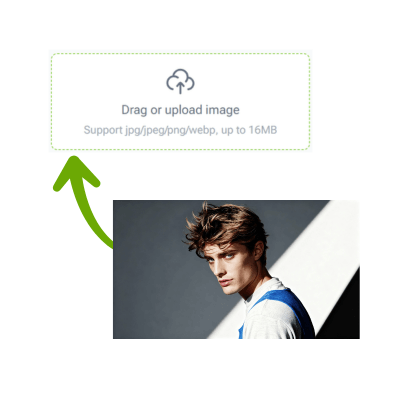
Drag or upload image
Support jpg, jpeg, png, webp, up to 16MB

Style

AI Halloween Photoshoot Generator

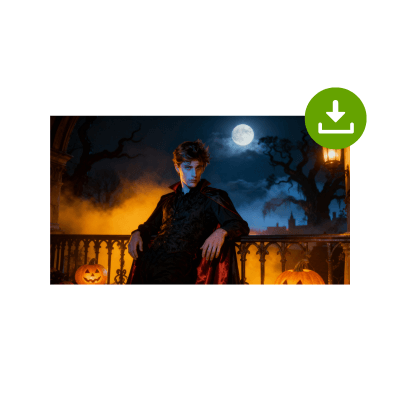
Transform your selfies into spooky, Halloween-style portraits in seconds — no costume, no makeup, just pure AI magic.

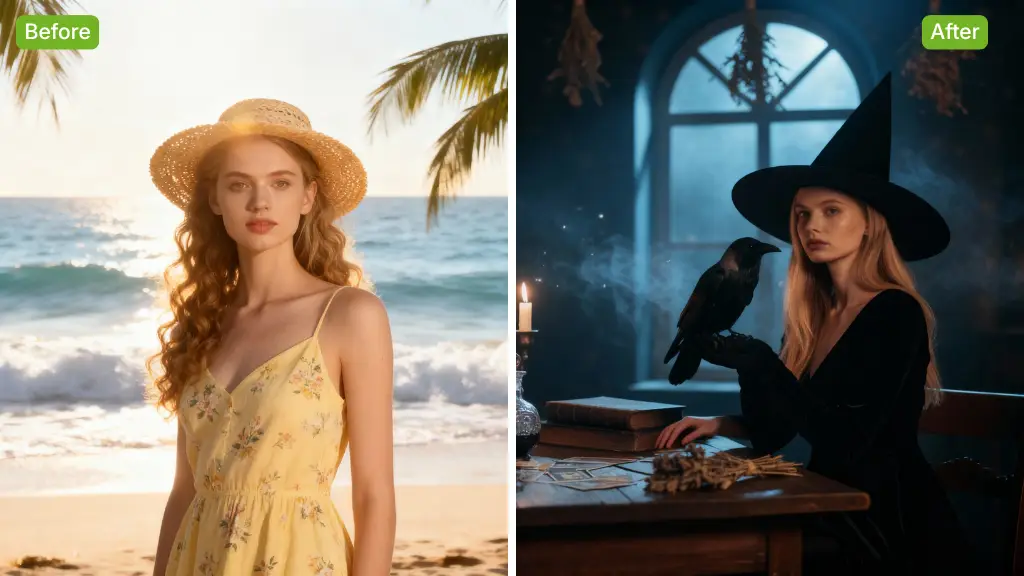
AI Halloween Photo Sample Image
VisualGPT - Rated 4.9+ by VisualGPT Users
Rated 4.9+
by VisualGPT Users
VisualGPT - Rated 4.9+ by VisualGPT Users
VisualGPT - 50k+ Pictures Create
50M+
Pictures Created
VisualGPT - 50k+ Pictures Create
VisualGPT - Trusted By 100+ Organizations
Trusted By 800+
Organizations
VisualGPT - Trusted By 100+ Organizations

Helping creators & businesses everywhere work easier

AI Halloween Photoshoot Generator – Create Spooky Portraits

Create a spooky Halloween photoshoot with AI. Turn your selfie into haunted portraits, witch or vampire looks, and Halloween-themed images in seconds.

Generate My Halloween Photo
 AI Halloween Photoshoot Generator – Create Spooky Portraits

What is the AI Halloween Photoshoot Generator?

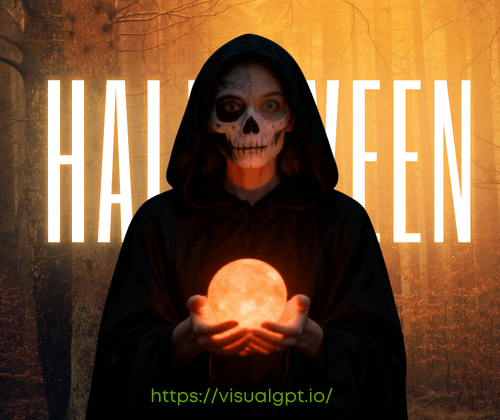
The AI Halloween Photoshoot Generator is a creative tool that turns your selfies into realistic Halloween photos in just seconds. Upload your image, choose from spooky presets like witch, vampire, ghost, or pumpkin, and see the AI craft a detailed Halloween portrait with natural lighting and lifelike effects. It’s perfect for parties, social posts, or creative Halloween photo ideas. Fast, free, and beginner-friendly, this Halloween photoshoot tool makes professional results easy for everyone. Explore all features in AI image editor.

 AI Halloween Photoshoot - What is the AI Halloween Photoshoot Generator?

Can’t Get the Perfect Halloween Photo?

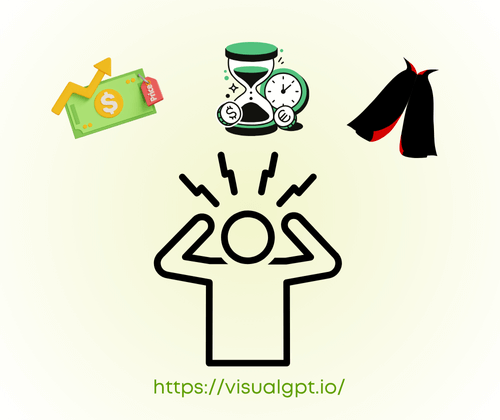
Many people want cool Halloween photos but don’t have costumes, makeup, or time for a real shoot. Hiring photographers or learning editing tools can be costly and hard. You take selfies, but they never look spooky enough to share. The AI Halloween Photoshoot Generator fixes that — just upload your picture, pick a style, and get a professional Halloween portrait in seconds, no effort needed.

 AI Halloween Photoshoot - Can’t Get the Perfect Halloween Photo?

Quick and Easy One-Click Transformation

No editing skills or extra equipment needed. Upload your photo, pick a Halloween style, and let AI generate a realistic Halloween portrait instantly. Perfect for users who want a spooky Halloween photoshoot without hassle or long setup times.

Quick and Easy One-Click Transformation

Explore Multiple Halloween Styles

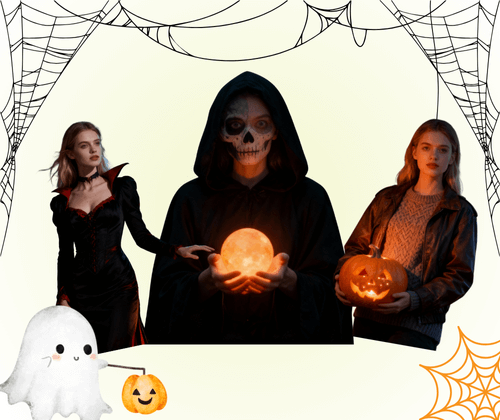
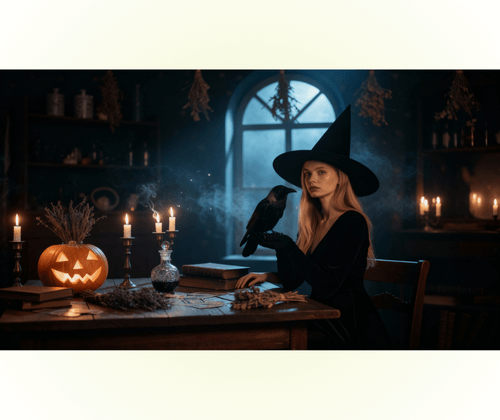
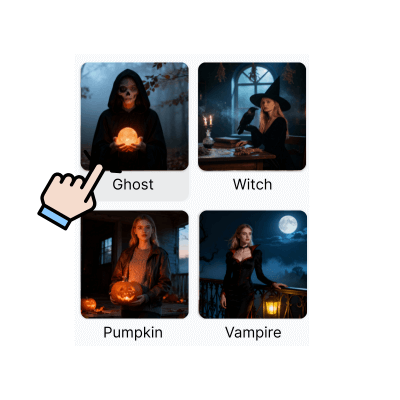
Choose from spooky presets like witch, vampire, ghost, or pumpkin. Each theme adds unique lighting, shadows, and color effects, letting you create multiple fun and shareable Halloween photo ideas for parties, social posts, or personal projects.

Explore Multiple Halloween Styles

Realistic Effects and Instant Sharing

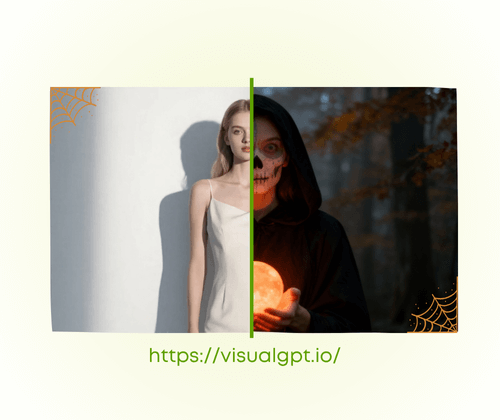
AI preserves your facial details and natural lighting, producing photo-studio-quality results. Preview transformations with a slider, then download in JPG or PNG. Share your spooky Halloween photoshoot instantly on social media or with friends.

Realistic Effects and Instant Sharing

How to Create Your AI Halloween Photoshoot in 3 Easy Steps

Create spooky and realistic Halloween portraits in minutes. Follow these simple steps to turn your selfies into professional Halloween photoshoot images — fast, fun, and totally free.

AI Halloween Photoshoot: Step 1: Upload Your Photo

Step 1: Upload Your Photo

Upload the photo you want to edit. Use a clear portrait or selfie for best results. The tool supports different file types, so you can start your Halloween photo transformation instantly.

AI Halloween Photoshoot: Step 2: Choose a Halloween Style

Step 2: Choose a Halloween Style

Select your favorite Halloween look — witch, vampire, ghost, or pumpkin. Each preset adds unique lighting and texture effects to create a creative, spooky Halloween portrait that looks real.

AI Halloween Photoshoot: Step 3: Generate and Download

Step 3: Generate and Download

Click “Generate” to see the magic happen. In seconds, you’ll get your finished Halloween photoshoot. Use the preview slider, then download your image in JPG or PNG and share it anywhere.

Start Your Halloween Photoshoot Now

Turn your selfies into spooky Halloween portraits in seconds. Choose a style, watch AI work its magic, and download or share your creation instantly. Fun, fast, and easy for everyone!

Create My Halloween Portrait

What Users Say About the AI Halloween Photoshoot

J.K. avatar

J.K.

Content Creator

I used this AI Halloween photoshoot generator to turn my regular selfie into a witch-style portrait, and it looked incredibly realistic! The AI kept my facial details clear while adding perfect Halloween lighting and shadow effects. I didn’t need any makeup or costumes — just uploaded my photo, picked a theme, and got a professional-looking Halloween photo in seconds. It’s super easy, fun, and perfect for posting on social media or sending to friends for spooky vibes!
M.L. avatar

M.L.

Online Seller

I needed some quick Halloween photos for my online store, and this AI Halloween photo generator was amazing. It transformed my product shots and portraits into themed images with pumpkins, ghosts, and eerie backgrounds. I loved that I could preview before downloading, and the quality looked like a professional Halloween photoshoot. Plus, it’s free and so simple to use — no Photoshop skills required. Definitely one of my favorite seasonal tools this year!
S.T. avatar

S.T.

Student & Photographer

I almost skipped Halloween photos this year because I didn’t have a costume, but this AI Halloween portrait tool saved me. It gave me photo-studio quality portraits that looked like I actually dressed up! I tried the vampire and pumpkin styles — both turned out great. The download options (JPG and PNG) were convenient too. This Halloween photo editor made it easy to join the spooky fun without any effort or cost.

FAQs About Halloween Photoshoot Tool

Yes! With the AI Halloween photoshoot generator, you don’t need any costumes, makeup, or props. Simply upload your selfie or portrait, select a spooky preset like witch, vampire, or ghost, and the AI will transform your image into a realistic Halloween photo. It automatically enhances lighting, shadows, and colors to give you a professional-looking Halloween portrait in seconds. This makes it perfect for social media, party invitations, or personal creative projects, all without extra effort or preparation.
The tool supports common photo formats like JPG and PNG for your Halloween photoshoot. You can upload a standard selfie or portrait in either format, and the AI will process it to create a detailed Halloween portrait. After generating your image, you can download it in JPG or PNG, giving you flexibility to share your Halloween photo online, add it to invitations, or use it in digital projects. The tool ensures high-quality results regardless of the file type you choose.
The AI Halloween photoshoot generator offers multiple preset styles including witch, vampire, ghost, and pumpkin-themed looks. Each preset changes colors, lighting, and shadows to match the spooky Halloween photoshoot vibe. You can try different themes to create multiple unique Halloween photos from a single upload. This variety makes it easy to find a style that fits your social media, party invites, or creative projects perfectly, giving your photos a professional and fun Halloween look.
Yes! The tool provides a slider to compare your original photo with the AI-generated Halloween portrait. This before-and-after view helps you see the transformation clearly and ensures you’re happy with your Halloween photo before downloading. It’s ideal for checking details like facial features, lighting, and shadows, giving you full control over your Halloween photoshoot results. You can experiment with multiple presets and instantly preview each look before finalizing.
Absolutely! You can use the AI Halloween photoshoot generator for free to create spooky Halloween photos. There’s no need to pay for basic features, and you can upload photos, select presets, preview results, and download your Halloween portrait without a subscription. It’s designed to be beginner-friendly and accessible, so anyone can enjoy creating professional-quality Halloween portraits quickly, whether it’s for social media, party invites, or personal projects.
Yes, the AI keeps your facial details intact while applying Halloween effects. When generating a Halloween photo, the tool preserves your eyes, smile, and other key features while adding realistic lighting, shadows, and spooky effects. This ensures your Halloween portrait looks professional and photo-studio quality, making it perfect for sharing online, using in invitations, or creating multiple creative Halloween photos without losing your personal likeness.