
Character Image

Upload Character Image(0/1)
Upload Character Image
Support jpg, jpeg, png, up to 10MB

Motion Reference Video

Upload Motion Reference Video(0/1)
Upload Motion Reference Video
Support mp4, mov, mkv, up to 100MB

Character Orientation

Prompt

0/4096
Keep Original Sound

Quality

AI Motion Control with Kling 3.0

Animate any character image with VisualGPT AI Motion Control powered by Kling 3.0.

VisualGPT - Rated 4.9+ by VisualGPT Users
Rated 4.9+
by VisualGPT Users
VisualGPT - Rated 4.9+ by VisualGPT Users
VisualGPT - 50k+ Pictures Create
50M+
Pictures Created
VisualGPT - 50k+ Pictures Create
VisualGPT - Trusted By 100+ Organizations
Trusted By 800+
Organizations
VisualGPT - Trusted By 100+ Organizations

Helping creators & businesses everywhere work easier

Spotify
YouTube
TikTok
Amazon
Business Insider
Forbes
ABC
Buzfeed
CBS
Fox
NBC
Yahoo
Mashable
LifeWire
BBC
Nature
Spotify
YouTube
TikTok
Amazon
Business Insider
Forbes
ABC
Buzfeed
CBS
Fox
NBC
Yahoo
Mashable
LifeWire
BBC
Nature
Spotify
YouTube
TikTok
Amazon
Business Insider
Forbes
ABC
Buzfeed
CBS
Fox
NBC
Yahoo
Mashable
LifeWire
BBC
Nature

Motion Control AI: Precise Character Control with Kling 3.0

VisualGPT AI Motion Control powered by Kling 3.0 transfers real motion from a reference video to any character image. Create smooth animated videos online.

Try Motion Control Now
Motion Control AI Sample

What is Motion Control AI?

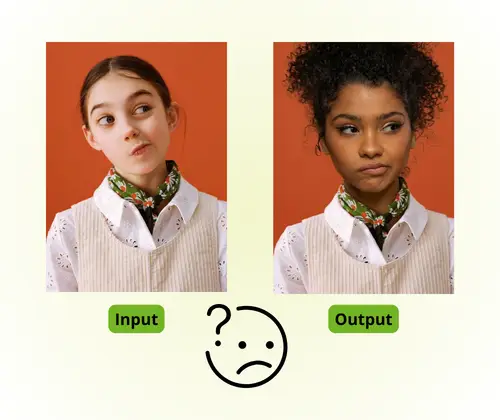
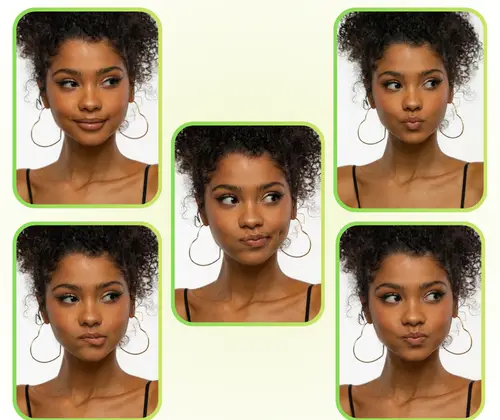
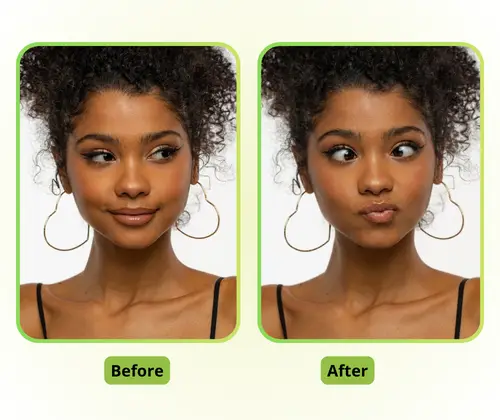
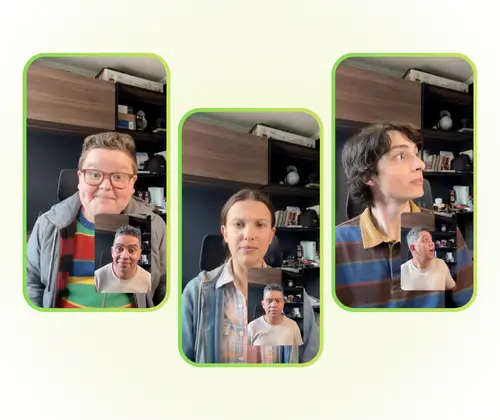
Motion Control AI is an AI motion control video generator that transfers real movement from a reference video to any character image. Instead of relying only on prompts, it lets you control how motion is applied, making results more stable and realistic. With VisualGPT powered by Kling 3.0 motion control, you can create smooth, consistent animations online with ease. It's ideal for creators who need precise control and reliable output. For more advanced use, Kling 3.0 offers high-precision motion control, while Seedance 2.0 adds multi-input and cinematic video generation.

What is Motion Control AI

How to Use VisualGPT Motion Control AI

Motion Control AI turns a reference video into character animation. With VisualGPT powered by Kling 3.0 motion control, you can create smooth motion videos in a few simple steps online.

Upload Image and Video to Motion Control AI

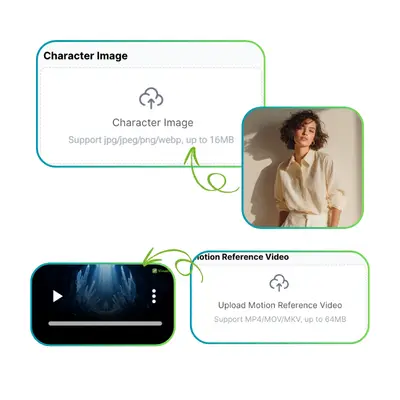
Step 1: Upload Image and Video

Upload a character image and a reference video. The system reads both inputs and keeps the character identity while copying the motion style from the video.

Choose Quality in Motion Control AI

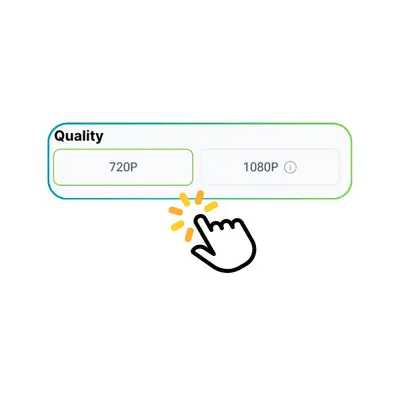
Step 2: Choose Quality

Select the output resolution or clarity level before generating. Higher quality gives more stable motion and clearer details, while lower settings are faster for quick previews.

Generate and Download Motion Control AI Video

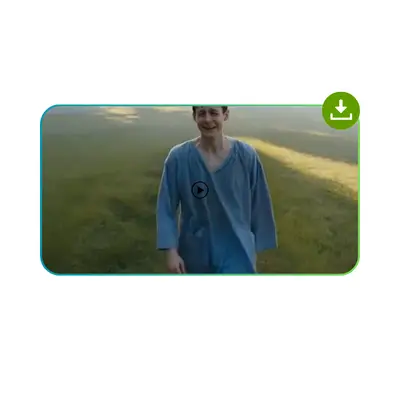
Step 3: Generate and Download

Click generate to start processing the video. After a short wait, preview the result, adjust if needed, then download your final motion video for use anywhere.

Why Motion Control AI Feels So Hard for Most Users

Many users explore Motion Control AI video generator tools for the first time and are not sure how to get the best result. You upload a character image and a reference video, but it's unclear how motion will be applied in the final output. For short videos, ads, or social content, users often need a simple and predictable workflow to move faster.

Motion Control AI Pain Points

Precise Motion Control You Can Direct

Motion Control AI lets you guide motion in a clear way. You can adjust paths, camera moves, and timing with simple control. With Kling 3.0 motion control, AI motion control video generator output feels more planned and creative, not random.

Precise Motion Control You Can Direct

Stable Results You Can Reuse

VisualGPT's Motion Control AI keeps results consistent across runs. The same inputs give similar motion style, so you can refine step by step. It helps motion control AI video generation feel more reliable for ads, clips, and social content.

Stable Results You Can Reuse

Natural Motion That Stays Consistent

Motion Control AI creates smooth and real-looking movement. Characters stay stable across frames without shifting or changing shape. Powered by Kling 3.0 motion control, videos look closer to real filming with natural flow.

Natural Motion That Stays Consistent

Start Your First Motion Control Video

No experience needed. Just upload an image and a reference video. VisualGPT handles the motion so you can focus on the idea.

Create Your Video Now

What Creators Say About VisualGPT Motion Control

S.L. avatar

S.L.

Illustrator & Content Creator

"I have been looking for a simple way to make my illustrations move, and VisualGPT motion control powered by Kling 3.0 is the best tool I have found. I upload my character image, pick a dance reference, and the output is smooth and realistic. The AI keeps the face consistent the whole time, which other tools I tried could not do. Kling 3.0 Motion Control handles complex movements without distortion, which makes it very easy to recommend to others. This is now part of my daily workflow for social content."
M.K. avatar

M.K.

Digital Marketing Manager

"As a digital marketer, I need quick results without spending hours learning software. VisualGPT AI motion control solves that completely. I upload a product character image and apply motion from a short clip, and the result looks professional enough for ads and brand content. Kling 3.0 Motion Control delivers higher quality output than other motion control tools I have tested. The identity stays stable even during fast movements, which is exactly what I need for brand video campaigns."
R.T. avatar

R.T.

AI Enthusiast & Video Creator

"I test AI video tools regularly, and VisualGPT motion control stands out because it uses Kling 3.0 Motion Control, the most advanced technology for motion transfer. The results are more accurate and stable compared to earlier Kling versions and other platforms. I have used it for TikTok dance videos and short animation clips. The character identity stays consistent across all frames, and the motion feels natural. For anyone who wants to animate a character with high quality, this is a very strong option on VisualGPT."
J.W. avatar

J.W.

Virtual IP Creator

"I run a virtual IP channel on YouTube and need consistent character videos every week. VisualGPT motion control powered by Kling 3.0 has made that possible without hiring animators. I upload my character illustration, drop in a reference dance or gesture clip, and get a finished video that looks professionally produced. The character never drifts or changes appearance between frames, which was a big problem with other tools. It has cut my production time significantly."
A.B. avatar

A.B.

Social Media Content Creator

"I create short-form content for fashion brands on TikTok and Instagram Reels. VisualGPT AI motion control lets me animate a model character with any movement I choose—catwalk, pose, or dance. The Kling 3.0 motion control engine keeps the character looking the same from start to finish. I can go from idea to finished clip in under five minutes, which is a game-changer for fast-turnaround campaigns. My engagement has noticeably improved since I started using animated content."
L.H. avatar

L.H.

Independent Animator

"As an independent animator, I was skeptical about AI motion tools, but VisualGPT motion control genuinely surprised me. The level of precision you get with Kling 3.0 Motion Control is far above what I expected from a browser-based tool. I can upload a reference video of any motion and see it applied to my custom character within seconds. The results are stable, natural-looking, and require minimal cleanup. It is now my first stop for motion tests before committing to a full animation pass."

FAQs About Motion Control on VisualGPT