
Last week, ByteDance dropped something that the AI video community had been quietly hoping for: a fully open-source gemini omni alternative. The project is called Bernini, and unlike the closed-door API access that defines most frontier video models, this one ships with everything — paper, code on GitHub, model weights on HuggingFace. You can download it, run it, and modify it. No API key, no credits, no gatekeeper.
The timing is sharp. Google's Gemini Omni has been setting the pace for multimodal video generation since its release at I/O 2026, but its closed-source nature leaves a gap wide open for developers, researchers, and indie creators who want to understand, tweak, or self-host their video models. The AI community has been waiting for a credible open-source entry in this space — something with the weight of a real research team behind it, not a hobby project. Bernini is the first gemini omni alternative to fill that gap with a serious, production-adjacent framework from a major AI lab.
Before we unpack Bernini, a quick note: you can still run Gemini Omni and Seedance 2.0 on VisualGPT — Gemini Omni and Seedance 2.0. This comparison matters because you can now run the closed-source original and the open-source gemini omni alternative side by side and judge for yourself.
What Exactly Is Bernini?
Bernini is a unified video generation and editing framework built by ByteDance's Bernini Team. It combines two components: an MLLM-based semantic planner that reasons about text, images, and video inputs, and a DiT-based renderer that generates the final video in VAE latent space. The novel piece is "latent semantic planning" — instead of predicting pixels directly, the planner first predicts what the target video should mean semantically, then hands that blueprint to the renderer for execution.
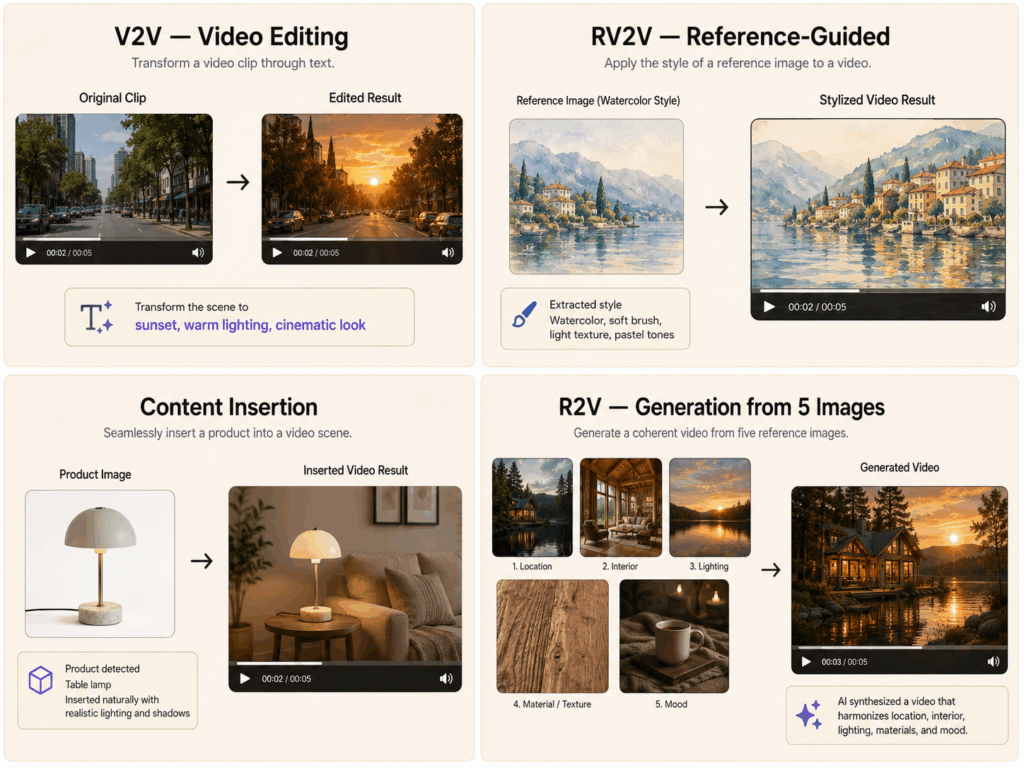
This matters because it gives Bernini four distinct capabilities in one framework:
Video-to-Video Editing (V2V): Edit existing videos through text prompts
Reference-guided Editing (RV2V): Use reference images to inject specific objects, materials, weather, or art styles into a video
Content Insertion: Insert an image or video clip into an existing video as if it belonged there
Reference-to-Video Generation (R2V): Generate video from up to 5 reference images
As a gemini omni alternative, Bernini does not try to be a direct clone. It would be a mistake to judge it purely as a one-to-one replacement. It focuses on the editing and generation pipeline rather than Omni's "understand the whole world" multimodal approach. But for practical video work — especially if you need editing capabilities alongside generation — it covers significant ground. The question of which gemini omni alternative fits your workflow depends entirely on whether you value open access over polished, ready-made output.
What Makes Bernini a Real Gemini Omni Alternative
The "alternative" label gets thrown around loosely. Here is why Bernini earns it.

Open-source access is structural, not just promised. The code lives at github.com/bytedance/Bernini and the weights are on HuggingFace at ByteDance/Bernini. There is no waitlist, no "apply for access," no "coming soon." As of this writing, you can clone the repo and start experimenting. For a gemini omni alternative, this is the single most important differentiator — Gemini Omni remains closed behind Google's API wall.
The unified planning + rendering architecture is genuinely novel. Most video models are either generation-only or editing-only. Bernini does both with a shared internal representation (the latent semantic plan). This means you can generate a video from reference images, then edit it with text, then insert content — all within the same framework. No other gemini omni alternative offers this unified pipeline.
ByteDance's track record provides credibility. This is not a hobby project. The same company behind Seedance 2.0 — one of the strongest contenders in the commercial AI video space — also open-sourced Bernini. The Bernini team includes researchers with substantial publication records, and the paper (arxiv.org/abs/2605.22344) is dense with technical detail rather than marketing fluff.
Built-in technical innovations that matter. The Segment-Aware 3D RoPE (SA-3D RoPE) position encoding allows the model to distinguish tokens from different visual segments — meaning it can handle complex multi-source editing without confusing which pixel belongs to which input. For a gemini omni alternative aimed at practical video work, this kind of attention to real editing challenges separates Bernini from research-only projects.
Bernini vs Gemini Omni: The Open-Source Alternative Feature Comparison
A direct feature-by-feature comparison helps clarify what you actually gain from each. Understanding the real trade-offs is the entire point of evaluating any gemini omni alternative.
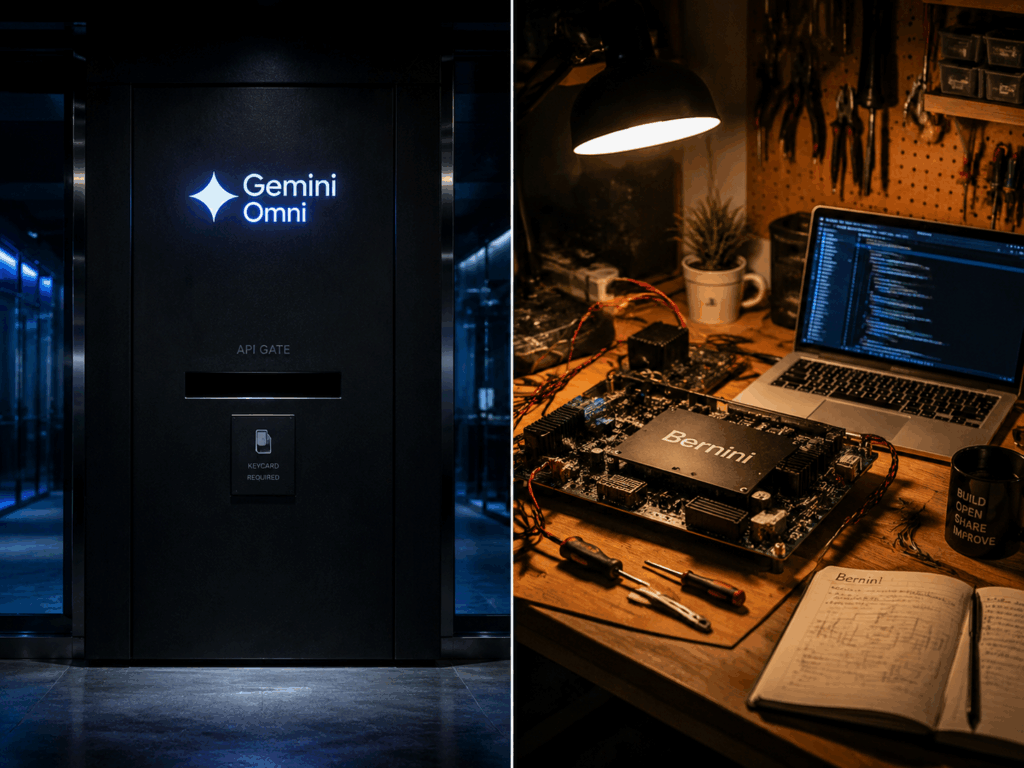
The table tells a clear story. Gemini Omni is the more polished, production-hardened model with built-in physics understanding and 4K output. But Bernini, as a gemini omni alternative, gives you something Omni never will: the ability to read the code, modify the architecture, and run it on your own hardware. Different tools for different people.
Bernini and Seedance 2.0: Two Sides of the Same Coin

Here is where it gets interesting. Both Bernini and Seedance 2.0 come from ByteDance. Seedance 2.0 is the commercial product — character consistency, audio lip-sync, shot-by-shot storyboard control. Bernini is the open research arm — unified editing, reference-guided generation, latent semantic planning. It is the same playbook Meta used with Llama: build commercial products while open-sourcing research to shape the ecosystem.
This twin strategy makes Bernini more credible as a gemini omni alternative. It is not a one-off release meant to generate headlines and then fade. It sits alongside a commercial product — Seedance 2.0, which you can try right now on VisualGPT — that shares research DNA. That structural coupling to a live product means Bernini is far more likely to receive ongoing investment, model updates, and community support than a standalone academic release. The open-source Bernini and the commercial Seedance 2.0 represent two sides of the same research pipeline.
How to Get Started with Bernini
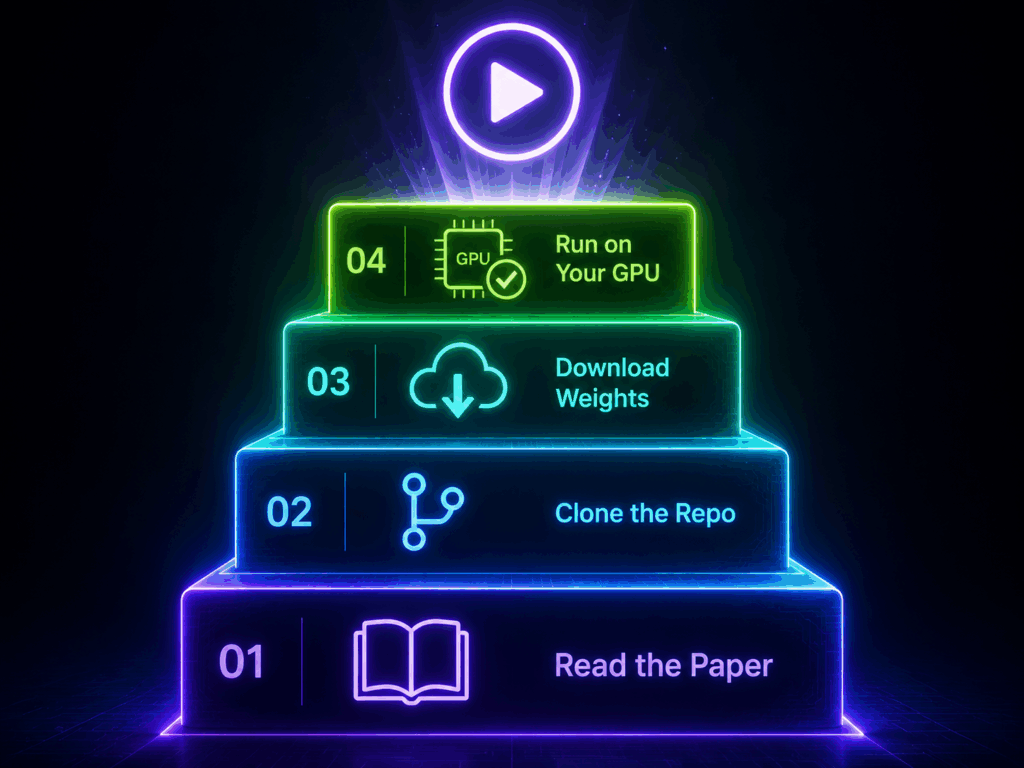
For developers and researchers who want to test the waters, the path is straightforward. Here is what you need to do, step by step.
Read the paper at arxiv.org/abs/2605.22344 — start with the architecture section, which explains how latent semantic planning differentiates Bernini from standard diffusion-based video models that predict pixels directly. The method section covers all four task modes in detail.
Clone the repo at github.com/bytedance/Bernini — the codebase includes training scripts, inference pipelines, and example configurations for V2V, RV2V, Content Insertion, and R2V. The README covers environment setup.
Download the weights from huggingface.co/ByteDance/Bernini — no access request, no approval process. Just download and load.
Run it on your own hardware — GPU requirements depend on the model variant you select. The paper includes scaling details for different configurations. For smaller variants running reference-guided editing, a single consumer GPU with 24GB+ VRAM should be sufficient.
If you do not have GPU capacity for self-hosting but still want to compare Bernini against Gemini Omni in practice, there is a pragmatic workaround. Run Gemini Omni on VisualGPT first to understand the state of the art — what closed-source frontier quality actually looks like. Then study Bernini's code and paper to understand how an open gemini omni alternative approaches the same problems from a different architectural angle. You can also run Seedance 2.0 on VisualGPT as a middle ground — it is the commercial sibling, still closed but accessible without GPU, giving you a third reference point in the comparison.
FAQs
Is Bernini a real Gemini Omni alternative?
Yes, with caveats. It is not a drop-in replacement — the architecture and strengths differ. But for developers and researchers who value open-source access, code transparency, and self-hosting, it is the most credible gemini omni alternative available right now.
Can I use Bernini commercially?
Yes. The code and weights are released under an open-source license. ByteDance has not imposed commercial restrictions, though you should verify the specific license terms on the GitHub repository before deploying in production.
Does Bernini generate audio like Gemini Omni?
No. Bernini focuses on video generation and editing. Audio generation is not part of its current architecture. If synchronized audio matters for your project, Gemini Omni (via VisualGPT) or Seedance 2.0 are better fits.
Do I need a powerful GPU to run Bernini?
You will need a capable GPU, but the exact requirements depend on the model size you choose. The paper discusses scaling configurations. For reference-guided generation and editing tasks, mid-range consumer GPUs with sufficient VRAM may be adequate for smaller variants. If GPU requirements are a barrier, VisualGPT offers a no-setup way to experiment with Gemini Omni, letting you understand the baseline before diving into self-hosted gemini omni alternative workflows.
Which is better: Bernini or Seedance 2.0?
They serve different needs. Seedance 2.0 is the commercial, polished product with character consistency and audio sync — run it on VisualGPT without GPU requirements. Bernini is the open research framework for those who want to study, modify, or self-host a gemini omni alternative. They complement each other rather than compete.
Where can I run Gemini Omni if I don't want to self-host? VisualGPT provides hosted access to Gemini Omni. No GPU, no setup, just a browser and a prompt.
Conclusion: Why an Open Gemini Omni Alternative Matters
The release of Bernini signals something larger than a single paper. A major AI lab — the same one behind Seedance 2.0 — just open-sourced a full video generation and editing framework, code and weights included. That is not charity; it is strategy. ByteDance is betting that shaping the open ecosystem around video AI will pay off, the same way Meta's Llama releases reshaped the open-source LLM landscape. Having a credible gemini omni alternative available as open source changes the dynamics of the entire AI video market.
For anyone who has been searching for a credible gemini omni alternative that does not lock you into a proprietary API, Bernini is the strongest option that has landed so far. It is not Omni, and it does not try to be. But it is open, it is from a team with real credentials, and it is available right now. The gap between closed-source frontier models and open gemini omni alternative research is finally starting to close.
While you decide whether to clone the repo or spin up a GPU, you can run Gemini Omni and Seedance 2.0 on VisualGPT today — no setup, no code, just a browser. Sometimes the best way to appreciate an open-source alternative is to first understand what the original can do.