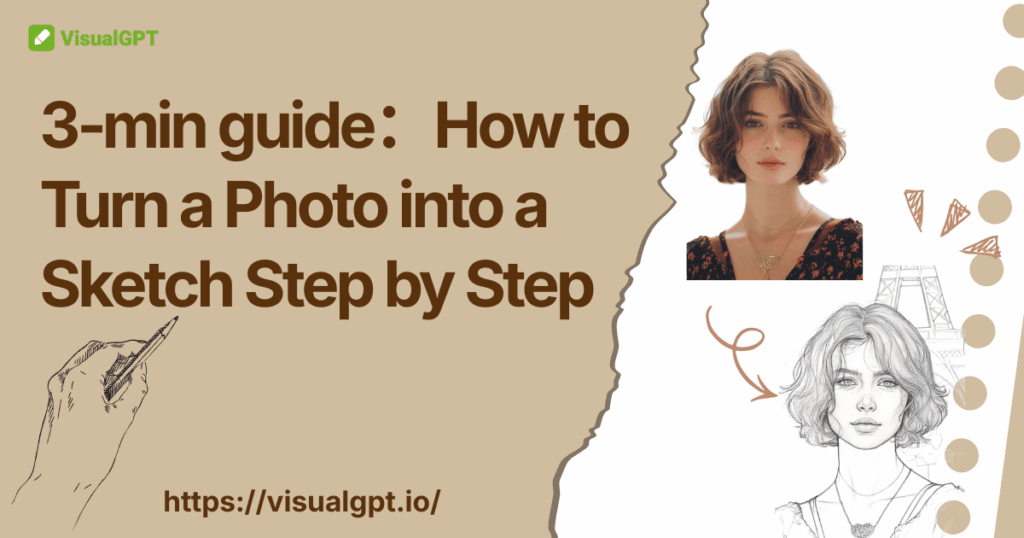
If you’ve ever wondered how to turn a photo into a sketch, you’re not alone - more and more people are transforming everyday images into hand-drawn art for social media, creative projects, gifts, and digital storytelling. Thanks to modern AI tools, you no longer need drawing skills or complicated software to create clean, detailed sketch-style images in just a few clicks. This 3-min guide will walk you through the simplest and fastest way to convert any photo into a beautiful sketch, helping you choose the right style and get professional results effortlessly with VisualGPT Photo to Sketch tool.
AI Sketch Generator - Turn Photos into Beautiful Pencil Art in Seconds
AI sketch tools make it incredibly easy for anyone to convert everyday photos into clean, artistic drawings. When people search for how to turn a photo into a sketch, they want fast results without complicated editing - and modern AI delivers exactly that. These tools analyze outlines, shading, and texture automatically, turning portraits, pets, buildings, and objects into beautiful hand-drawn styles within seconds
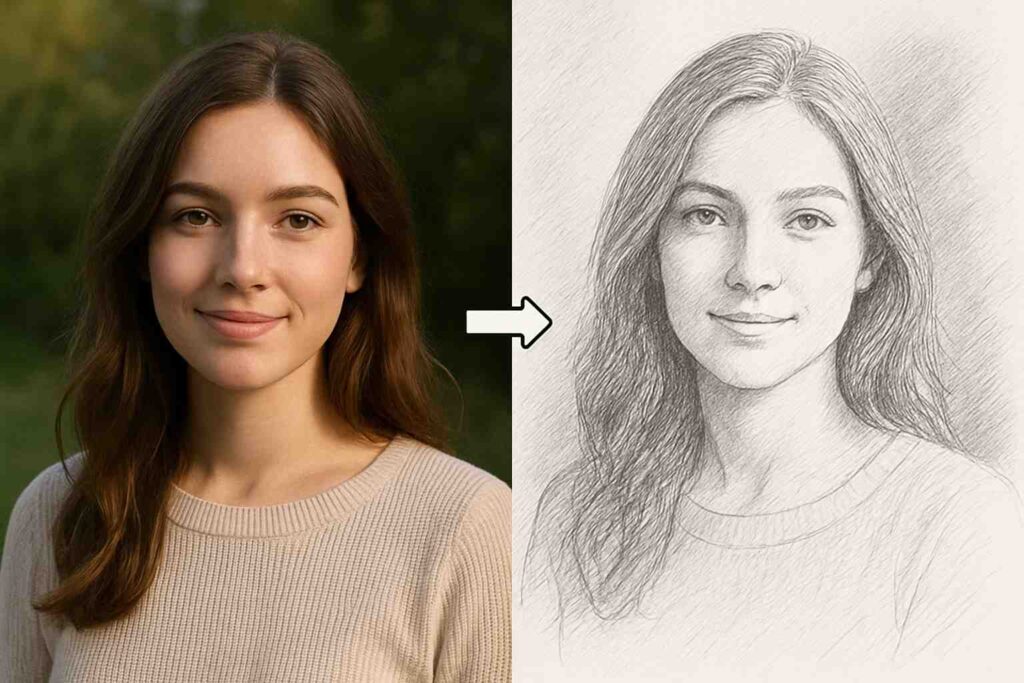
Why People Love Turning Photos into Sketches
Converting a regular image into a pencil-style drawing offers a mix of artistic beauty and emotional depth. Many people searching for how to turn a photo into a sketch love the simplicity and timelessness of sketch art, making it a popular choice for creative projects and social media.
- Timeless, Classic Aesthetic
Pencil sketching focuses purely on light, shadows, and structure, giving photos a handcrafted, traditional look. This classic appeal is a key reason users want to learn how to turn a photo into a sketch for portraits, pets, and landscapes.
- Emotional Depth
Without color distractions, sketches highlight expression, shape, and mood. This effect makes how to turn a photo into a sketch ideal for meaningful, sentimental, or artistic images.
- Unique Gifts and Decor
A sketch converted from a photo makes a distinctive, personalized gift—far more unique than a standard picture.
- Social Media Appeal
On platforms like Instagram or Pinterest, a photo to sketch conversion creates a standout, eye-catching visual style that naturally boosts engagement.
Why AI Makes Photo to Sketch Faster and Easier
Historically, achieving a high-quality sketch from a photo required either professional Photoshop skills or expensive manual drawing services. Now, the AI Sketch Generator - part of our Photo to Sketch tool - has revolutionized this process, making it accessible to everyone.
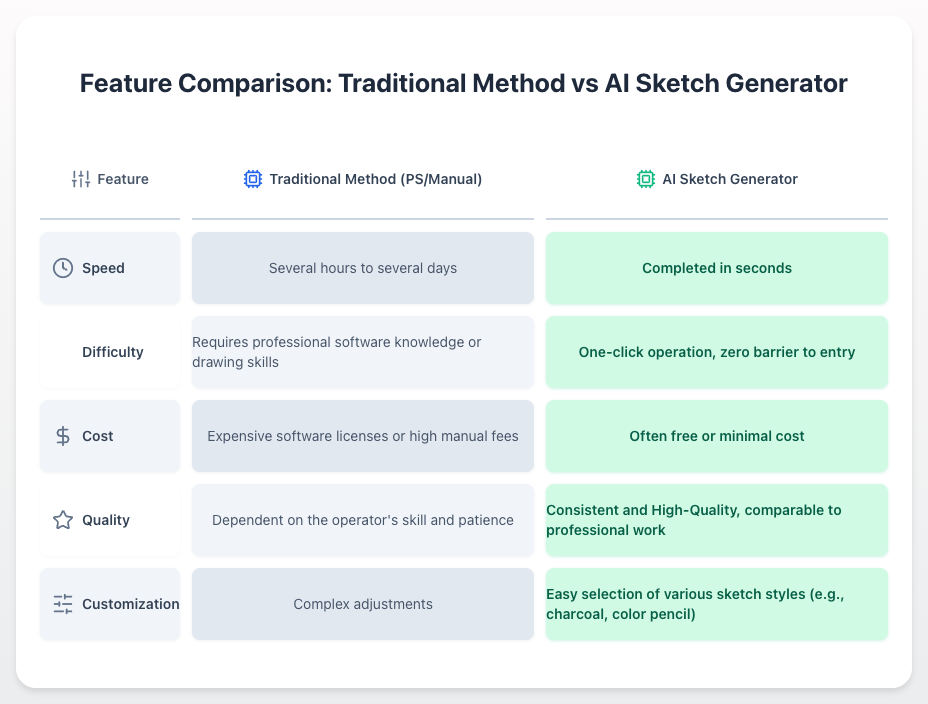
The Core Advantages Brought by AI
- Lightning-Fast Results: Modern AI models instantly analyze depth, edges, shadows, and texture to generate clean, realistic pencil-style drawings in just seconds. This speed delivers on the promise of “turn photos into beautiful pencil art in seconds” with unmatched consistency.
- High-Precision Details: Deep learning systems are trained to recognize fine elements such as facial contours, hair strands, and expressions. The output sketch preserves the original photo’s important features while enhancing artistic line work - a key reason people search for how to turn a photo into a sketch with maximum accuracy.
- Effortless User Experience: No layers, brushes, or technical steps required. Users simply upload a photo, select a style, and click generate. The entire process is intuitive, accessible, and removes the barrier previously associated with digital illustration tools.
What AI Photo to Sketch Tools Can Do
AI Photo to Sketch tools expand what’s possible when learning how to turn a photo into a sketch. Instead of relying on manual filters or advanced graphic software, these tools analyze your image intelligently to generate artistic results that look hand-drawn. Whether you want a soft pencil look, bold ink lines, or stylized artwork, AI makes the entire transformation fast, consistent, and visually impressive.
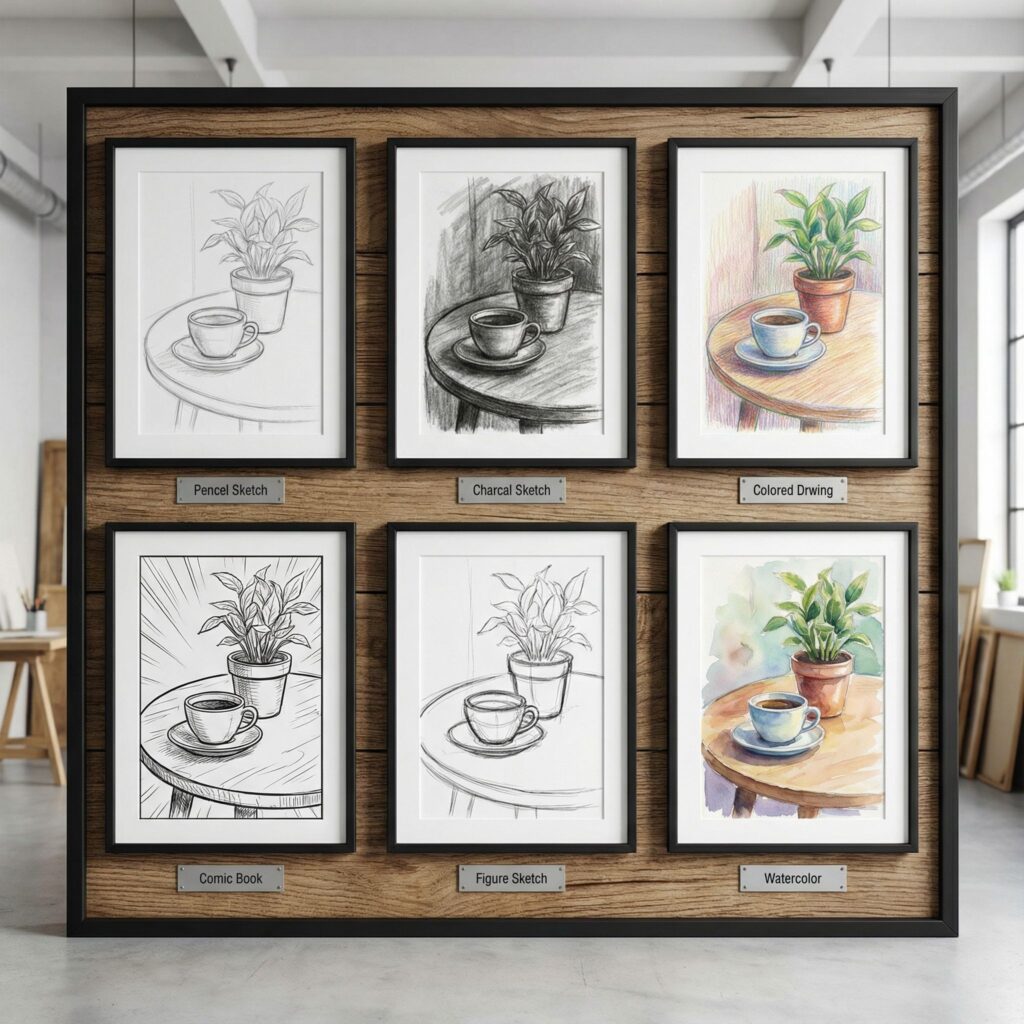
Turn Any Photo into a Pencil or Ink Drawing
AI models can instantly identify outlines, depth, and shading, allowing them to convert any portrait, pet, landscape, or object into clean pencil or high-contrast ink sketches. This gives your images the classic look of traditional drawing without requiring any manual sketching skills.
Support for Multiple Artistic Styles
Beyond basic pencil effects, AI tools offer a wide range of sketch styles - charcoal, colored pencil, watercolor sketch, comic sketch, architectural line art, and more. This variety helps you pick a style that matches your creative goal, whether it’s serious artwork or playful content for social media.
Automatic Detail Enhancement and Clean Linework
AI automatically enhances lines, textures, and micro-details that traditional filters often lose. It sharpens contours, cleans background noise, and preserves important features like eyes, hair texture, and clothing folds. The result is a sketch that feels accurate, clean, and artistically consistent.
What to Prepare Before Converting a Photo
AI tools make it incredibly easy to learn how to turn a photo into a sketch, but starting with the right photo can dramatically improve your results. A clear, well-lit image helps the AI detect edges, contrast, and important details more accurately, ensuring that your final sketch looks clean, natural, and visually appealing. Before you begin, here are a few simple things to check.
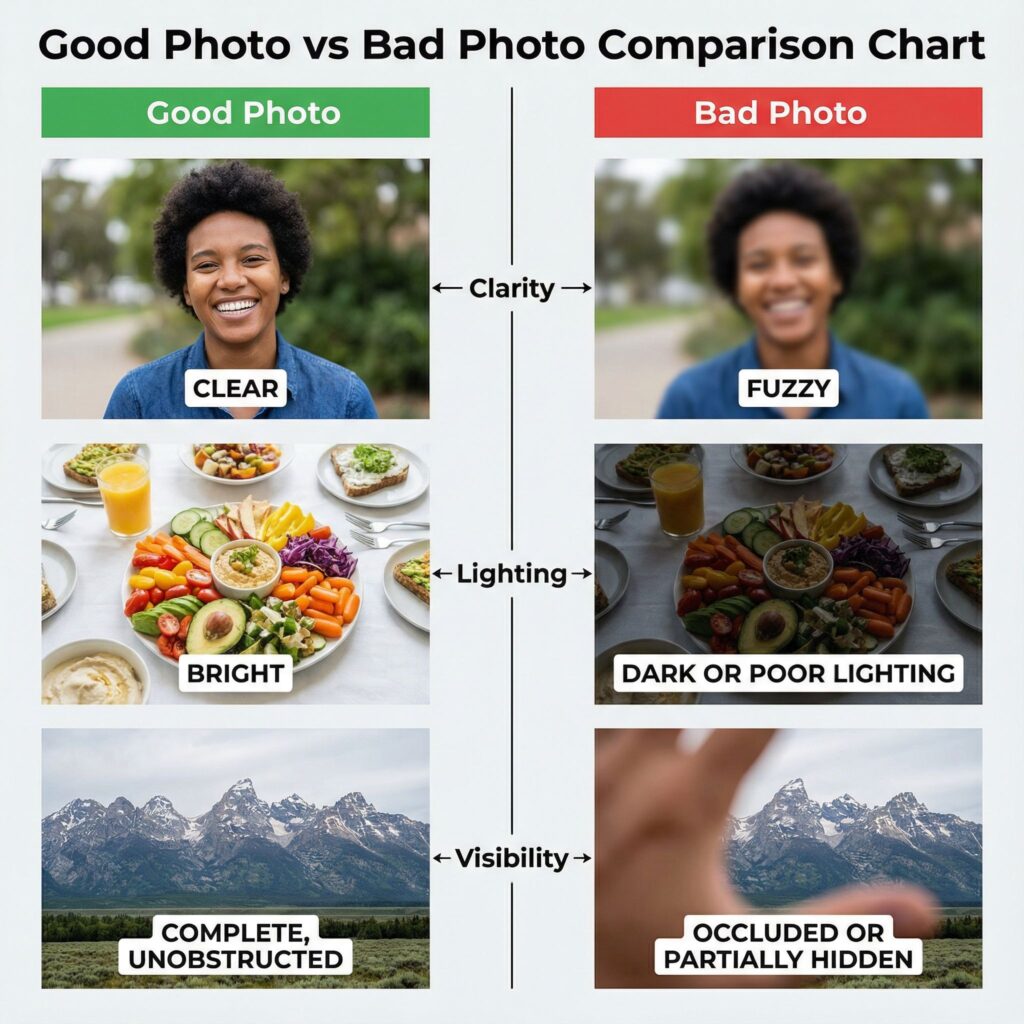
Choose a Clear, Bright Photo
AI performs best when your photo has good lighting and visible details. A bright, sharp image allows the model to capture edges, shapes, and shadows more accurately-making the final sketch clean instead of muddy. If you're trying to understand how to turn a photo into a sketch with the highest quality, a well-lit photo is your best starting point.
Ensure the Subject Is Visible and Centered
When the main subject is centered, the AI can better identify facial features, clothing textures, or object contours. This is especially helpful if you want to turn a photo into a sketch that focuses on a person or specific object. Proper framing ensures that the AI doesn’t crop out important details, giving you a more balanced and natural-looking sketch.
Avoid Blurry or Overexposed Images
Blurry photos reduce the amount of usable detail, causing sketches to look soft or undefined. Overexposed images lose contrast, making outlines difficult for AI to detect. If you're learning how to turn a photo into a sketch, avoiding these issues will ensure the tool produces sketches with strong, precise linework.
How to Choose the Right Sketch Style for Your Photo
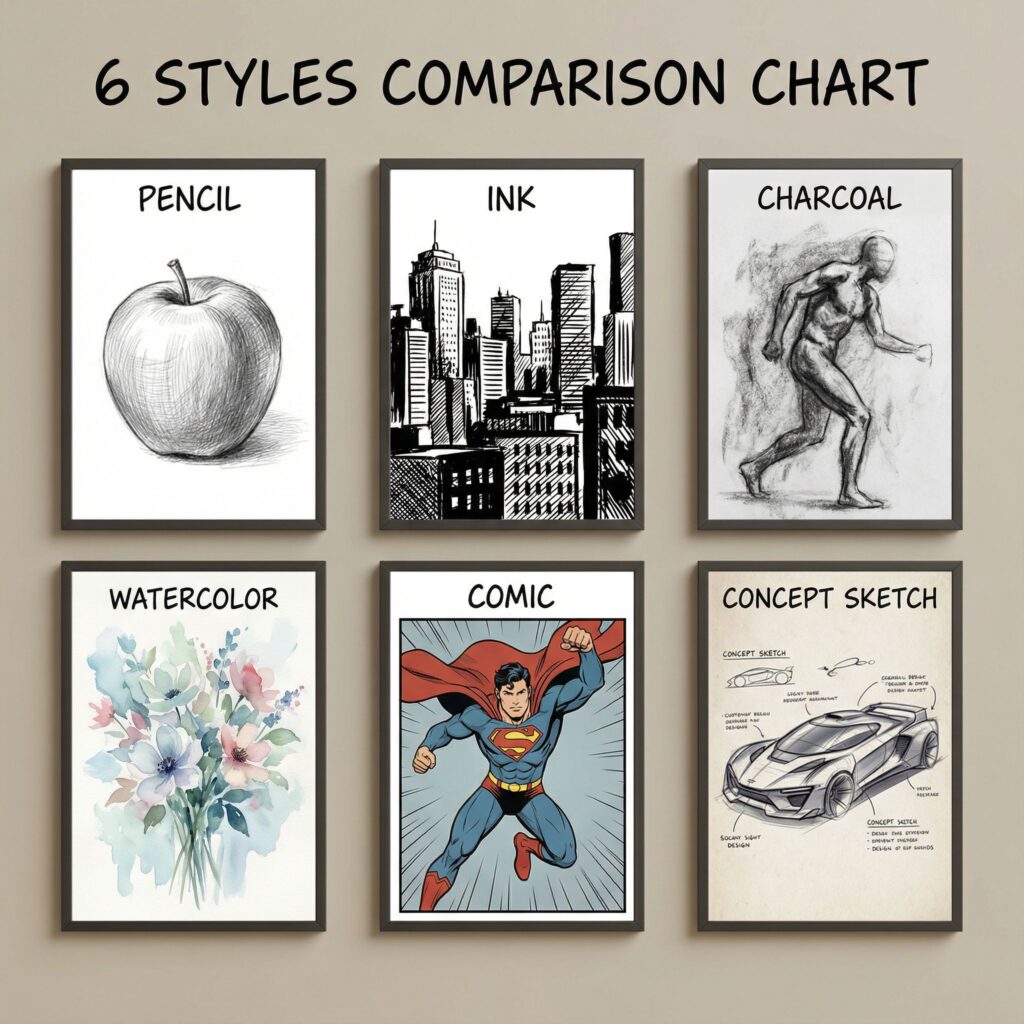
When you start exploring how to turn a photo into a sketch using AI tools, you will quickly realize that you are not limited to a single type of drawing. Modern generators offer a variety of artistic filters that can completely change the final look of your image. Understanding these different styles is an essential part of learning how to turn a photo into a sketch that perfectly matches your creative vision.
Here is a guide to the most popular sketch styles and how to use them effectively:
- Classic Pencil Sketch
This is the most versatile and popular style. It mimics the look of a traditional graphite pencil on paper, focusing on soft shading, fine details, and realistic lighting.
Best For: Human portraits, pet photos, and family pictures.
Why Use It: It preserves the most detail and likeness, making it perfect for capturing facial expressions and textures like fur or hair.
- Charcoal Sketch
Charcoal offers a bolder, more dramatic look. It uses deep blacks and high contrast, creating a rougher, more expressive texture than a standard pencil.
Best For: Moody portraits, street photography, and vintage-style images.
Why Use It: If you want your image to look artistic, abstract, and emotionally intense, charcoal is the ideal choice. It works exceptionally well for photos with strong lighting contrast.
- Ink / Line Art
This style focuses on clean outlines and sharp strokes, removing most of the shading to focus purely on shape and structure. It changes the perspective on how to turn a photo into a sketch by making the result look more like a comic book illustration or technical drawing.
Best For: Architecture, cars, product shots, and social media avatars.
Why Use It: It creates a crisp, graphic look that stands out on small screens. It is also the ideal method if you are researching how to turn a photo into a sketch to create a custom coloring page.
- Watercolor Sketch
While technically a painting style, many tools combine pencil outlines with soft watercolor washes. This is a creative variation on how to turn a photo into a sketch, adding a splash of color to the monochrome lines.
Best For: Landscapes, nature photography, flowers, and travel memories.
Why Use It: It adds vibrancy and emotion without losing the artistic feel.
Step-by-Step Guide: How to Turn a Photo into a Sketch
Learning how to turn a photo into a sketch is extremely easy with modern AI tools. Instead of adjusting filters or learning complex software, you only need to follow three simple steps: upload your photo, select a sketch style, and let the AI generate the final artwork. These steps ensure you get clean lines, natural shading, and a result that looks beautifully hand-drawn.
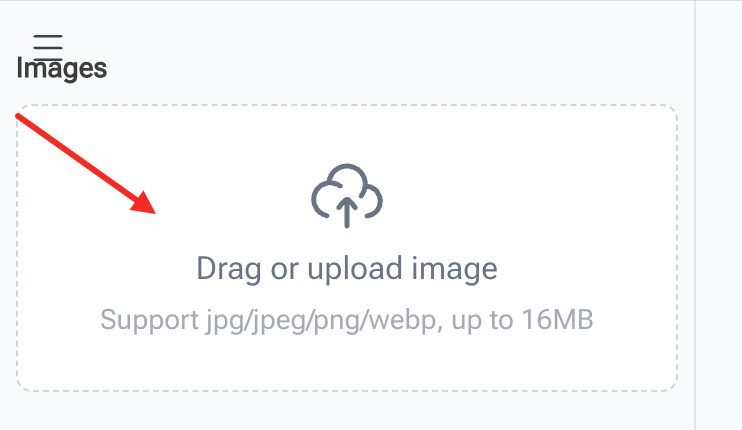
Step 1 - Upload Your Photo
Start by uploading the image you want to convert. For the best results when you turn a photo into a sketch, choose a clear portrait, a well-lit landscape, or a crisp product photo. High-quality input helps the AI detect outlines, textures, and shadows more accurately, ensuring your sketch comes out clear and detailed.
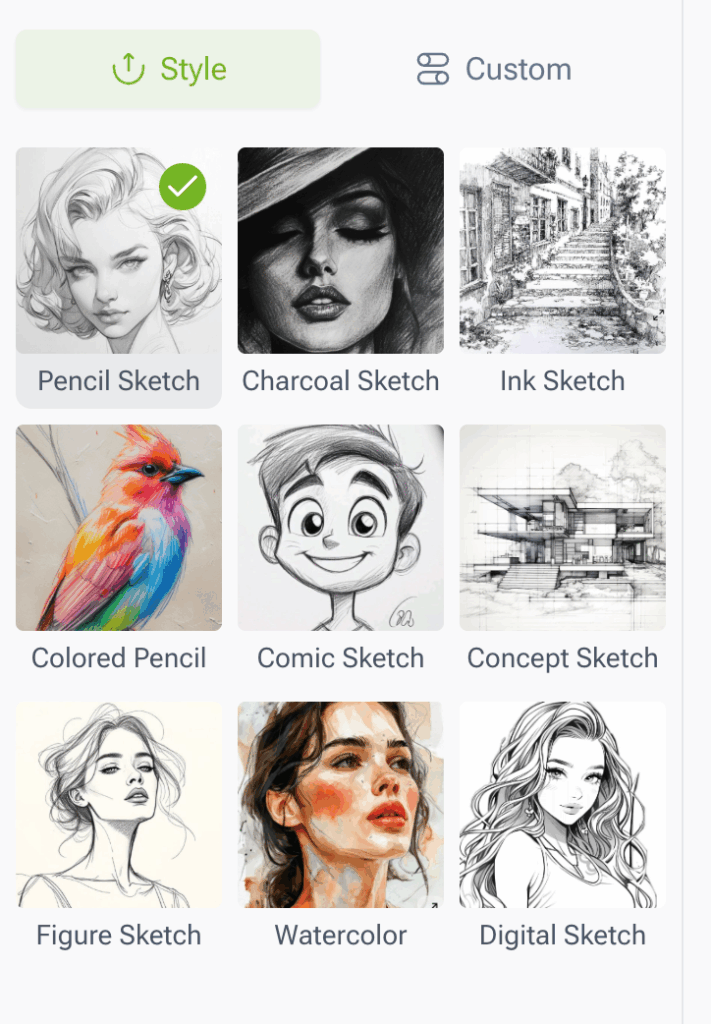
Step 2 - Pick a Sketch Style
Next, browse the available sketch styles and choose the one that matches your vision. Whether you want a soft Pencil Sketch, a bold Ink Sketch, a colorful Watercolor Sketch, or a comic-style illustration, selecting the right style plays a key role in how to turn a photo into a sketch that matches the tone or mood you’re aiming for.
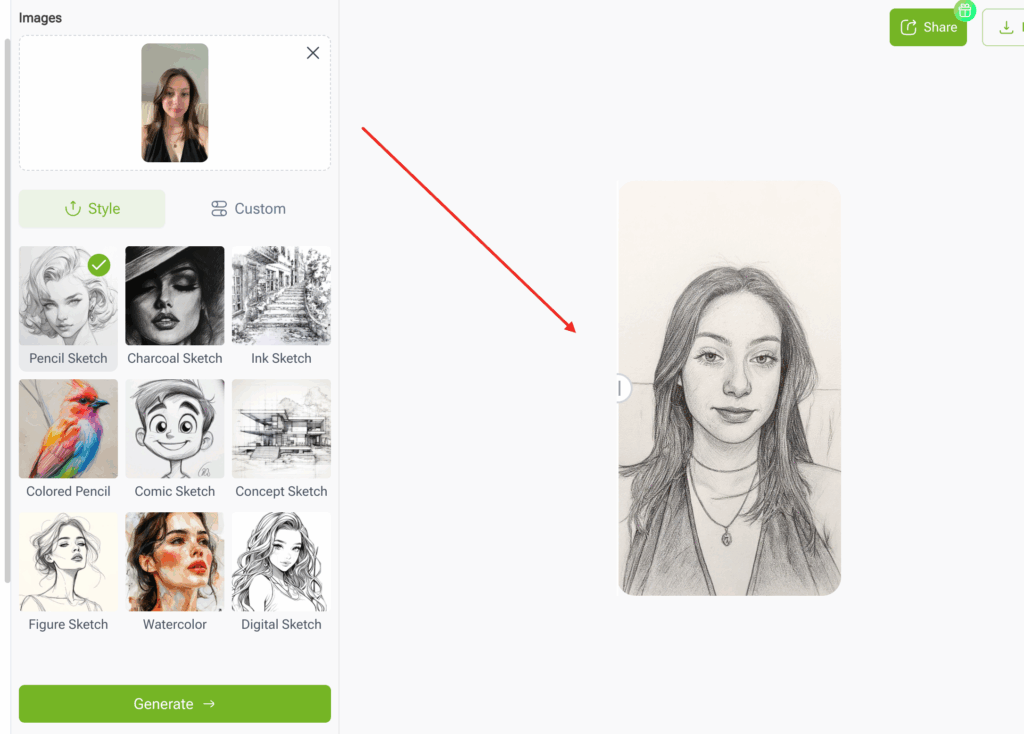
Step 3 - Generate the Sketch
With one click, the AI analyzes your image’s structure, shadows, and contours, then instantly transforms it into the selected sketch style. This final step is where the tool automatically applies the artistic effect, allowing you to turn a photo into a sketch in just a few seconds. Once complete, you can download your sketch or generate additional versions.
FAQs: Photo to Sketch Conversion
Is It Free to Convert Photos into Sketches?
Yes. Most online tools-including this Photo to Sketch converter-allow you to turn a photo into a sketch for free. You can upload your image, choose a style, and generate your sketch without paying or signing up.
Can I Use the Sketch for Printing or Social Media?
Absolutely. The converted sketches are high-resolution, making them suitable for printing, posters, journals, and professional creative work. They’re also perfect for social media-clean lines and artistic effects perform especially well on platforms like Instagram, Pinterest, and TikTok.
Will the Sketch Keep All Details from My Photo?
AI does its best to preserve important details such as facial features, hair texture, and shading. While the artistic style may simplify some areas, the tool is designed to turn a photo into a sketch that keeps the original image’s core structure and character intact.
Do I Need Any Drawing Skills?
No drawing skills are required. One of the biggest advantages of AI is that it handles all the linework, shading, and texture detection automatically. You simply upload your image, choose a style, and the tool completes the sketch instantly-making the entire how to turn a photo into a sketch process beginner-friendly.
Is My Photo Private and Secure After Uploading it to the Generator?
Reputable AI services prioritize user data security. Most platforms guarantee that the images you upload to learn how to turn a photo into a sketch are processed solely for conversion and are not stored or used for training the AI model beyond that session. However, to be fully certain of your privacy, always take a moment to review the specific Terms of Service or Privacy Policy of the AI tool you are using before uploading sensitive or highly personal images.
How Long Does the Photo to Sketch Conversion Take?
The AI generator is incredibly fast. Unlike manual sketching which can take an artist hours or even days, the AI processes your image in seconds. The entire conversion process-from uploading your original photo to downloading the final sketch-usually takes less than one minute. This speed is the core benefit of using AI when learning how to turn a photo into a sketch, allowing for rapid experimentation and instantaneous results.
Conclusion: Create Sketch Art in Minutes with AI
Learning how to turn a photo into a sketch no longer requires artistic skills, complex software, or time-consuming manual edits. With the help of modern AI tools, you can transform portraits, landscapes, objects, and personal memories into clean, realistic, and expressive sketches in just a few minutes. Whether you want pencil-style realism, bold ink outlines, or playful comic effects, AI makes the entire process simple, fast, and accessible for everyone. Try different styles, explore creative possibilities, and enjoy the freedom to create sketch art anytime with just one click.