













Avatar

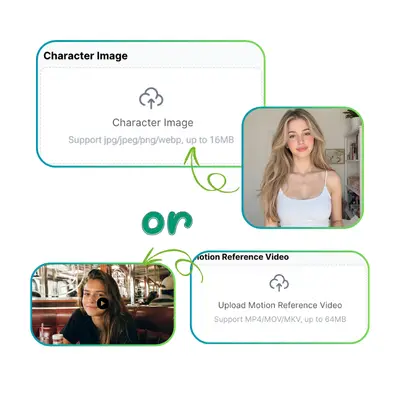
Character Image/Media(0/1)
Character Image/Media
Support jpg, jpeg, png, webp, mp4, webm, mov, avi, mkv, flv, wmv, m4v, up to 50MB

Audio

Upload Audio(0/1)
Upload Audio
Support mp3, wav, m4a, aac, ogg, webm, up to 50MB

Quality

AI Lip Sync Generator

Match any audio to video with AI Lip Sync on VisualGPT. Create realistic talking videos in seconds.

VisualGPT - Rated 4.9+ by VisualGPT Users
Rated 4.9+
by VisualGPT Users
VisualGPT - Rated 4.9+ by VisualGPT Users
VisualGPT - 50k+ Pictures Create
50M+
Pictures Created
VisualGPT - 50k+ Pictures Create
VisualGPT - Trusted By 100+ Organizations
Trusted By 800+
Organizations
VisualGPT - Trusted By 100+ Organizations

Helping creators & businesses everywhere work easier

Spotify
YouTube
TikTok
Amazon
Business Insider
Forbes
ABC
Buzfeed
CBS
Fox
NBC
Yahoo
Mashable
LifeWire
BBC
Nature
Spotify
YouTube
TikTok
Amazon
Business Insider
Forbes
ABC
Buzfeed
CBS
Fox
NBC
Yahoo
Mashable
LifeWire
BBC
Nature
Spotify
YouTube
TikTok
Amazon
Business Insider
Forbes
ABC
Buzfeed
CBS
Fox
NBC
Yahoo
Mashable
LifeWire
BBC
Nature

AI Lip Sync Generator: Create Smooth Mouth Sync Video Online

VisualGPT's AI Lip Sync to audio with precision. Upload video and voice, get accurate lip-sync results. Supports 8+ languages. Create talking videos now.

Try AI Lip Sync Now
AI Lip Sync Generator Sample

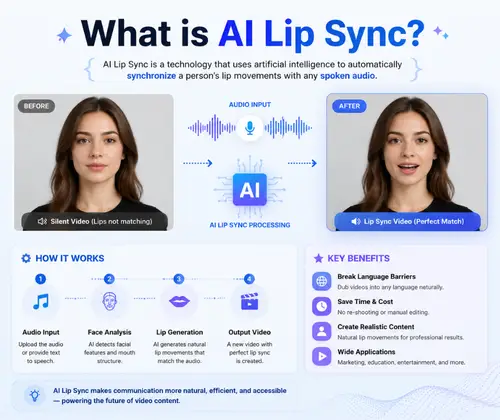
What is AI Lip Sync?

AI Lip Sync on VisualGPT is a powerful tool that matches mouth movements to any audio track. It helps you create realistic talking videos from photos, avatars, or existing clips. This lip sync AI technology analyzes speech patterns and adjusts facial movements frame by frame for accurate results. You can use AI lip sync for video dubbing, multi-language content, and social media creation. VisualGPT makes the process simple—upload your video or image, add audio, and generate synchronized content in minutes. For more video tools, try Motion Control AI or AI Dance Generator.

ai-lip-sync.whatSectionContent.alt

How to Use AI Lip Sync on VisualGPT

Learn how to create realistic talking videos with AI Lip Sync on VisualGPT. Follow these simple steps to sync mouth movements to any audio in minutes.

Step 1: Upload Your Video or Image

Upload a video or image of a person's face. AI Lip Sync works with both formats on VisualGPT. Make sure the face is clearly visible. Supported formats include MP4, MOV, PNG, and JPG.

Step 2: Add Audio or Enter Text

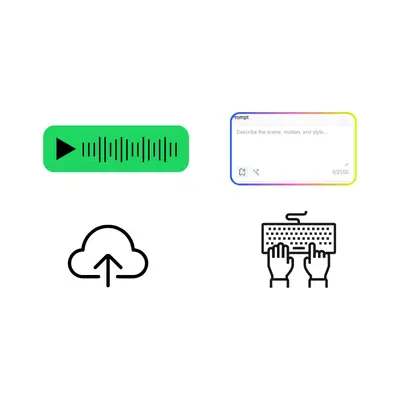
Upload an audio file or type your text directly. VisualGPT will generate speech from your text and sync it with the face. The AI Lip Sync tool supports multiple languages for natural mouth movements.

Step 3: Generate and Download

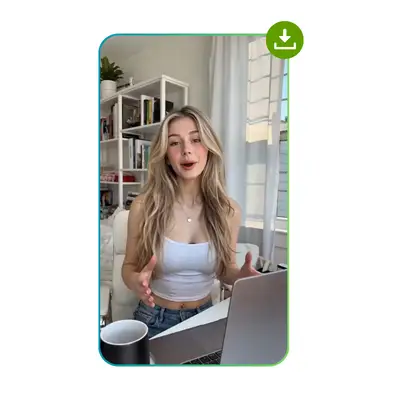
Click generate and wait for the process to complete. VisualGPT will create a video where the lip movements match your audio. Preview and download your synchronized video in high quality.

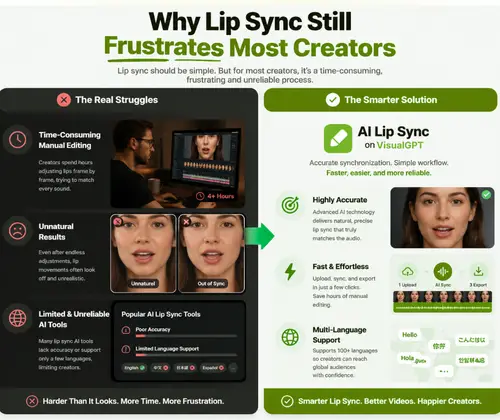
Why Lip Sync Still Frustrates Most Creators

Creating videos where mouth movements match audio is harder than it looks. Many creators spend hours adjusting lips frame by frame, only to get unnatural results. Some try lip sync AI tools but face poor accuracy or limited language support. AI Lip Sync on VisualGPT helps solve these issues with accurate synchronization and a simple workflow, making the process faster and more reliable.

Accurate Lip Movement Sync

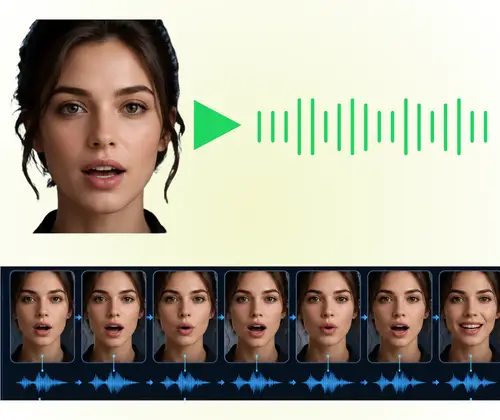
AI Lip Sync on VisualGPT is powered by Kling 3.0, a top-tier AI model for video generation. It matches mouth movements with audio at the phoneme level, ensuring every syllable aligns with the right lip shape. Whether you're creating talking avatars or dubbing content, the lip sync AI delivers natural, believable results that save hours of manual editing.

Accurate Lip Movement Sync

Multi-Language Support for Global Content

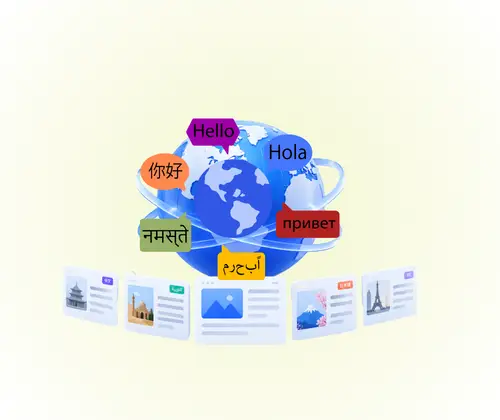
The AI Lip Sync tool on VisualGPT supports multiple languages, including English, Chinese, Spanish, and more. This makes it easy to create multi-language content for global audiences. You can dub videos, localize marketing materials, or create educational content in different languages without re-recording. VisualGPT handles the synchronization so your message stays clear across all regions.

Multi-Language Support for Global Content

Flexible Input Options

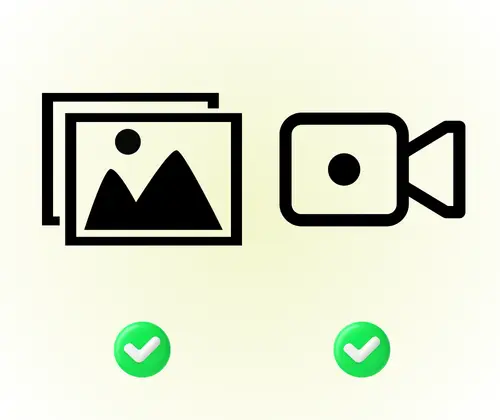
With VisualGPT's AI Lip Sync, you can upload either a video or an image as your source. For audio, simply upload a file or type your text directly. The platform generates speech from your text and syncs it automatically. This flexibility helps creators, marketers, and educators produce professional talking videos without needing separate tools for recording or conversion.

Flexible Input Options

Create Your First Talking Video Today

Bring your ideas to life with AI Lip Sync on VisualGPT. Turn any video or image into a realistic talking clip in just a few clicks. Start now and see the results in minutes.

Start Creating Now

What Users Say About AI Lip Sync

S.L. avatar

S.L.

YouTube Creator

"AI Lip Sync on VisualGPT has completely changed how I create content for my YouTube channel. Before, I struggled with dubbing videos in different languages because the mouth movements never matched. Now, with this lip sync AI tool, I can produce multi-language videos that look professional and natural. The process is simple—upload, add audio, and done. It saves me hours of editing every week and has helped me reach a wider global audience. Highly recommend for any content creator looking to expand internationally."

M.K. avatar

M.K.

Marketing Manager

"As a marketing manager, I need to create localized video content quickly. AI Lip Sync on VisualGPT has been a game-changer for our campaigns. We can now take one video and adapt it for multiple markets without reshooting or hiring voice actors for each region. The lip sync quality is impressive, and our audience engagement has increased since we started using multi-language versions. VisualGPT makes the whole process straightforward and efficient."
R.T. avatar

R.T.

Online Educator

"I've tested many AI lip sync tools, and VisualGPT stands out for its ease of use and output quality. The AI Lip Sync feature handles complex speech patterns well, and the results look natural even with fast dialogue. I use it regularly for my online courses, creating versions in different languages for my students. The interface is clean, and I don't need any technical background to get great results. It's become an essential part of my workflow."

FAQs About AI Lip Sync
