














VisualGPT Logo

Image

Drag or upload image

Support jpg/jpeg/png/webp, up to 16MB

Free AI Wrinkle Remover

Enhance your photos with natural-looking wrinkle reduction powered by AI—simple, fast, and effortlessly effective.

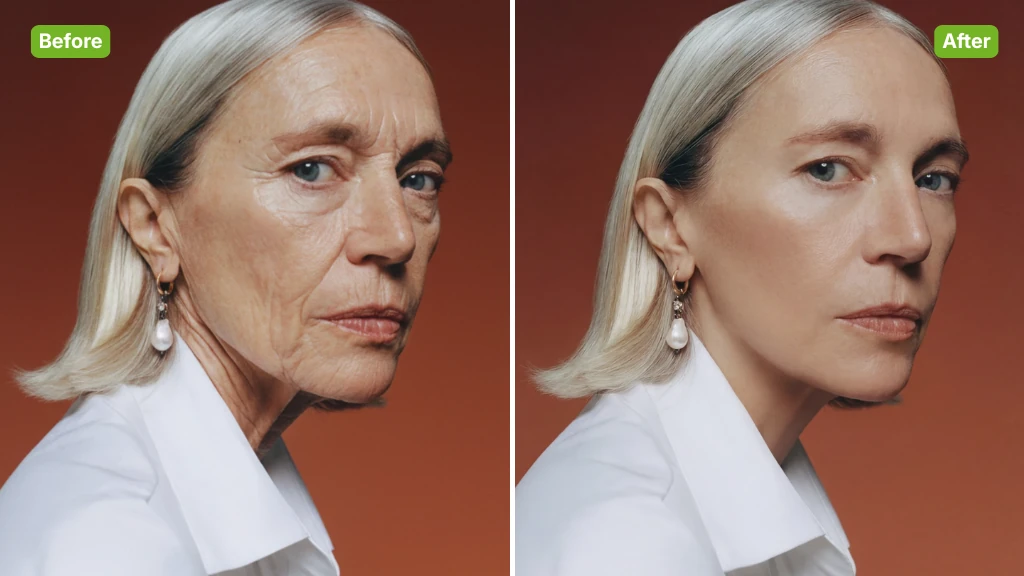
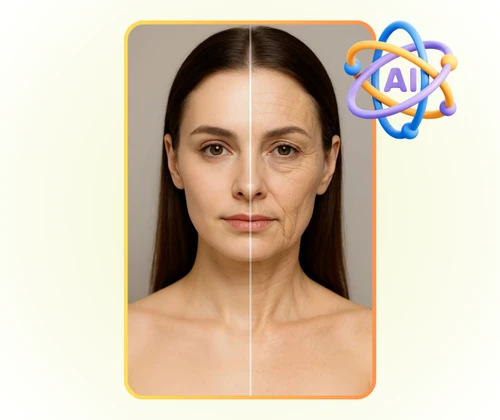
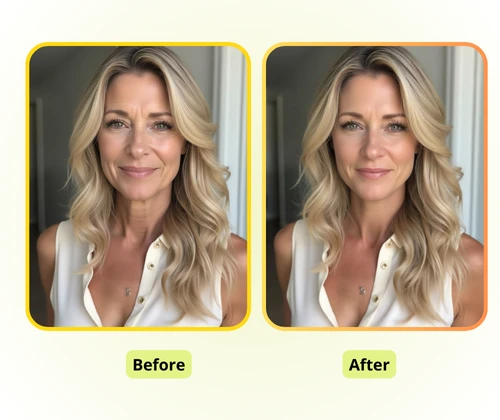
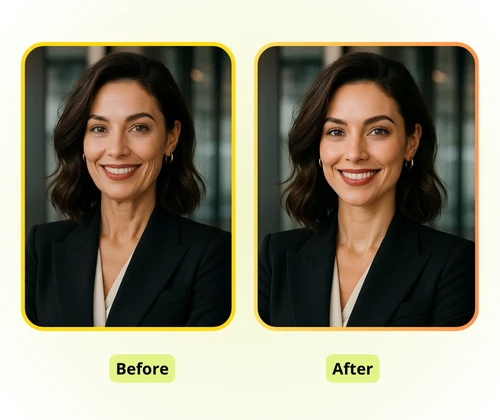
AI Wrinkle Remover Sample: Professional before
AI Wrinkle Remover Sample: Professional after
AI Wrinkle Remover Sample: Professional before
VisualGPT - Rated 4.9+ by VisualGPT Users
Rated 4.9+
by VisualGPT Users
VisualGPT - Rated 4.9+ by VisualGPT Users
VisualGPT - 50k+ Pictures Create
50M+
Pictures Created
VisualGPT - 50k+ Pictures Create
VisualGPT - Trusted By 100+ Organizations
Trusted By 800+
Organizations
VisualGPT - Trusted By 100+ Organizations

Helping creators & businesses everywhere work easier

Spotify
YouTube
TikTok
Amazon
Business Insider
Forbes
ABC
Buzfeed
CBS
Fox
NBC
Yahoo
Mashable
LifeWire
BBC
Nature
Spotify
YouTube
TikTok
Amazon
Business Insider
Forbes
ABC
Buzfeed
CBS
Fox
NBC
Yahoo
Mashable
LifeWire
BBC
Nature
Spotify
YouTube
TikTok
Amazon
Business Insider
Forbes
ABC
Buzfeed
CBS
Fox
NBC
Yahoo
Mashable
LifeWire
BBC
Nature

AI Wrinkle Remover – Smooth Skin Online, Free & No Sign-Up

Use AI Wrinkle Remover to smooth skin and reduce fine lines instantly. Free online tool with natural results, HD output, no login, and no watermark required.

Remove Wrinkles Now
AI Wrinkle Remover – Smooth Skin Online, Free & No Sign-Up

What is AI Wrinkle Remover?

AI Wrinkle Remover is an online tool that softens fine lines and smooths facial details while keeping skin natural. It analyzes the photo automatically, delivers clean results, and works in the browser with no login, making it easy to refresh selfies and profile images.

AI Wrinkle Remover - What is AI Wrinkle Remover?

Why Choose AI Wrinkle Remover?

AI Wrinkle Remover uses smart AI to detect lines, keeps skin texture, and lets you choose targeted or full-face adjustments, giving a younger, realistic look.

Intelligent AI Wrinkle Detection

AI Wrinkle Remover automatically finds fine lines and wrinkles without manual marking. It scans your photo and identifies areas that need smoothing, saving time and effort while ensuring accuracy.

Natural and Realistic Results

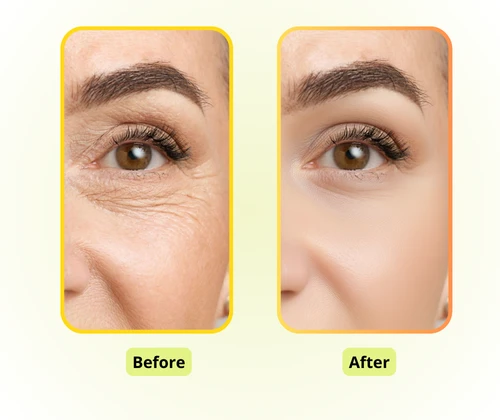
After removing wrinkles, your skin keeps its original texture and light. AI Wrinkle Remover avoids an artificial or overly smooth look, letting you appear younger while keeping your photos authentic.

Flexible Local or Full-Face Editing

You can apply wrinkle removal to specific areas like eyes or forehead, or treat the entire face. AI Wrinkle Remover allows personalized retouching that fits every portrait style.

What Can AI Wrinkle Remover Do?

AI Wrinkle Remover works for selfies, professional headshots, and content creation, keeping skin texture intact while making images look polished and youthful.

Perfect Selfies for Social Media

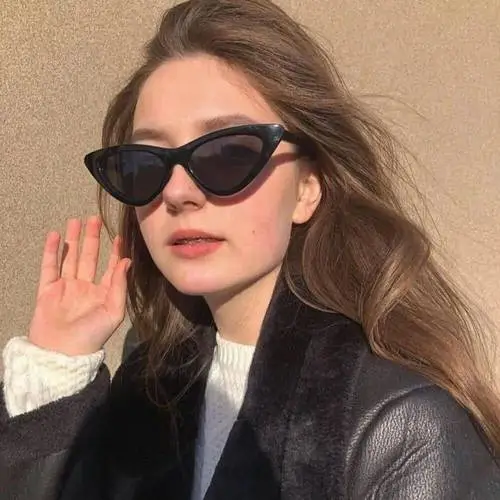
Enhance your Instagram, Facebook, or TikTok selfies by smoothing fine lines without losing natural skin texture. This makes your profile pictures look clearer, fresher, and more appealing. AI Wrinkle Remover ensures that every photo remains realistic while giving a polished, attractive finish.

AI Wrinkle Remover: Perfect Selfies for Social Media

Professional Headshots and Business Photos

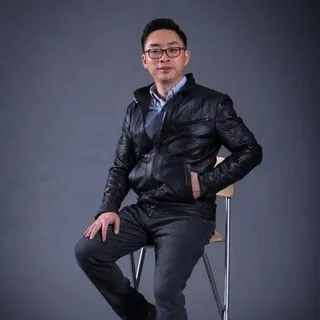
Create clean, youthful portraits for LinkedIn, resumes, or corporate profiles. AI Wrinkle Remover subtly reduces wrinkles and fine lines, improving facial appearance while preserving authenticity. This helps you present a confident, professional image in every photo.

AI Wrinkle Remover: Professional Headshots and Business Photos

Efficient Photo Retouching for Creators

Ideal for bloggers, photographers, and content creators who need high-quality edits quickly. You can choose local adjustments or full-face smoothing, enhancing multiple images efficiently. AI Wrinkle Remover makes batch photo editing easier while maintaining natural, realistic results.

AI Wrinkle Remover: Efficient Photo Retouching for Creators

How to Use AI Wrinkle Remover

AI Wrinkle Remover makes it easy to smooth fine lines and wrinkles in your photos. With simple steps, you can enhance your photos.

AI Wrinkle Remover: Step 1 - Upload Your Photo

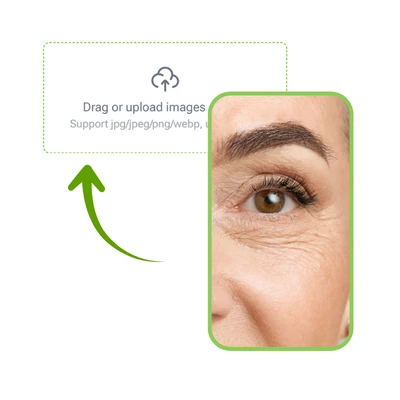
Step 1: Upload Your Photo

Start by selecting the photo you want to edit. Choose a clear image where facial details are visible. Uploading is quick and works directly in your browser without any software installation.

AI Wrinkle Remover: Step 2 - Select the Area to Smooth

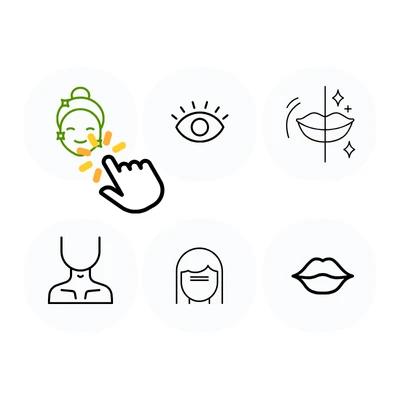
Step 2: Select the Area to Smooth

Decide which parts of the face you want to retouch. You can target specific areas like the eyes, forehead, or smile lines, or apply smoothing to the entire face. This allows precise and personalized adjustments.

AI Wrinkle Remover: Step 3 - Let AI Process and Download

Step 3: Let AI Process and Download

AI Wrinkle Remover automatically detects wrinkles and fine lines, smooths them naturally, and preserves skin texture. Once processed, you can download the enhanced photo immediately for personal or professional use.

Smooth Your Photos Instantly

Enhance your selfies and portraits with AI Wrinkle Remover. Remove fine lines naturally, keep your skin texture, and get polished, professional-looking images in seconds—no skills needed.

Start Smoothing Now

What Users Say About AI Wrinkle Remover

J.S. avatar

J.S.

Content Creator

"AI Wrinkle Remover made editing my selfies so easy and fast. I uploaded several photos, and the tool automatically smoothed fine lines and wrinkles while keeping my skin texture completely natural. The results look realistic and professional, perfect for Instagram and social media posts. I love that my photos now appear polished without looking artificial, and the AI makes the process effortless every time."
M.T. avatar

M.T.

Marketing Specialist

"I tried AI Wrinkle Remover to improve my LinkedIn profile picture, and it worked amazingly well. The AI detected wrinkles around my eyes and forehead, removed them, and kept my skin looking completely natural. The tool is intuitive and fast, saving me a lot of time compared to manual editing. My professional headshots now look polished, younger, and realistic, making it a must-have tool for anyone needing quick and natural photo enhancement."
L.R. avatar

L.R.

Blogger

"As a blogger, I constantly need high-quality images for my content. AI Wrinkle Remover allows me to smooth facial lines without losing the natural look of skin. The AI automatically identifies wrinkles and softens them subtly, leaving the photo authentic. It works quickly, making editing easier and saving time. I can now prepare images for Instagram, my blog, or promotional posts effortlessly, and the results are always realistic and visually appealing."
C.K. avatar

C.K.

Photographer

"AI Wrinkle Remover is a game-changer for my photography work. The AI accurately detects wrinkles and fine lines, smooths them naturally, and keeps the skin texture intact. It’s simple to use and allows me to process multiple photos efficiently. Every edited image looks polished but still very realistic. This tool has become an essential part of my workflow, helping me deliver professional-quality portraits for clients without spending hours in manual editing."
S.W. avatar

S.W.

Parent & Hobby Photographer

"I used AI Wrinkle Remover to touch up my family portraits, and the results were excellent. The AI smoothed fine lines on everyone’s faces without creating an artificial look. It’s easy to use and works quickly, even for multiple photos. The finished images are natural, realistic, and visually appealing, making family albums and social media posts look more professional. I highly recommend it for anyone who wants effortless, realistic photo enhancements with minimal effort."
R.H. avatar

R.H.

Job Seeker

"AI Wrinkle Remover helped me create professional headshots for my resume and LinkedIn profile. The AI carefully smoothed wrinkles around my eyes and forehead while preserving my natural skin texture. The process is quick and user-friendly, requiring no advanced editing skills. The results look polished, realistic, and youthful, giving me confidence in my professional images. It’s a reliable tool for anyone needing fast, natural-looking photo retouching for work or personal use."

Frequently Asked Questions About AI Wrinkle Remover