
















VisualGPT Logo

Image

Drag or upload image

Support jpg/jpeg/png/webp, up to 16MB

Grid

Aspect Ratio

Model

Free AI Photo Grid Maker

Turn a single selfie into a series of professional studio-style portrait grids in just a few clicks.

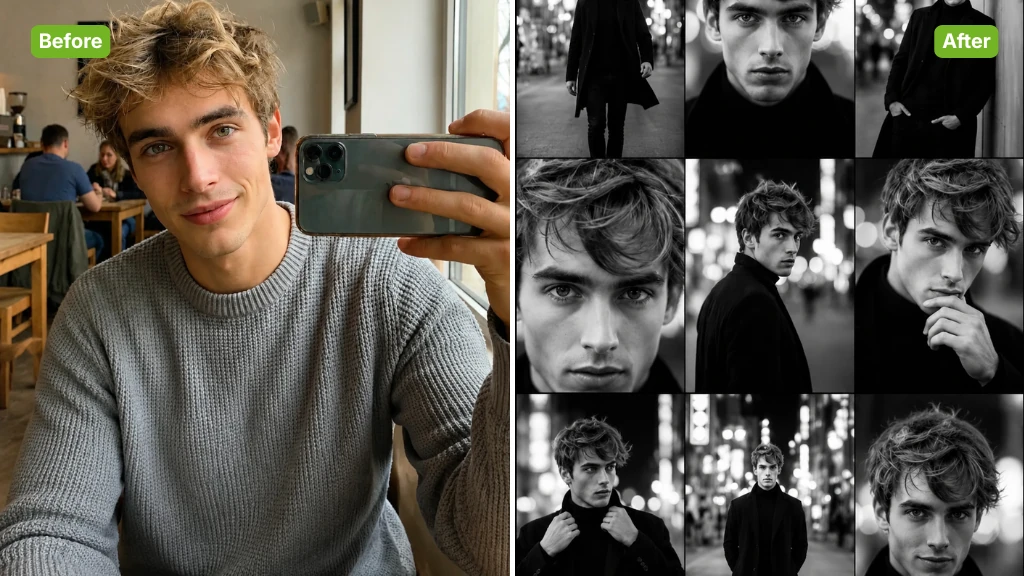
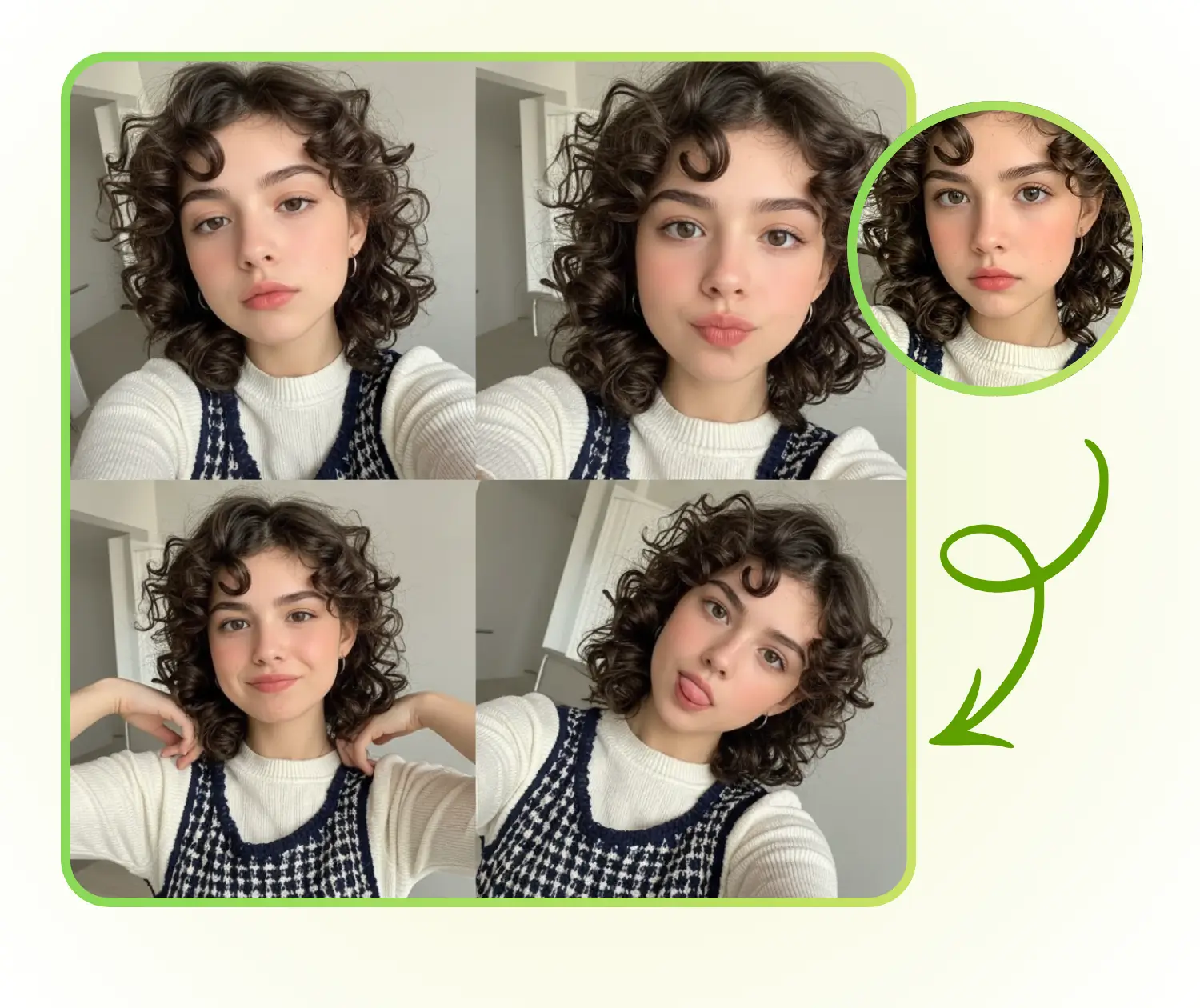
AI Photo Grid Maker Sample: Urban Noi before
AI Photo Grid Maker Sample: Urban Noi after
AI Photo Grid Maker Sample: Urban Noi before
VisualGPT - Rated 4.9+ by VisualGPT Users
Rated 4.9+
by VisualGPT Users
VisualGPT - Rated 4.9+ by VisualGPT Users
VisualGPT - 50k+ Pictures Create
50M+
Pictures Created
VisualGPT - 50k+ Pictures Create
VisualGPT - Trusted By 100+ Organizations
Trusted By 800+
Organizations
VisualGPT - Trusted By 100+ Organizations

Helping creators & businesses everywhere work easier

Spotify
YouTube
TikTok
Amazon
Business Insider
Forbes
ABC
Buzfeed
CBS
Fox
NBC
Yahoo
Mashable
LifeWire
BBC
Nature
Spotify
YouTube
TikTok
Amazon
Business Insider
Forbes
ABC
Buzfeed
CBS
Fox
NBC
Yahoo
Mashable
LifeWire
BBC
Nature
Spotify
YouTube
TikTok
Amazon
Business Insider
Forbes
ABC
Buzfeed
CBS
Fox
NBC
Yahoo
Mashable
LifeWire
BBC
Nature

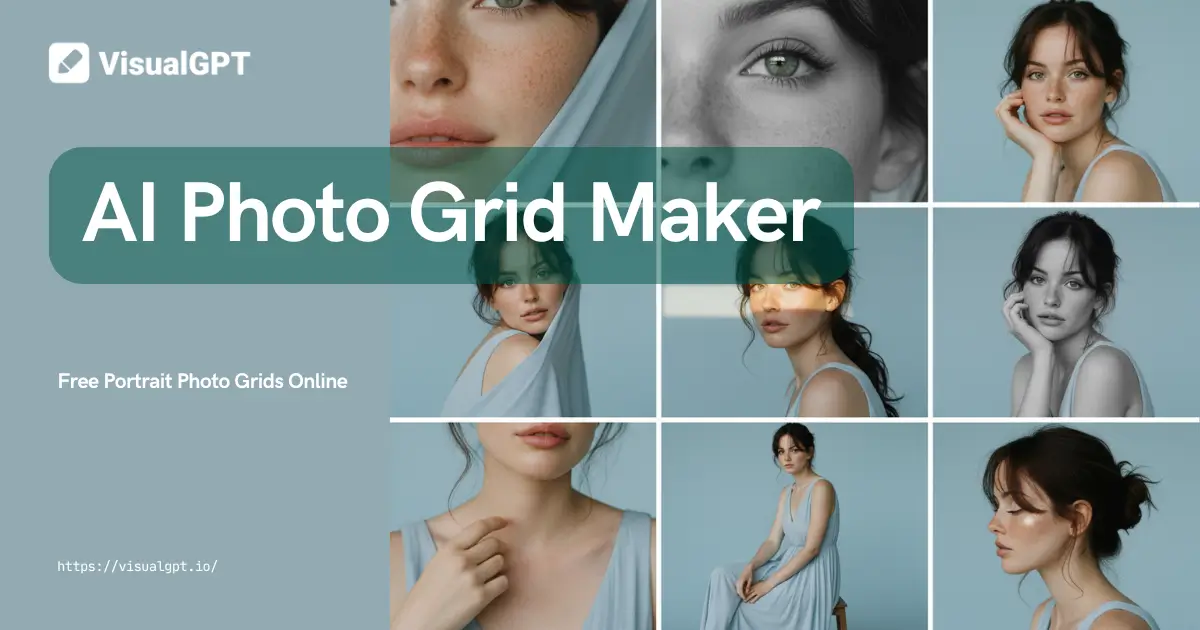
Photo Grid Maker With AI – Free Portrait Photo Grids Online

Create stunning portrait photo grids with our Photo Grid Maker With AI. Upload your image and auto-generate studio-quality HD grids — free online, no watermark.

Generate My Photo Grid
Photo Grid Maker With AI – Free Portrait Photo Grids Online

What is AI Photo Grid Maker?

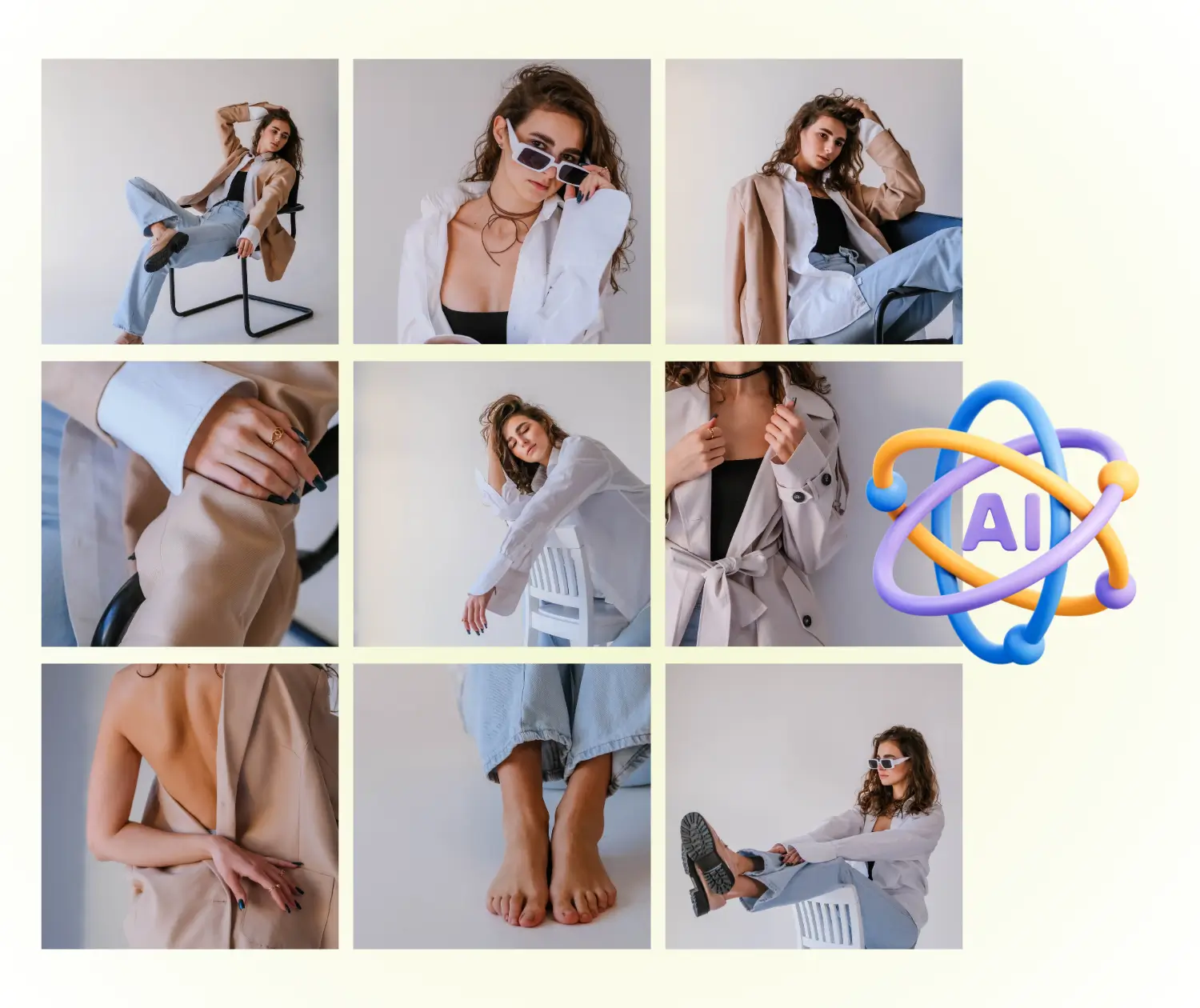
AI Photo Grid Maker is an online tool that transforms a single photo into multiple portrait images arranged neatly in a grid. Users can apply different lighting and style effects to get studio-quality results, ideal for social media, personal albums, or creative projects.

AI Photo Grid Maker - What is AI Photo Grid Maker?

Why Choose AI Photo Grid Maker?

AI Photo Grid Maker offers a simple way to transform a single selfie into a series of high-quality, studio-style portrait grids.

Multiple Styles for the Same Person

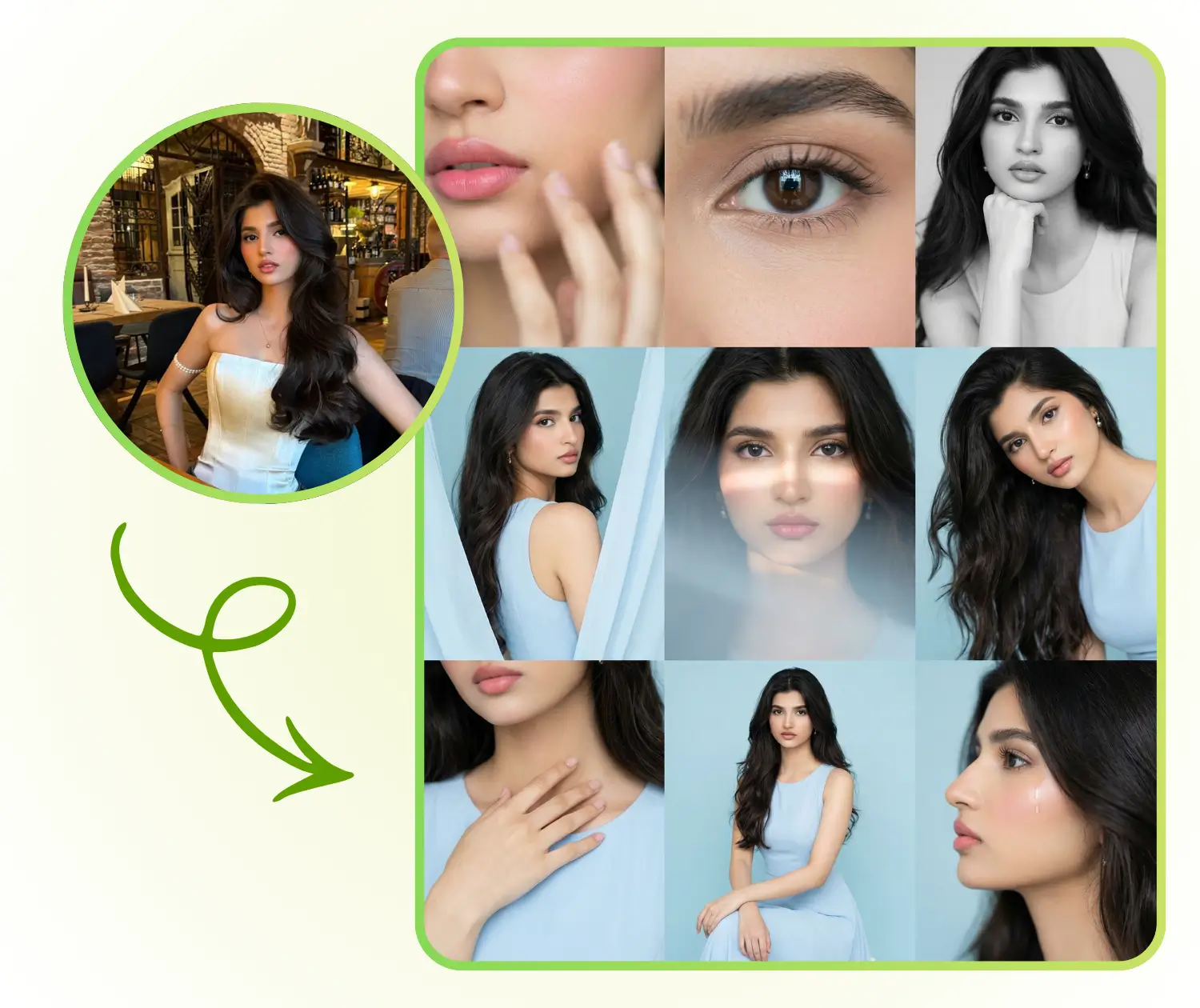
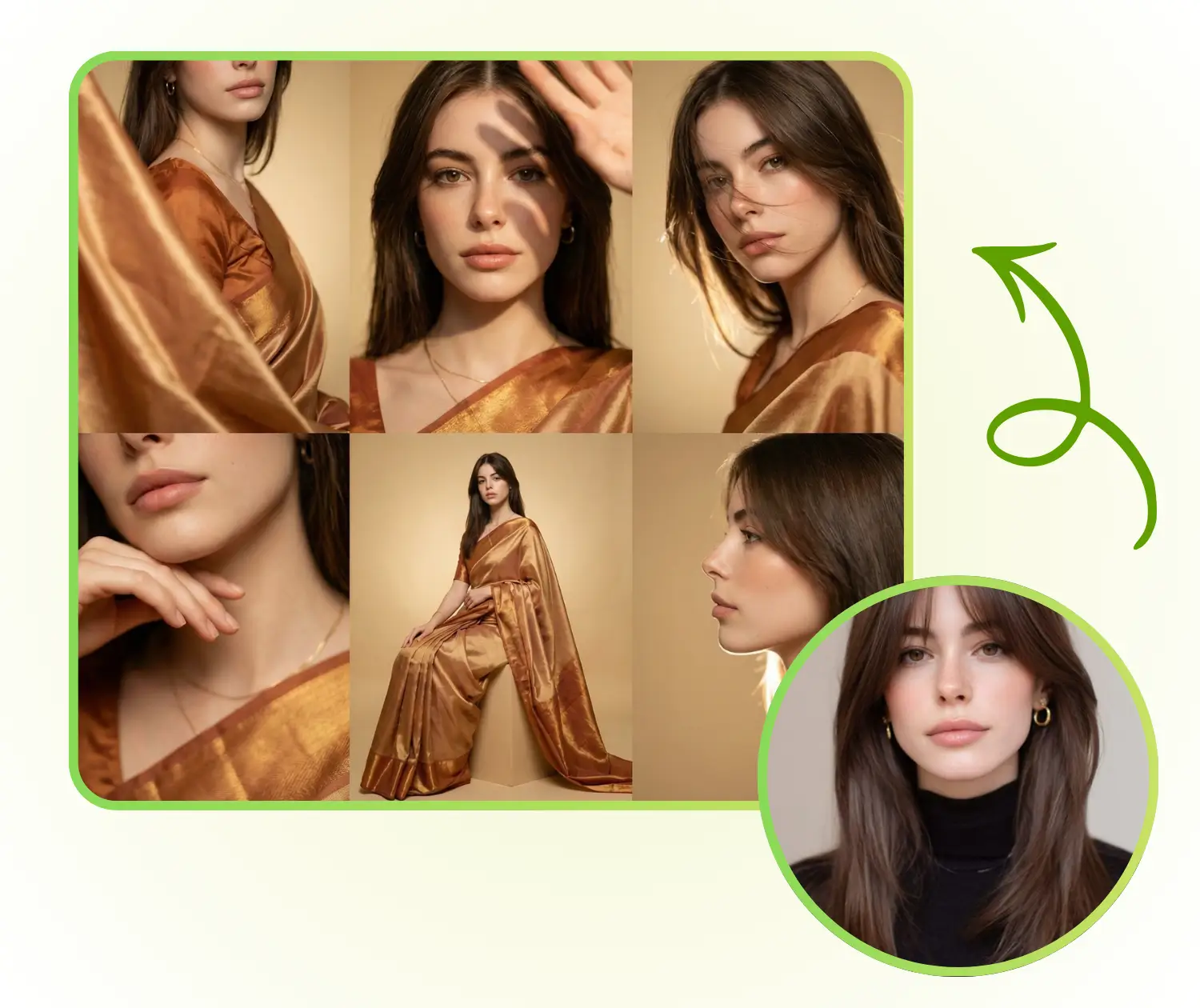
Generate several portraits of the same person in different photography styles. AI Photo Grid Maker emphasizes realistic results and maintains personal features, giving a multi-angle, professional photography feel.

Professional Series-Like Output

Each style produces multiple images that resemble a professional photoshoot series. Users can get a cohesive collection that looks like it was captured by a studio photographer.

Consistent Color and Composition

All generated images have coordinated colors, styles, and layouts. AI Photo Grid Maker arranges them into a visually pleasing grid, allowing users to obtain a ready-to-publish photography series.

What Can You Do with AI Photo Grid Maker?

AI Photo Grid Maker is ideal for social media, personal albums, and creative projects, allowing fast and easy creation of professional-looking image collections

Enhance Your Social Media Profiles

Users can quickly generate a series of portrait grids to refresh their Instagram, Facebook, or TikTok profiles. Each image retains the subject’s unique features while offering different styles, lighting, and moods. AI Photo Grid Maker creates engaging content that stands out, boosts online presence, and saves time on manual editing.

AI Photo Grid Maker: Enhance Your Social Media Profiles

Create Personal Photo Albums Effortlessly

Transform selfies into a collection of studio-style portraits automatically arranged in clean grids. Users don’t need to worry about manual editing or design work. Each portrait maintains consistent style, color, and composition, resulting in visually appealing personal albums or commemorative photo books.

AI Photo Grid Maker: Create Personal Photo Albums Effortlessly

Showcase Creative Projects and Portfolios

Perfect for creators, designers, and photographers, the tool allows showcasing the same subject in multiple photography styles. AI Photo Grid Maker generates coordinated grids suitable for presentations, portfolios, or other creative content, saving time and providing professional results without additional layout adjustments.

AI Photo Grid Maker: Showcase Creative Projects and Portfolios

How to Use AI Photo Grid Maker

Learn how to create stunning portrait photo grids with AI Photo Grid Maker in just three steps.

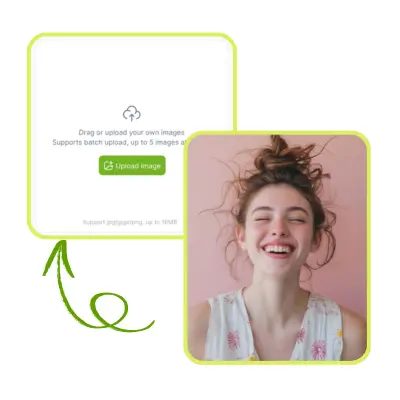
AI Photo Grid Maker - Step 1: Upload Your Photo

Step 1: Upload Your Photo

Start by uploading a clear portrait or selfie. The tool works best with high-quality images to ensure the AI can capture your facial features accurately for realistic results.

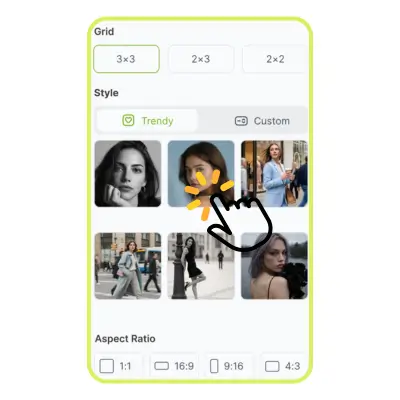
AI Photo Grid Maker - Step 2: Choose Your Style and Layout

Step 2: Choose Your Style and Layout

Select a photography style you like, such as studio, natural light, or artistic effects. You can also define the grid layout or describe the style you want. The AI will adapt your photo to match your chosen look.

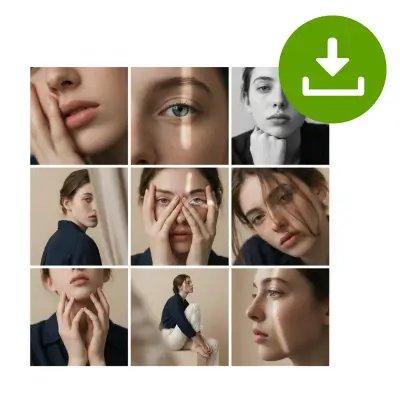
AI Photo Grid Maker - Step 3: Generate and Download

Step 3: Generate and Download

AI Photo Grid Maker will instantly create high-resolution 4K portrait grids. Once generated, you can download the images and share them directly to social media or use them in personal projects.

Start Creating Your AI Photo Grids Today

Transform your selfies into stunning studio-quality portrait grids in seconds. Choose your favorite style, let AI handle the layout, and get ready-to-share high-resolution images effortlessly.

Generate My Photo Grid

What Users Say About AI Photo Grid Maker

S.L. avatar

S.L.

Content Creator

"I love using AI Photo Grid Maker to create professional-looking portrait grids. It transforms a single selfie into multiple images with different styles and lighting. The AI preserves my features perfectly, making the results look like a real studio photoshoot. Sharing them on Instagram has never been easier, and I get compliments on the consistency and quality of the grids every time."
M.K. avatar

M.K.

Photographer

"AI Photo Grid Maker is a game-changer for my personal albums. I can upload one photo and instantly generate a series of portraits in clean, organized grids. Each photo maintains my unique features and adapts to different photography styles. The tool is fast, easy to use, and produces high-resolution images that are ready to share or print without any extra editing."
R.T. avatar

R.T.

Graphic Designer

"As a designer, AI Photo Grid Maker helps me showcase my clients in multiple styles without spending hours editing. The grids are consistent, visually appealing, and feel like studio-quality work. I especially love the flexibility to choose layouts and styles, which saves time while producing professional results that impress both clients and colleagues."
R.T. avatar

R.T.

Social Media Manager

"I use AI Photo Grid Maker to update my social media profiles. The tool converts my selfies into polished portrait grids with uniform color and lighting. It’s intuitive, fast, and generates high-quality images every time. My followers always notice the difference, and the AI keeps my facial features intact across multiple styles."
K.H. avatar

K.H.

Photographer & Content Creator

"AI Photo Grid Maker has made creating portfolio content effortless. I can present multiple looks of the same subject in neat, professional grids. The tool preserves every detail, applies studio-quality effects, and the results are perfect for presentations and creative projects. I no longer need to manually arrange or edit photos."
S.P. avatar

S.P.

Marketing Specialist

"This tool is perfect for anyone wanting to create consistent, professional-looking portrait grids quickly. AI Photo Grid Maker generates multiple images from a single photo while maintaining realism and style variety. The high-resolution grids are ideal for social media, albums, or marketing content, making it a must-have tool in my workflow."

Frequently Asked Questions About AI Photo Grid Maker