
The landscape of artificial intelligence in visual media has moved far beyond generating static images. For creators, marketers, and independent developers using the VisualGPT platform, the new frontier is dynamic, high-fidelity video generation. However, with multiple powerful engines available, a common dilemma arises: which model should you choose for your specific creative workflow?
Currently, the two most prominent video generation engines available are HappyHorse 1.0 and Seedance 2.0. While both models are integrated into the same seamless visual creation ecosystem, their underlying architectures and target use cases are profoundly different. One is celebrated for its breathtaking ability to generate synchronized audio and video simultaneously, while the other offers unprecedented, director-level control over specific elements within the frame.
This comprehensive guide will dissect these two models across multiple dimensions—from their core architectural strengths to user experience, feature capabilities, and security protocols—ensuring you have the exact knowledge needed to elevate your visual storytelling.
HappyHorse 1.0 vs Seedance 2.0 at a Glance
Before diving into the intricate details, let us look at a high-level comparison of the quantifiable metrics defining these two AI video generators.
Quick Takeaway: Think of HappyHorse 1.0 as your highly efficient, all-in-one cinematic videographer that captures sight and sound simultaneously. Seedance 2.0, on the other hand, acts as a meticulous digital director, allowing you to manually rig and connect every single element of your scene.
What is HappyHorse 1.0?

HappyHorse 1.0 is an industry-leading AI video generation model designed to bridge the gap between visual motion and auditory immersion. It is built for creators who demand high-quality, cinematic outputs with minimal workflow friction.
Standout features:
Joint Audio-Video Synthesis: Instead of generating a silent video and forcing the user to hunt for matching sound effects later, this engine natively synthesizes the audio that matches the visual action (e.g., the sound of rain falling, or a crowd cheering) in a single pass.
Flawless Cinematic Motion: The model excels at understanding real-world physics. Whether you need a slow-motion splash of water or a smooth drone flyover, the motion is incredibly fluid and realistic.
Dual Text and Image Pipeline: Users can seamlessly switch between Text-to-Video and Image-to-Video workflows. You can start with a blank text prompt or upload an existing image to bring it to life.
Dynamic Camera Movement: It responds accurately to cinematographic instructions like "pan left," "zoom in," or "tracking shot," giving you the feel of operating a virtual camera.
Low Barrier to Entry: Because the AI handles the complex physics and sound design intuitively, users can achieve stunning results with relatively simple text prompts.
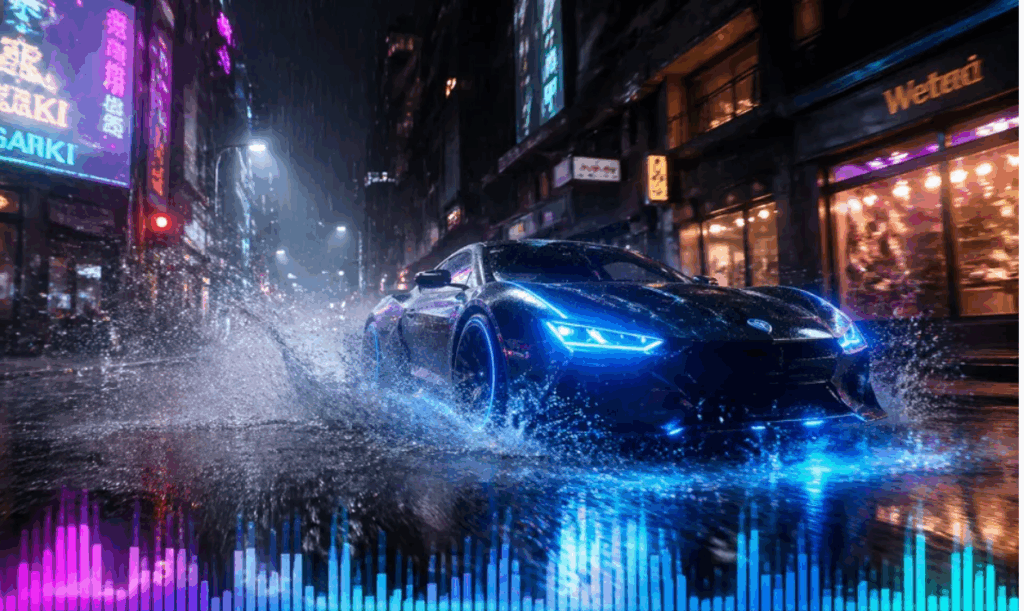
Quick Takeaway: This model is the definitive choice for creators who want to instantly bring their concepts to life with perfectly synced audio, bypassing the tedious post-production sound design phase.
What is Seedance 2.0?
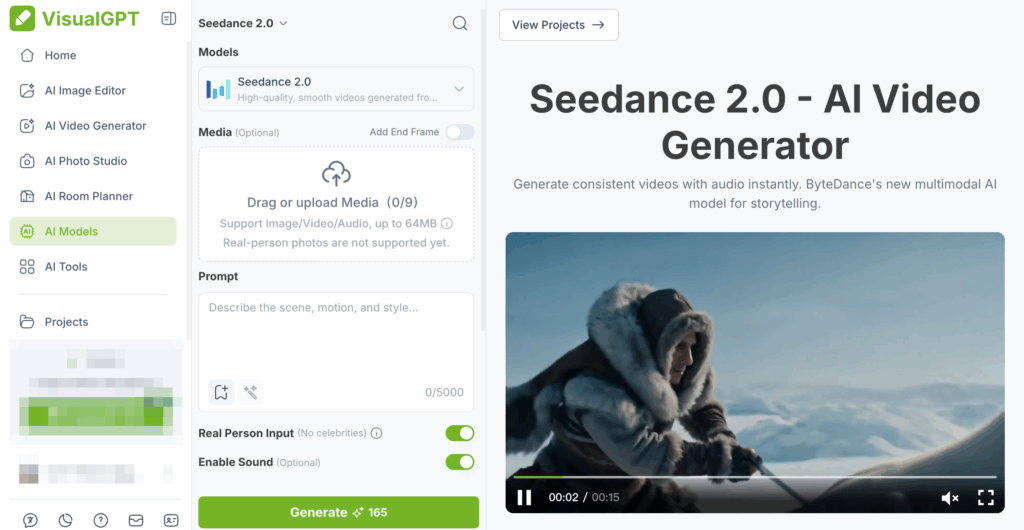
While the previous model focuses on unified synthesis, Seedance 2.0 takes a highly modular approach. It is an advanced, precision-driven engine built to solve one of the most frustrating pain points in AI video: the lack of consistency and exact element placement.
Standout features:
- Multi-Material Reference System: It treats your prompt not just as a description, but as a rigid directorial script, allowing you to link specific uploaded visual assets directly to keywords in your text.
- Strict Character Consistency: By assigning a specific uploaded face image to a character in your prompt, the model ensures they look exactly the same across multiple different scenes and camera angles.
- Precise Motion Copying: You can upload a video of a specific real-world movement (like a dance routine or an athletic jump) and force the AI to apply that exact motion to a newly generated character.
- First and Last Frame Control: For professional video editors, transitions are everything. This engine allows users to set specific first and last frames, enabling it to fluidly connect them.
- Enterprise-Grade Safety: To comply with strict security standards, it strictly prohibits the generation of real human faces and copyrighted characters, ensuring all generated assets are brand-safe.
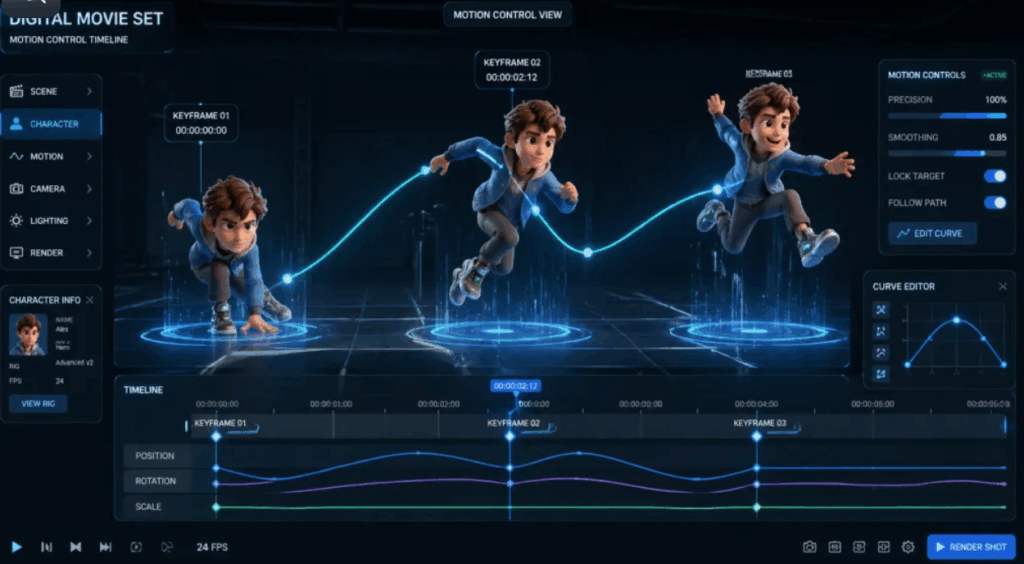
Quick Takeaway: It is a heavyweight, highly technical tool designed for professional editors and narrative storytellers who refuse to leave character consistency and scene transitions up to the AI's imagination.
Essential Differences Between HappyHorse 1.0 and Seedance 2.0
1. User Experience and Workflow
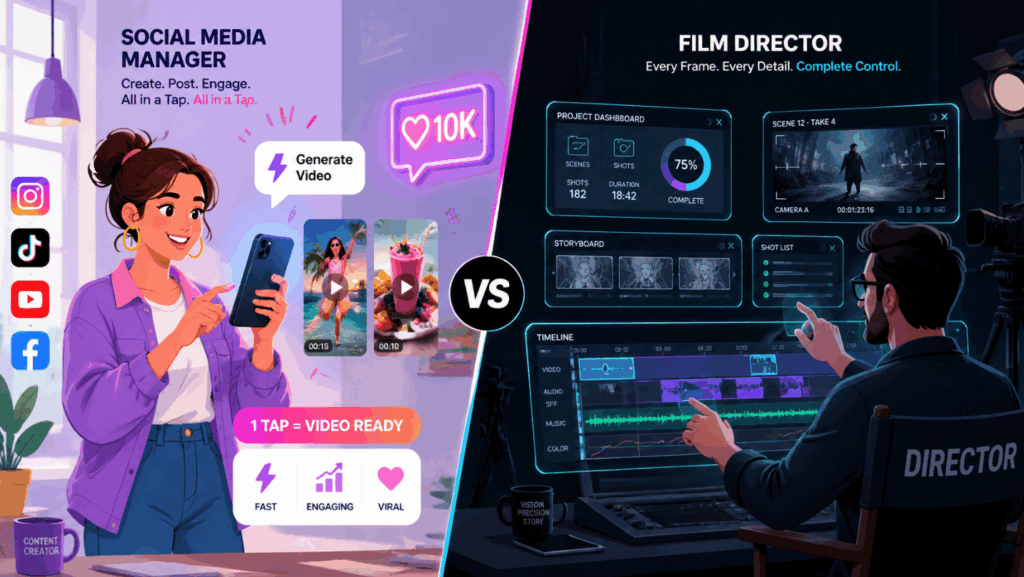
Although both are accessible via the same visual creation platform, the cognitive load and the steps required to achieve the final result differ drastically.
- The HappyHorse Flow: The user experience here is designed for speed and intuition. You input a descriptive prompt (e.g., "A cinematic shot of a red sports car drifting on a wet neon-lit street"). Upon hitting generate, HappyHorse 1.0 goes to work. Because it features joint audio-video generation, the final output returned a few moments later is a complete clip with the sound of a revving engine. It is a one-step, low-friction process.
- The Seedance Flow: This requires a more deliberate, architectural approach. You don't just write a prompt; you construct a scene using digital building blocks. You upload your assets first, then write a script linking them together. This workflow is deeper and takes slightly more time to set up, but the resulting control is absolute.
Quick Takeaway: The first provides a "frictionless" path for immediate audio-visual gratification, while the latter functions more like a digital compositing software, requiring more setup but rewarding you with unmatched precision.
2. Demystifying the Multi-Material Reference System
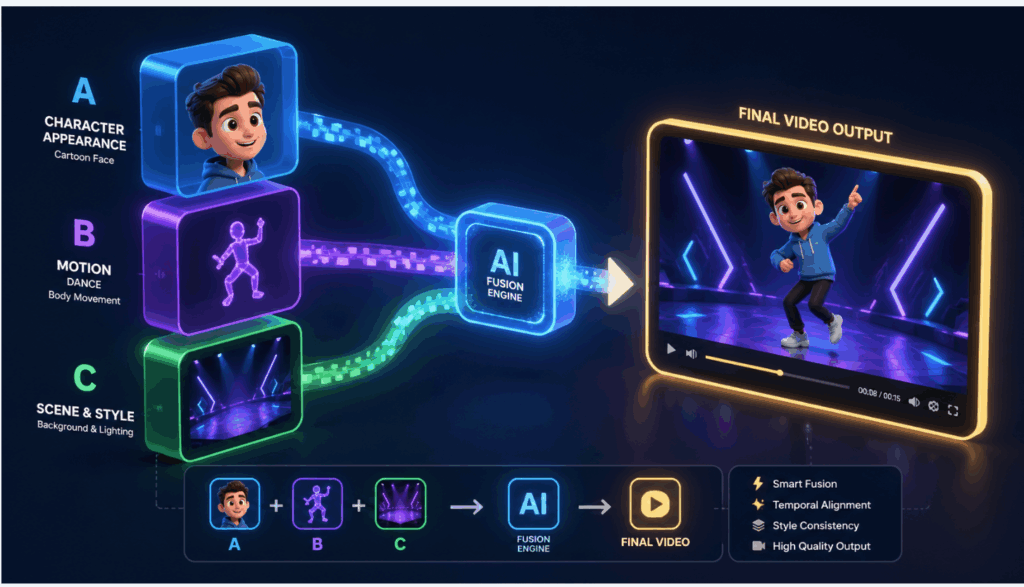
To understand the biggest advantage of Seedance 2.0, we need to look at its Multi-Material Reference System. In the past, AI video was like a slot machine—you typed a prompt and hoped the AI generated the character or action you wanted.
Think of this system exactly like casting actors and choreographers for a movie set. Instead of relying on the AI's imagination, you treat your uploaded images and videos like Lego blocks, plugging them directly into your text prompt:
- Locking in a Face: Let's say you upload a picture of a specific 3D cartoon boy. Instead of trying to describe his hair color and eye shape in text, you simply tell the AI: "A young boy looking exactly like [Uploaded Image A], sitting in a futuristic diner." The AI acts like a casting director—it grabs the exact face from your image and puts it perfectly into the new video scene, guaranteeing 100% character consistency.
- Copying a Movement: Imagine you have a viral video of someone doing a complex hip-hop dance. You upload it and type: "A fluffy panda bear performing the dance from [Uploaded Video B]." The AI strips the invisible "motion skeleton" from your video and forces the newly generated panda to dance with the exact same rhythm and steps.
This system turns the model from a random video generator into an incredibly precise, point-and-shoot directing tool, making it easy for anyone to create highly consistent, multi-shot sequences.
3. Audio Capabilities
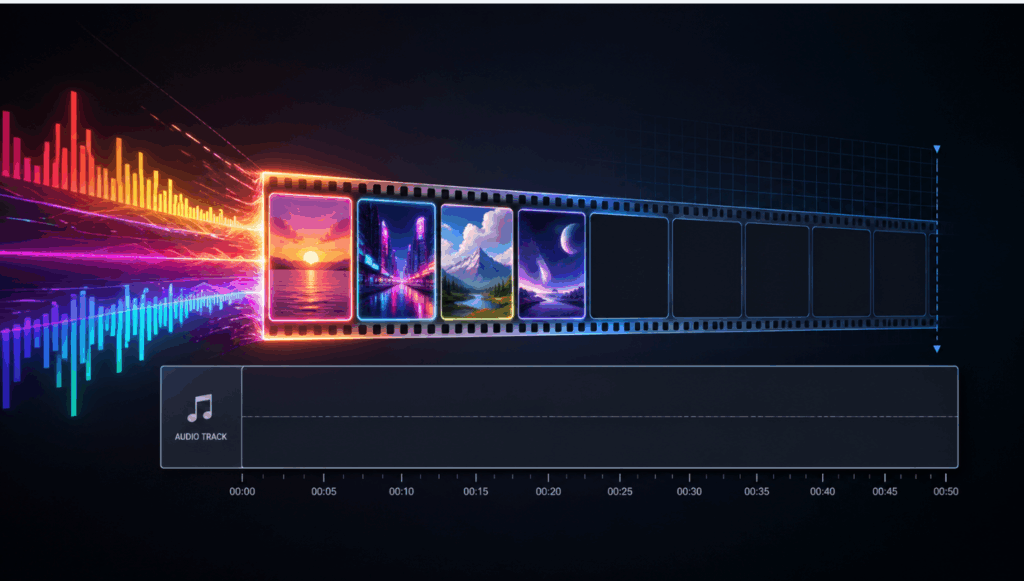
The feature sets of these models reveal their different priorities: immersive ambiance versus structural accuracy.
- Joint Synthesis: The ability to perform joint audio synthesis means it inherently understands the acoustic properties of the visual elements it creates. This is a massive leap forward for creating B-roll, atmospheric shots, and social media content where sound drives engagement.
- Visual Precision over Audio: The alternative sacrifices native audio generation for visual exactness. If you are creating a short film and need the main character's face to remain perfectly identical across ten different scenes, this solves it natively. You will, however, need to add your music and sound effects in a separate video editing software later.
4. Security and Privacy
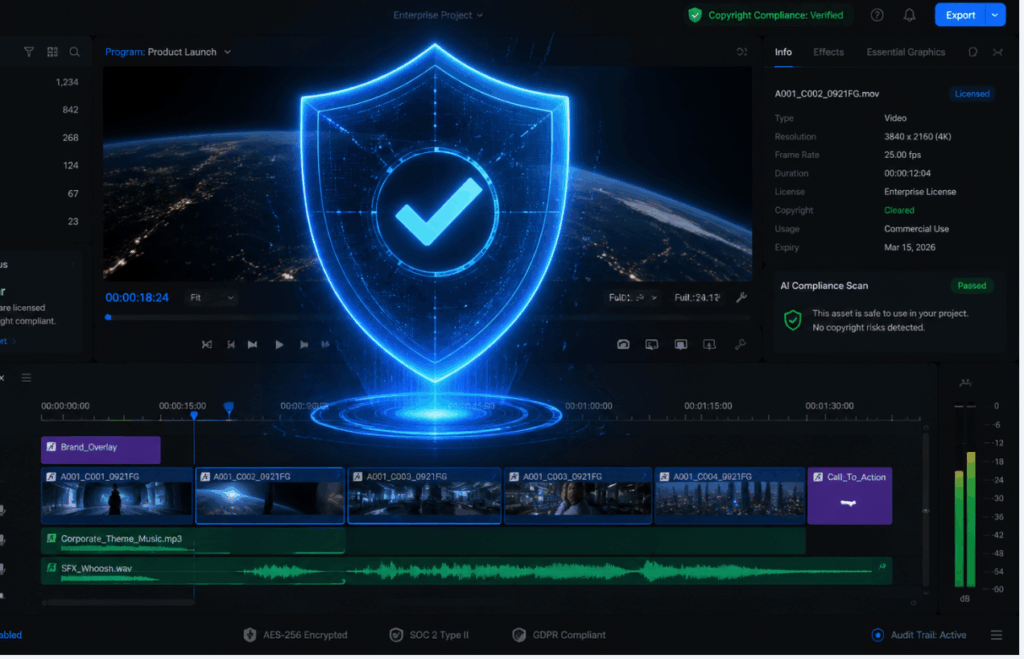
When generating content for commercial brands, overseas user growth campaigns, or official social media channels, compliance and copyright safety are paramount.
- Strict Moderation: The precision-focused model takes a highly aggressive stance on copyright and identity protection. The model has hardcoded restrictions: it does not support real human faces, nor does it allow the generation of copyrighted intellectual properties (like famous movie characters). Attempting to use these will result in an immediate task failure. This makes it the objectively safer choice for enterprise marketing teams who cannot risk deepfake controversies.
- Standard Flexibility: The audio-video model operates with standard industry content moderation. While it blocks explicitly unsafe or harmful content, it offers more flexibility in rendering generic human likenesses and diverse artistic styles.
5. Best Use Cases
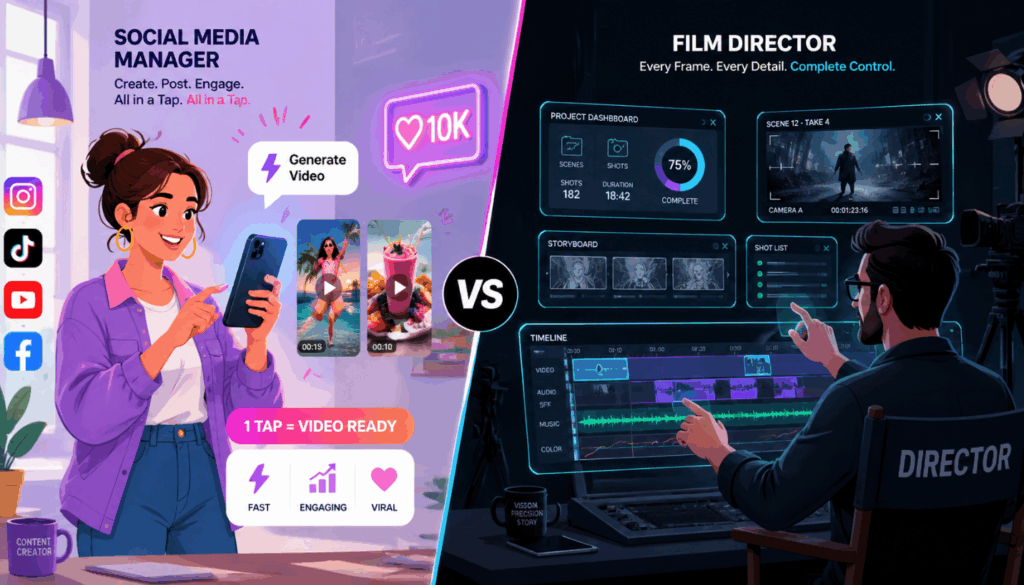
Based on their architectural strengths, here is how you should deploy these models in your daily operations:
Choose HappyHorse 1.0 if you are:
- A Social Media Manager: You need to produce highly engaging short-form content quickly. The joint audio-video generation means your clips are instantly ready for TikTok or Instagram Reels without needing external sound libraries.
- A Video Editor needing B-Roll: You are cutting a documentary or a YouTube video and need a quick establishing shot. The cinematic motion capabilities allow you to generate hyper-realistic drone shots or nature scenes in seconds.
- A Content Creator: You want to rely on an engine that ensures the highest baseline quality of motion and aesthetic appeal with minimal prompting effort.
Choose Seedance 2.0 if you are:
- A Narrative Storyteller or Animator: You are producing a short film or series where the protagonist must look exactly the same in every single shot. The facial reference system is your most valuable asset.
- An Enterprise Marketer: You are running official brand channels and need absolute assurance that no real human faces or copyrighted properties will accidentally bleed into your generated advertising assets.
- A Professional Compositor: You need to bridge two existing scenes in an editing timeline. By setting the first and last frames, you can generate a flawless transition that seamlessly connects your footage.
Frequently Asked Questions
Q: Do I need separate accounts to use these models?
No. Both models are natively available within your VisualGPT workspace. You can switch between them instantly depending on what your current project requires.
Q: Which model is better if I hate searching for sound effects?
The HappyHorse engine is the definitive winner here. It synthesizes high-quality, matched audio at the exact same time as the video, saving you hours of post-production sound design.
Q: How do I ensure my character doesn't change appearance in different videos?
You should use the Seedance engine. By treating your uploaded character design like a visual variable and linking it directly in your prompt, the AI will lock in those facial features across multiple generations.
Q: Can I generate a video featuring a famous celebrity?
No. To maintain strict enterprise safety standards, our precision model expressly prohibits the generation of real human faces and copyrighted properties.
Q: Which model is better for beginners?
The joint audio-video model has a much lower barrier to entry. Because it handles complex motion physics and audio automatically, beginners can get stunning, ready-to-share results by simply typing a few descriptive words.
Final Verdict
The evolution of AI video tools means creators no longer have to settle for "good enough." Choosing between these two engines does not come down to which model is objectively superior, but rather which model acts as the precise utility required for your current task.
If your priority is raw cinematic quality, speed, and the sheer convenience of generating perfectly synchronized sound and motion simultaneously, HappyHorse 1.0 is an unparalleled solution that streamlines the entire production pipeline.
Conversely, if you are building complex narratives, require strict character consistency, and need to construct videos like a director piecing together a set with uploaded reference materials, Seedance 2.0 offers a level of granular control that most AI models currently lack.
Ultimately, mastering both engines within your visual workflow will grant you the flexibility to tackle any creative brief effortlessly.