Are you searching the internet to figure out exactly how to use Seedance 2.0 to create mind-blowing, cinematic artificial intelligence videos, only to be stopped by endless waitlists, complicated Discord servers, or incredibly technical engineering interfaces? If you are feeling frustrated by the high barriers to entry in the world of advanced digital video generation, you are absolutely not alone. Millions of creators are currently looking for a streamlined way to access this revolutionary technology without needing a degree in computer science. Anyone asking how to use Seedance 2.0 usually hits a wall of complex documentation and exclusive beta testing groups that take months to approve new users. Seedance 2.0 has recently taken the artificial intelligence and digital art world by storm. It fundamentally transforms the basic concept of a simple video generator into a comprehensive, all-in-one cinematic filmmaking workflow. With its unprecedented ability to process text, image, video, and audio inputs simultaneously, it generates commercial-grade visuals with perfectly synchronized sound effects. By the end of this comprehensive guide, you will know exactly how to use Seedance 2.0 to transform your basic ideas into stunning Hollywood-level masterpieces. We will show you how to bypass the frustrating official queues and try Seedance 2.0 without a waitlist directly on VisualGPT. With an incredibly intuitive, beginner-friendly interface and a built-in intelligent prompt optimizer ready to do the heavy lifting for you, your journey into professional AI filmmaking begins right here, right now.
What is Seedance 2.0? The Revolution in AI Video Generation
Before we dive into the granular steps of this tutorial, it is crucial to understand why this specific model is being hailed as an absolute game-changer in the creative industry. For years, earlier generations of video models struggled heavily with basic physics, temporal consistency, and character continuity. Seedance 2.0 completely rewrites the rules of what is technologically possible. Developed with a massive leap in underlying digital architecture, it actually understands the complex 3D physics of the real world, calculating lighting, shadows, fabric movement, and gravity in real-time.
1. True Multi-Modal Input Capabilities
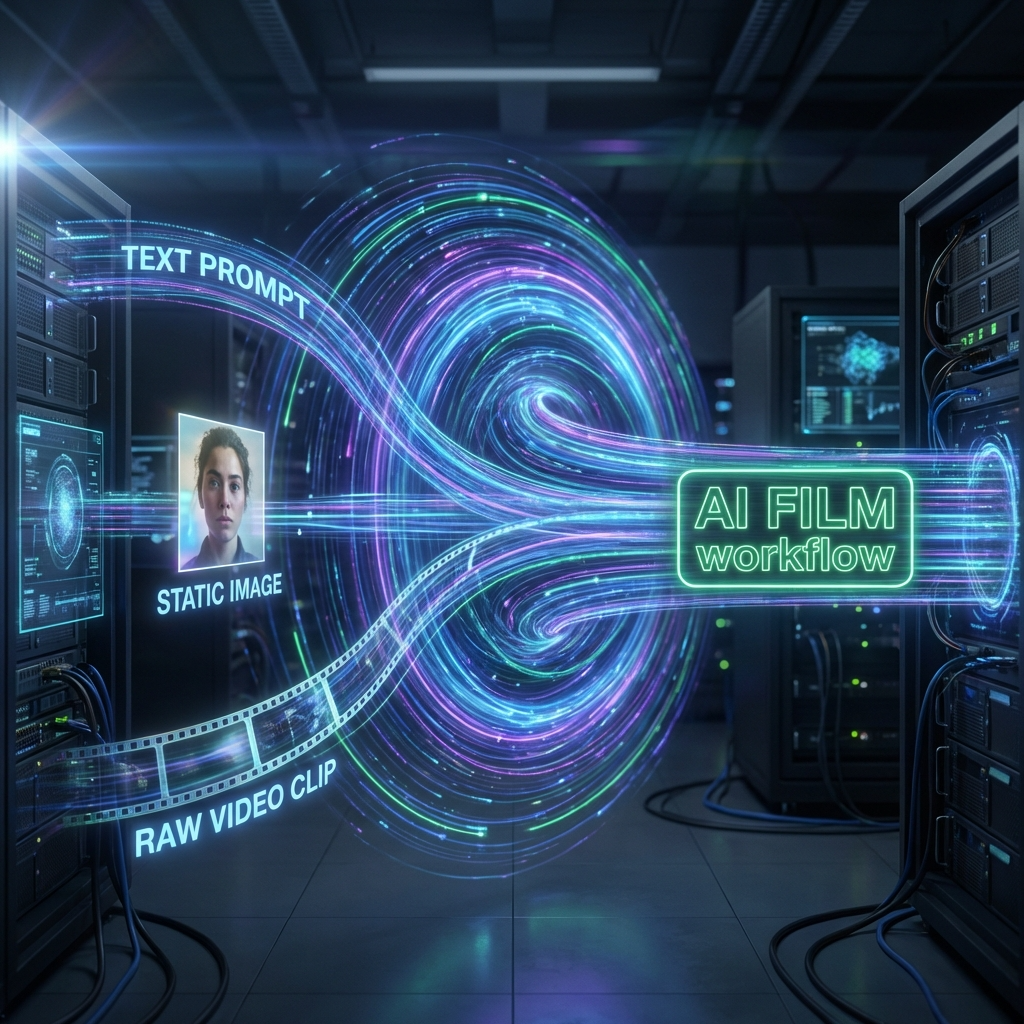
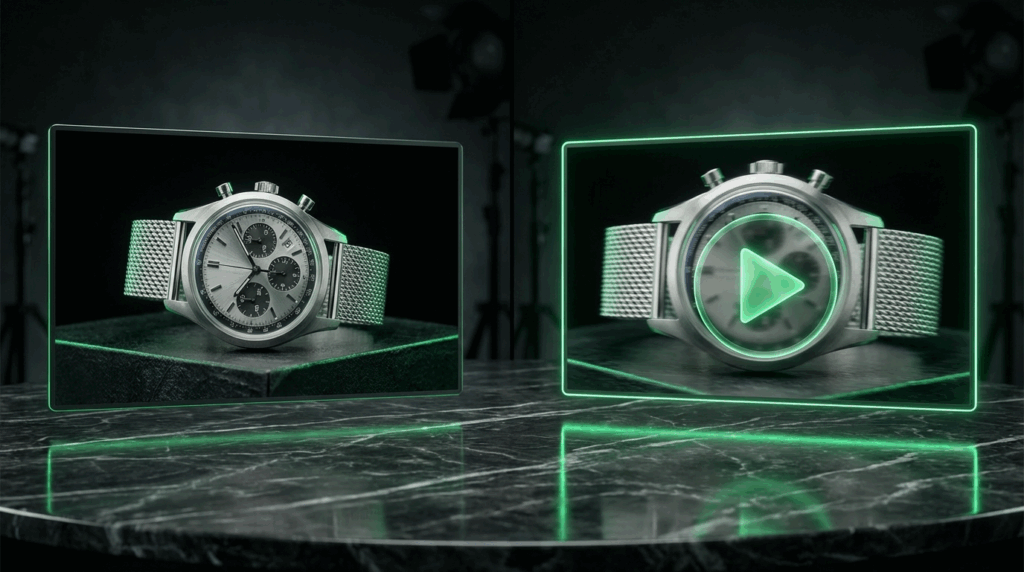
Unlike older models that only accepted basic text prompts, this new engine is a true multi-modal powerhouse. A key part of learning how to use Seedance 2.0 effectively is realizing that it can seamlessly ingest text, images, and even other videos as starting points. Whether you want to type out a highly detailed scene description from scratch, or upload a static photograph of a retail product and bring it to vivid life, the model handles it with astonishing accuracy and structural integrity. This opens up massive doors for graphic designers who want to animate their existing digital portfolios, or marketers who need to turn static ad banners into highly engaging, high-converting video advertisements.
2. Simultaneous Audio and Visual Generation
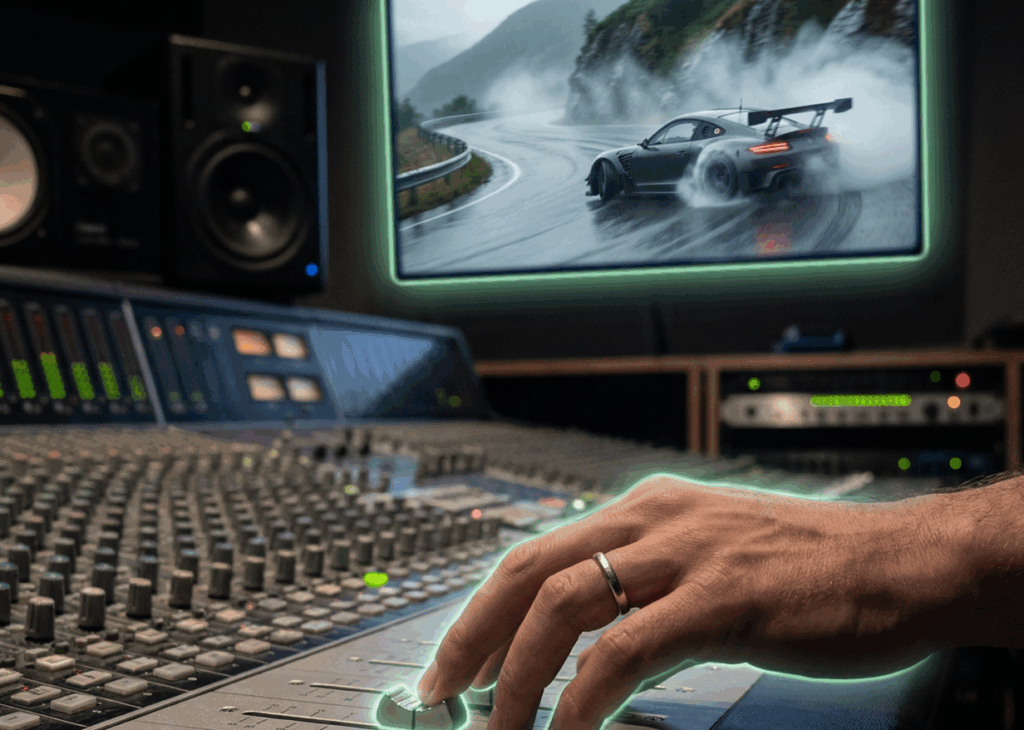
Perhaps the most groundbreaking feature of this new system is its native audio generation. If you want to know how to use Seedance 2.0 for complete storytelling, you must leverage its ability to eliminate tedious post-production. When it generates a video of a racing car, it simultaneously generates the hyper-realistic sound of screeching rubber tires, perfectly synced to the visual action on the screen.
3. Commercial-Grade Realism and Camera Language
The model profoundly understands complex professional camera language. You can command it to execute a smooth tracking shot or a dramatic macro close-up. The physical world physics and flawless character consistency are incredibly advanced, making outputs ready for commercial use.
Why Choose VisualGPT for Your Creative Workflow?
Now that you understand the immense power of the model, you might be wondering where is the absolute best place to use it. Official channels often require users to sign up for restricted beta testing, join complex waitlists, or navigate confusing interfaces. If you are researching how to use Seedance 2.0 without a complicated setup, VisualGPT completely changes the landscape. VisualGPT is designed to be the ultimate, frictionless AI video generator platform for beginners and seasoned directors. Here is a detailed breakdown of why creators flock to VisualGPT:
Beginner-Friendly & Intuitive Interface
Many modern artificial intelligence platforms feel like they were built exclusively by engineers. VisualGPT was built specifically for visual creators. The secret to how to use Seedance 2.0 effortlessly lies in our clean, distraction-free dashboard. You do not need to understand complex coding languages or navigate chaotic Discord chat rooms. Everything from selecting your preferred model engine to adjusting your final aspect ratio is accomplished with clear, simple clicks. The intuitive interface guides you naturally.
Zero Waitlist and Instant Access
Creative time is money, especially in the fast-paced world of digital content creation. When a massive visual trend hits the internet, you cannot afford to wait weeks for an exclusive beta access email. VisualGPT integrated the core technology directly into its robust infrastructure. There is no queue, no annoying waiting period, and no complicated application forms. Once you log into your account, you are instantly granted full, unrestricted access to the most powerful video generation tools currently available on the market, allowing you to focus entirely on your creative process rather than logistics.
The "Magic Wand" Prompt Optimizer
This is perhaps the biggest hurdle for new users. Many beginners wondering how to use Seedance 2.0 struggle with prompt engineering. You might have a great idea like "a dog flying in space," but typing that basic sentence yields a flat output. On VisualGPT, you do not need to be an expert. We built a powerful "Magic Wand" feature beneath the text box. Type your raw idea, click the icon, and our system expands it into a highly detailed cinematic prompt automatically.
An All-in-One Multi-Model Hub
While this model dominates industry headlines, the AI landscape is constantly evolving. VisualGPT acts as an all-in-one hub allowing you to switch between premium models effortlessly.
Step-by-Step Tutorial: How to Use Seedance 2.0 on VisualGPT
Now, let us get into the practical core of this comprehensive guide. Grab your creative ideas, sit back, and let us walk through the exact process of generating your first cinematic masterpiece. The interface is incredibly intuitive, but this detailed breakdown ensures you leverage every feature.
Step 1: Access the VisualGPT Dashboard
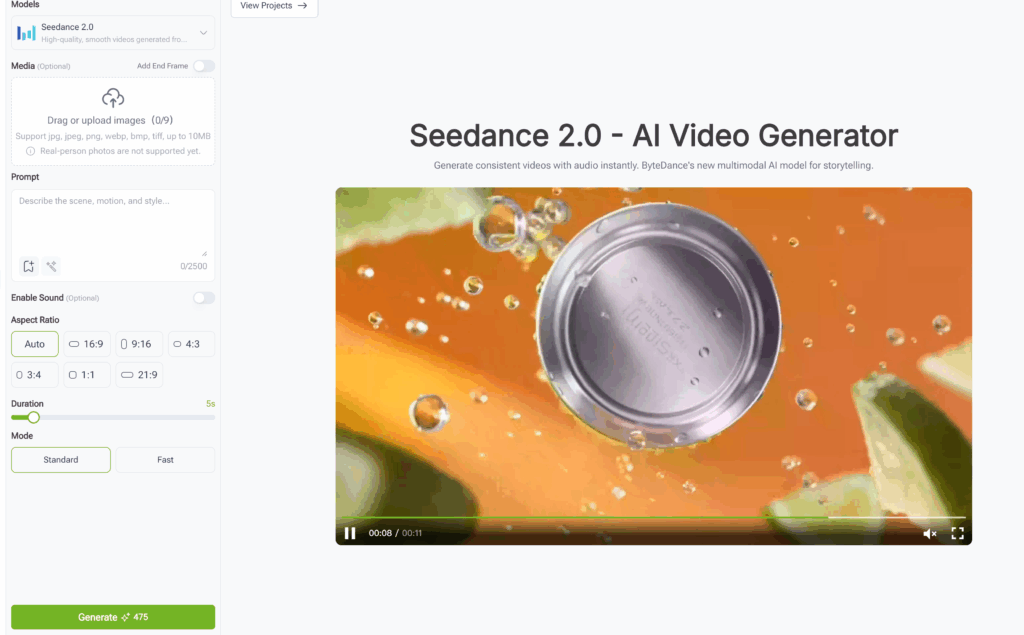
The very first step in how to use Seedance 2.0 is navigating to the official VisualGPT website and logging into your workspace. Once securely on the platform, you are greeted by a clean, user-friendly creative environment designed specifically for visual generation. There is absolutely no steep learning curve here; the layout feels deeply familiar.
Step 2: Select the Correct Generation Engine
Look at the sleek sidebar menu on the left side of your screen. Click the dedicated option labeled "Models" to reveal the list of premium AI engines. From this list, select the target model. You will notice a small description confirming it generates high-quality videos. The central interface instantly adapts to show the specific parameters available for this incredibly powerful Seedance 2.0 model interface.
Step 3: Choose Your Primary Input Method
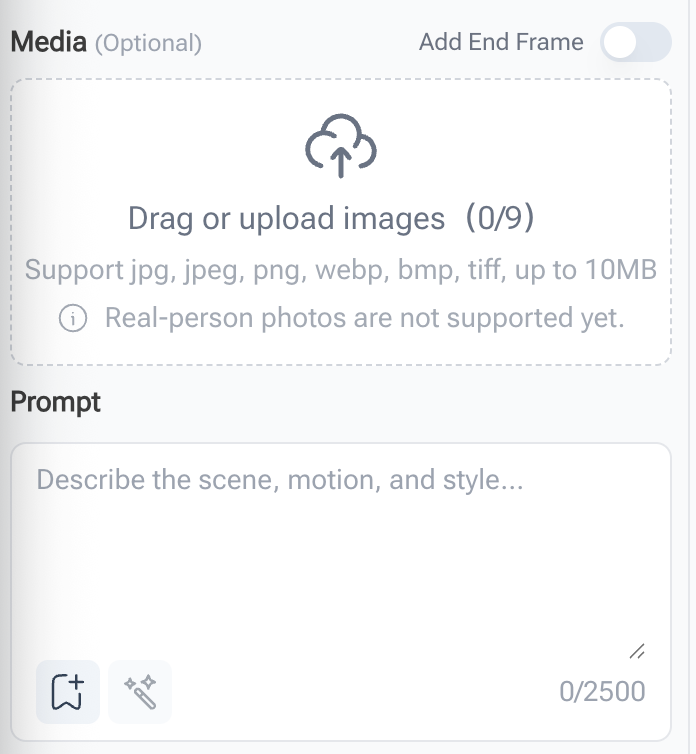
The system accommodates several creative starting points. An essential aspect of how to use Seedance 2.0 is choosing whether you are starting from absolute scratch with text, or animating an existing image. For Image-to-Video generation: If you possess a static photograph, product shot, or digital character design you want to bring to life, look for the dashed upload box labeled "Media". Click this box to browse local computer files or drag and drop your image directly. For Text-to-Video generation: If you want to conjure an entirely new scene purely from imagination, ignore the media upload box and move your cursor down to the prompt section.
Step 4: Write Your Idea and Unleash the Magic Wand
This is where true creative magic happens. To master how to use Seedance 2.0, you must understand how to communicate with its artificial intelligence network. Locate the large "Prompt" text box in the middle of your screen. First, type a simple core concept, like: "A futuristic cyberpunk city in the rain." Next, look below the text box for the elegant Magic Wand icon. Click that icon. Watch in amazement as VisualGPT's intelligent system rewrites it into an optimized directorial prompt. Your simple sentence instantly transforms into a highly detailed cinematic paragraph describing lighting, lenses, and mood.
Step 5: Adjust Your Final Cinematic Settings
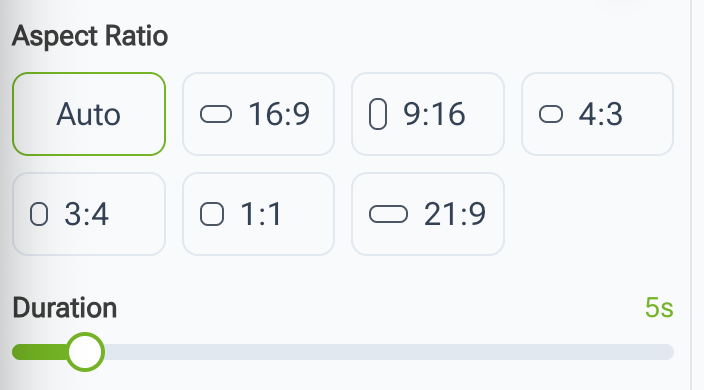
Before hitting generation, look at the quick settings below the prompt box. If you are figuring out how to use Seedance 2.0 for social media versus television, these adjustments make a massive difference. Enable Sound if you want native ambient audio perfectly synced to visuals. Select your Aspect Ratio: 16:9 for YouTube videos, 9:16 for vertical TikTok content, or 1:1 for standard Instagram posts.
Step 6: Generate, Preview, and Download
You have selected the model, optimized your prompt text with the Magic Wand, enabled sound, and picked your desired aspect ratio. Hit the Generate button! Within a short period, your high-fidelity video will smoothly appear in the preview window. Watch it playback, listen to the audio, and marvel at the fluid motion. Once satisfied, click download to save the MP4 file.
Advanced Strategies on How to Use Seedance 2.0 for Business

Understanding buttons is only half the battle; knowing how to strategically apply this profound technology separates hobbyist users from paid professional creators. Let us explore some advanced use cases to inspire your creative session.
E-Commerce and Product Marketing
Let us look at how to use Seedance 2.0 for product sales. Shooting dynamic product videos used to require camera crews and expensive studio space. With the Image-to-Video feature, e-commerce sellers revolutionize their workflow. Take a high-quality smartphone photograph of your physical product, upload it into the Media box, and use a prompt describing a luxurious commercial background. The model maintains the exact structural integrity of your product while animating a breathtaking environment.
Independent Filmmakers and Storyboarding
Independent directors learning how to use Seedance 2.0 can use it as the ultimate storyboarding and visual pitch-deck tool. Before spending thousands of dollars on physical production, expensive location scouting, and actor salaries, you can generate stunning mood reels. This shows producers exactly what your film will look and feel like. By utilizing specific directorial terms in your prompts, you visually communicate your artistic vision with unprecedented clarity.
Frequently Asked Questions (FAQ)
To wrap up this guide, let us address common questions people have when discovering how to use Seedance 2.0.
Q: Is VisualGPT truly easy to use for total beginners?
A: Absolutely. We designed the interface to completely remove the steep, intimidating learning curve associated with generative tools. You do not need any coding knowledge. The best way to use the platform is simply typing a few words and letting the intelligent Magic Wand write the complex technical prompts automatically.
Q: Do I need to buy a powerful computer to run this engine?
A: Not at all! A major advantage of using our cloud platform is that all heavy computational processing is done remotely on state-of-the-art server clusters. You just need a modern web browser.
Q: Can I use the videos I generate for commercial advertising?
A: Yes. The artificial intelligence engine generates entirely new, completely unique pixels based on complex mathematical algorithms. This makes the stunning visual outputs highly suitable for commercial use in digital advertising, social media marketing campaigns, and online content creation. We strongly recommend avoiding text prompts that specifically request copyrighted characters or trademarked corporate logos to ensure total legal safety for your business.
Final Thoughts: Start Your Creative Journey
The global landscape of digital video production has been permanently altered. What used to take days of agonizing rendering and thousands of dollars in equipment can now be accomplished in simple clicks. Stop wrestling with complicated interfaces and confusing manuals. You now have the ultimate blueprint for navigating this technology. It is time to step confidently into the director's chair. The tools are now right at your fingertips. Head over to the platform, start generating with Seedance 2.0 today, and let your artistic vision run wild. The world eagerly awaits your creations!