In the rapidly evolving world of AI video, Seedance 2.0 prompts have become the gold standard for creators seeking high-quality, fluid motion and cinematic realism. Whether you are a professional editor or a hobbyist, the quality of your output depends entirely on the instructions you give the AI.
At VisualGPT, we’ve integrated the Seedance 2.0 to empower users to create stunning visuals from simple text. However, to truly unlock the potential of this technology, you need to understand how to craft effective Seedance 2.0 prompts. This guide will show you how to master the art of prompting, ensuring that every video you generate on VisualGPT is nothing short of a masterpiece.
Explore Seedance 2.0 Prompts with Real Examples
Learning by example is the most effective way to understand how Seedance 2.0 prompts translate into visual motion. When you look at high-performing Seedance 2.0 prompts, you’ll notice they aren't just descriptions—they are detailed sets of directions that include lighting, texture, and camera movement.
For instance, consider a prompt designed for a high-fashion look. Instead of just saying "a woman in a dress," effective Seedance 2.0 prompts go deeper. A real-world example of one of the best Seedance 2.0 prompts for character consistency and elegance is: "A woman wearing a vibrant traditional Chinese Qipao, standing in a serene ancient garden with blooming cherry blossoms, soft morning sunlight, cinematic lighting, 8k resolution."
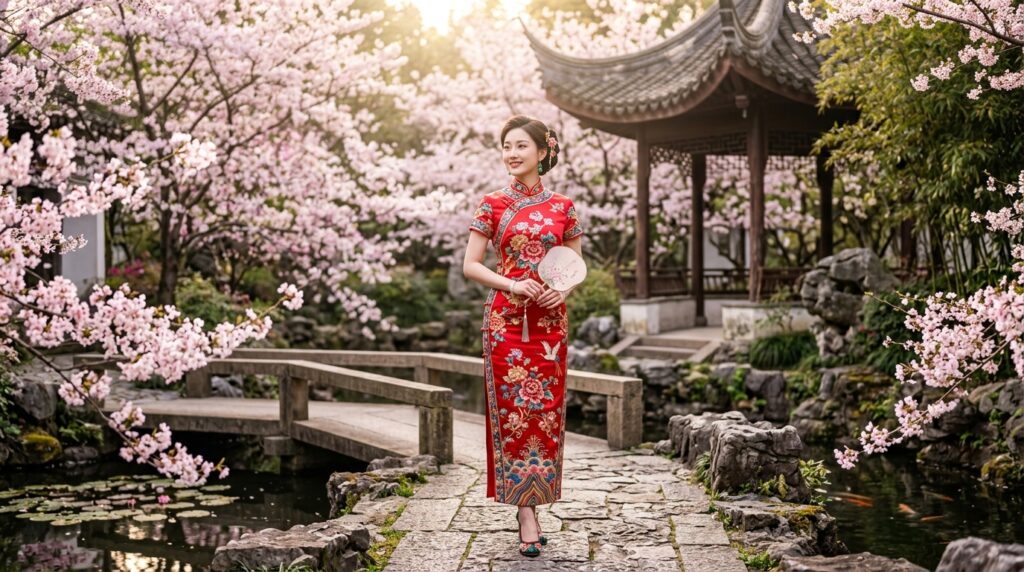
By studying such Seedance 2.0 prompts, you can see how adding environment details (ancient garden) and lighting cues (soft morning sunlight) drastically improves the video's quality. Analyzing these types of Seedance 2.0 prompts helps you move away from guesswork and toward intentional creation.
How to Create Better AI Videos with Seedance 2.0
To create truly breathtaking videos on VisualGPT, your Seedance 2.0 prompts need to provide the AI with a clear narrative. A common mistake is being too brief. While the model is smart, the best Seedance 2.0 prompts act like a director’s script.
Compare these two approaches to writing Seedance 2.0 prompts:
- Basic approach: "A car driving in a city."
- Enhanced Seedance 2.0 prompts: "A high-speed motorcycle chase through a futuristic Tokyo, neon signs glowing in the rain, puddles reflecting city lights, fast camera tracking, motion blur, 4k."
The second version is far superior because it uses Seedance 2.0 prompts to define the atmosphere (futuristic Tokyo), the physics (motion blur), and the technical camera settings (fast tracking). When you start experimenting with your own Seedance 2.0 prompts, try to describe not just the object, but the mood and the camera's perspective. This is the secret to getting the most out of Seedance 2.0 on VisualGPT.
Seedance 2.0 Prompt Structure Explained
Mastering Seedance 2.0 prompts is much like learning a new language. To get the best results on VisualGPT, you shouldn't just throw random words together. Instead, the most effective Seedance 2.0 prompts follow a specific logical structure that helps the AI understand the subject, the movement, and the cinematic style simultaneously.
A high-performing formula for Seedance 2.0 prompts looks like this: [Subject] + [Action/Motion] + [Environment/Setting] + [Lighting/Mood] + [Camera Perspective]
By organizing your Seedance 2.0 prompts this way, you give the model a clear hierarchy of information. For example, if you focus only on the subject but forget the camera perspective, the video might feel static. By using structured Seedance 2.0 prompts, you ensure that every frame of your AI video feels intentional and professional.
Copy-Paste Seedance 2.0 Prompt Examples
To help you get started immediately on VisualGPT, we’ve curated a list of proven Seedance 2.0 prompts. You can copy and paste these directly or tweak them to fit your specific needs. These Seedance 2.0 prompts are designed to showcase the model's versatility across different genres.
Cinematic Prompts
These Seedance 2.0 prompts are perfect for creating atmospheric, movie-like sequences with deep storytelling elements.
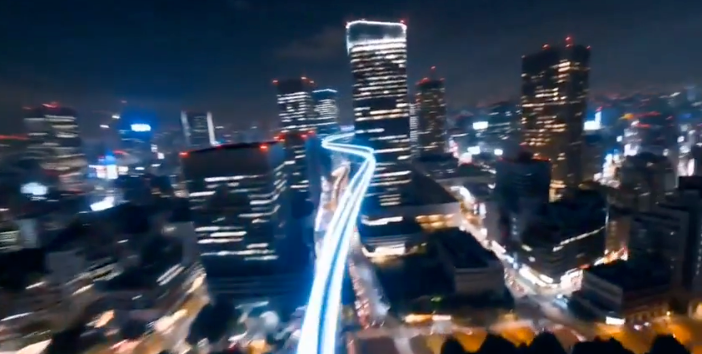
“A cinematic POV shot riding an invisible rollercoaster through Tokyo at night. The camera moves at extremely high speed, with strong motion blur and light streaks. Ahead of the camera, a glowing neon rail continuously generates itself milliseconds before the camera reaches it, weaving dynamically through the steel structures of Tokyo Tower and surrounding buildings.
As the camera flies through the city, every building it touches instantly transforms into stacks of glowing cubes, which rotate, break apart, and reassemble in a smooth, procedural motion. The environment feels alive and constantly reconstructing itself, like a geometry nodes-style transformation system.
The motion remains fast, fluid, and immersive, with seamless transitions between structures. At the end of the sequence, the camera dives straight downward into a sea of neon lights. The lights rapidly converge and transform into a giant QR code or a stylized logo, which appears clearly for a brief moment before the screen cuts to black.”
Action & Motion Prompts
Seedance 2.0 excels at fluid movement. Use these Seedance 2.0 prompts to capture high-energy sequences.
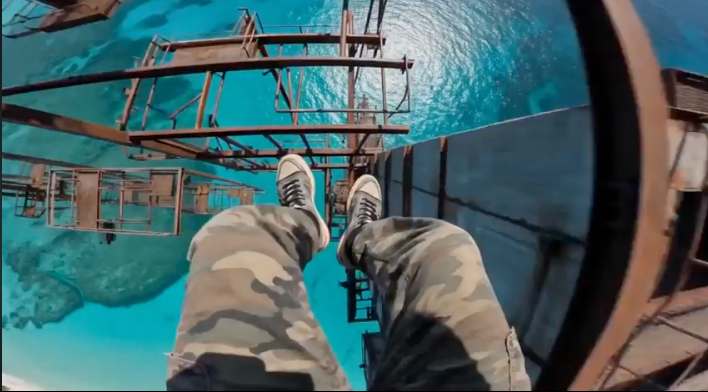
“A hyper-realistic, 8K, adrenaline-fueled single-take POV shot. The camera is chest-mounted on a man wearing camouflage joggers and worn-out black-and-white sneakers, standing on the edge of a rusted skyscraper 1000 feet above a crystal-clear turquoise ocean. No clouds, just a terrifying vertical drop.
He suddenly leaps into a 20-meter freefall. The camera points at his feet as the ocean rushes closer, with a deafening “Hyuo” wind. Just before impact, he grabs a rusted horizontal bar with both hands and swings onto a small vertical pole.
He moves through fast, rhythmic jumps across rusted poles and pipes. On one jump, his foot slips, and the camera tilts violently toward the abyss. He nearly falls, panics, and desperately pulls himself back up.
Still trembling, he continues jumping until he lands hard on a swaying metal platform with a metallic clang.
The camera remains low and shaking. Heavy breathing, a pounding heartbeat, and strong wind dominate the sound. Bright sunlight reflects off the ocean far below. Ultra-detailed rust, skin textures, and fluid 120fps motion.”
Product Video Prompts
If you are a marketer, these Seedance 2.0 prompts will help you create high-end commercial visuals for your brand.
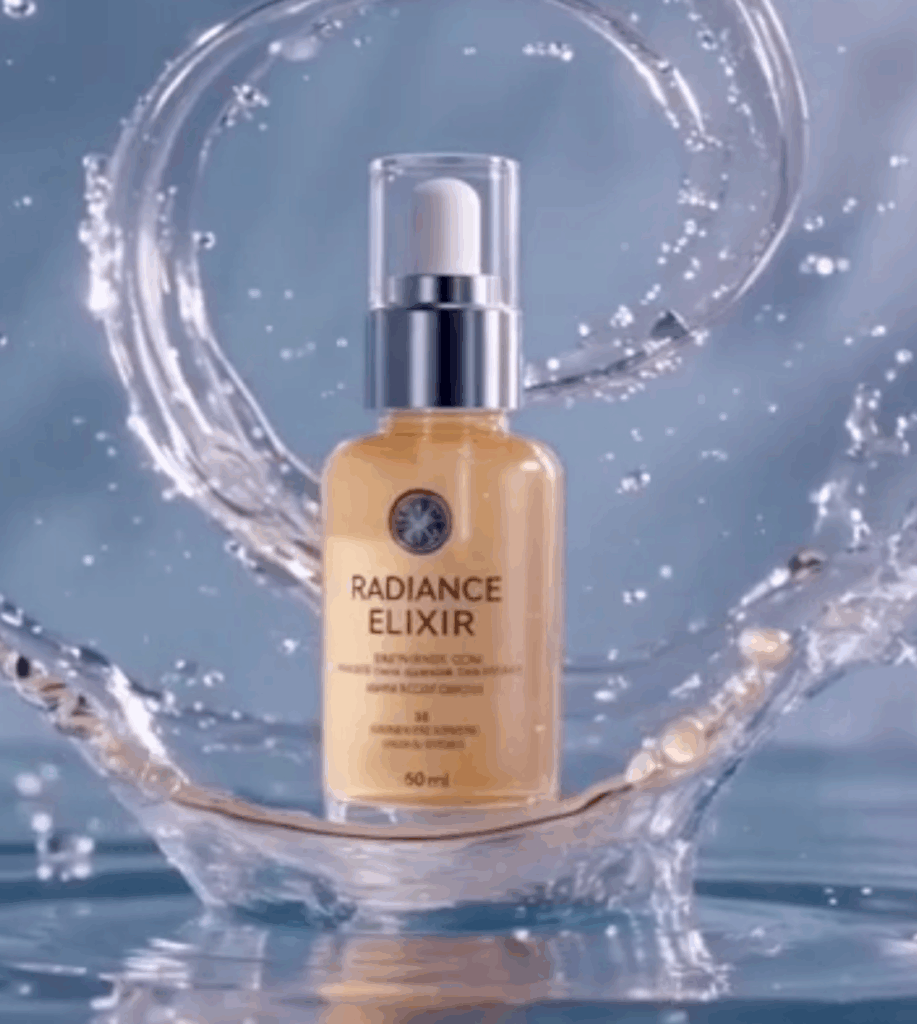
“Ultra-premium luxury skincare commercial, photorealistic. Product must exactly match the reference in bottle shape, label, liquid color, and reflections.
Bottle perfectly centered, upright, placed on a glossy liquid surface with smooth ripples. Elegant crown-like fluid splash around the base.
Background: soft gradient from pastel aqua to lavender, with a dreamy, misty atmosphere.
Camera: slow, seamless 360-degree orbit, perfectly stable, no shake, no zoom, constant motion. Bottle remains centered at all times.
Lighting: soft studio lighting, glossy reflections, subtle highlights, gentle rim light. The glass and liquid look luminous and smooth.
Mood: elegant, sensual, cinematic, 4K, shallow depth of field, high-end beauty campaign.”
Social & Viral Style Prompts
For content that pops on TikTok or Instagram, these Seedance 2.0 prompts focus on vibrant colors and engaging, quirky subjects.
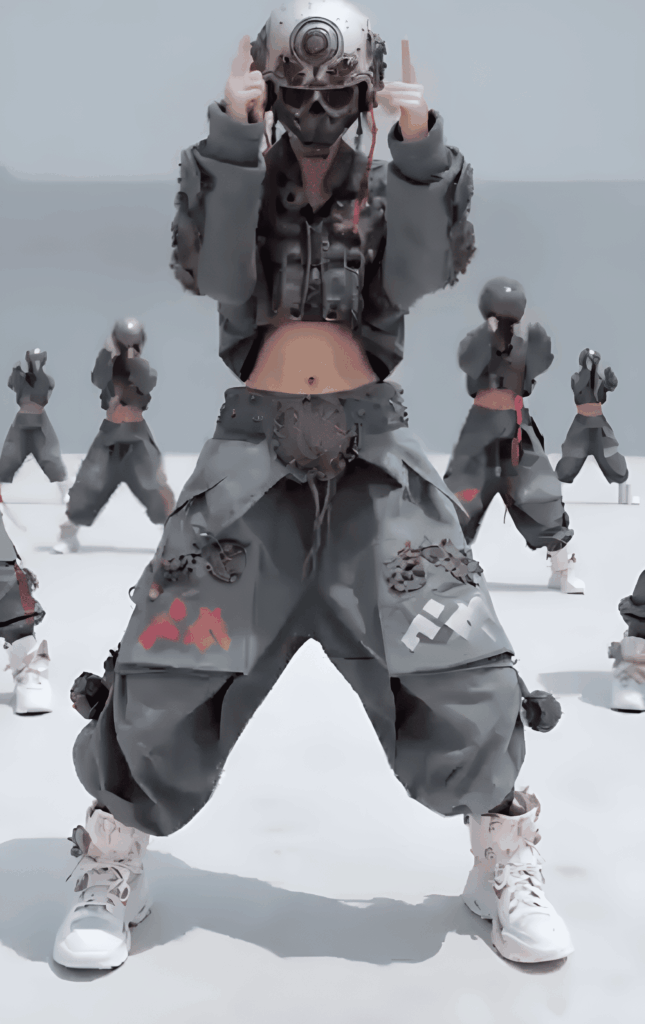
“Highly dynamic cinematic dance video based on @image1. Viral TikTok style with high-energy modern hip-hop choreography and sharp, fast movements.
Rapid rhythmic cuts synced to the beat, mixing wide dance shots with dynamic B-roll: close-ups of sneakers footwork, facial expressions, and hand isolations. Low-angle tracking shots enhance motion, with quick pans and slight shaky-cam on heavy drops.
Cinematic studio lighting, motion blur on fast actions, hyper-detailed, photorealistic, social media trending style.”
Generate Videos on VisualGPT with Seedance 2.0
Now that you have a library of high-quality Seedance 2.0 prompts, it is time to bring your vision to life. Generating AI videos on VisualGPT is designed to be a seamless and intuitive experience. To get started, simply navigate to the Seedance 2.0, where the advanced engine is ready to process your creative instructions.
Once you are on the platform, you can paste your chosen Seedance 2.0 prompts into the input field. VisualGPT’s interface allows you to see how different Seedance 2.0 prompts interact with the model’s settings. Whether you are using the copy-paste Seedance 2.0 prompts provided earlier or experimenting with your own unique ideas, the generation process is fast and efficient. This ease of use makes VisualGPT the perfect playground for testing and refining your Seedance 2.0 prompts until you achieve the exact visual style you desire.
Tips to Improve Your Seedance 2.0 Prompts
Even with a powerful model, the difference between a good video and a great one often lies in the fine-tuning of your Seedance 2.0 prompts. If you want to elevate your content on VisualGPT, consider these professional tips for optimizing your Seedance 2.0 prompts:
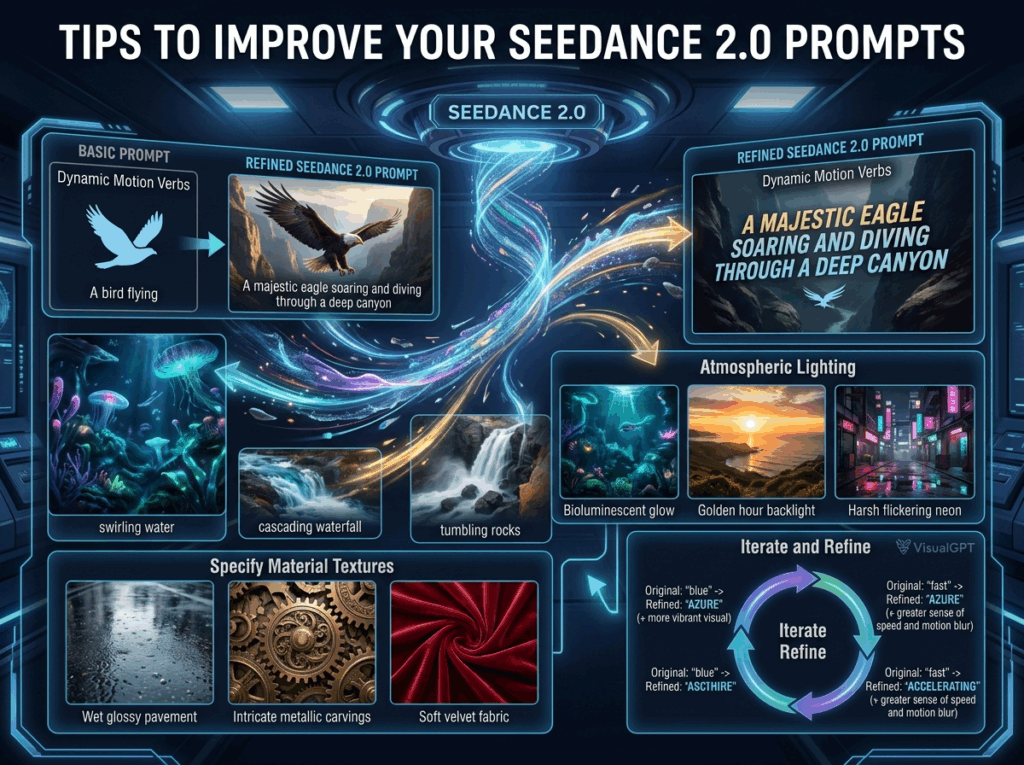
- Use Dynamic Motion Verbs: Seedance 2.0 is specifically built for movement. To get the most out of it, include strong verbs in your Seedance 2.0 prompts. For example, instead of saying "a bird flying," use Seedance 2.0 prompts like "a majestic eagle soaring and diving through a deep canyon." Words like "swirling," "cascading," or "tumbling" give the AI much better cues for fluid motion.
- Focus on Atmospheric Lighting: Lighting is the secret sauce of cinematic AI video. When writing your Seedance 2.0 prompts, always specify the light source. Examples of effective lighting keywords for Seedance 2.0 prompts include "bioluminescent glow," "golden hour backlight," or "harsh flickering neon."
- Specify Material Textures: To achieve hyper-realism, describe how surfaces look and feel. Great Seedance 2.0 prompts often include details like "wet glossy pavement," "intricate metallic carvings," or "soft velvet fabric." These details help the model render light and shadow more accurately.
- Iterate and Refine: Don't be afraid to generate multiple versions. Sometimes, changing just one word in your Seedance 2.0 prompts—like swapping "blue" for "azure" or "fast" for "accelerating"—can lead to a significantly better result.
Common Mistakes to Avoid
Even experienced creators can sometimes run into issues when crafting Seedance 2.0 prompts. To save you time and credits on VisualGPT, here are the most common mistakes to watch out for:
- Being Too Brief: A one or two-word prompt doesn't give the AI enough data. If your Seedance 2.0 prompts are just "a dog running," the AI has to guess the breed, the environment, and the camera angle, often leading to generic results.
- Prompt Stuffing: On the flip side, adding too many conflicting descriptors in your Seedance 2.0 prompts can confuse the model. For example, asking for "a dark, moody cave" and "bright, sunny tropical lighting" in the same prompt will lead to visual glitches. Keep your Seedance 2.0 prompts coherent.
- Forgetting the Camera: Since Seedance 2.0 is a video model, forgetting to describe motion is a major missed opportunity. Static Seedance 2.0 prompts often result in videos that look like slightly moving still images. Always include terms like "zoom," "pan," "tilt," or "tracking shot."
- Ignoring Subject Consistency: If you are trying to create a character-driven scene, ensure your Seedance 2.0 prompts describe the character’s features in detail (e.g., "blue jacket, curly hair, silver glasses") to keep them consistent throughout the movement.
Conclusion
The power of AI video generation is now at your fingertips, but the true magic lies in how you use Seedance 2.0 prompts to guide the machine. By following the structures and examples we’ve shared, you can transform simple ideas into breathtaking cinematic experiences on VisualGPT.
Mastering Seedance 2.0 prompts is an iterative process—don't be afraid to experiment, tweak, and try new combinations of keywords. Whether you are building a brand, telling a story, or just exploring the future of art, the right Seedance 2.0 prompts are your most valuable tool. Head over to the Seedance 2.0 now and start creating your next viral AI video today!